| User Roles |  Admin Admin | ✗ Staff contributor | ✗External Contributor | ✗ Pulse user |
You can automate the entry of your office's data in template 2.2 "Complimentary review or correction assignment" through configuration. This way, you only need to enter this information once at the office level, instead of separately in each individual file when preparing the financial statements. Read below to find out how to proceed.
Table of contents
- 2.2 Complimentary review or correction assignment
- Start date
- Configuration of Natural Person and/or Legal Person
- Verification or correction task
Complimentary review or correction assignment
At office level, navigate to "Templates" > "Reconciliations" to open the relevant templates. You will see templates for both the full and abbreviated models. If you want the data to appear in both models, the configuration must be added to both notes.

By clicking on the blue link, you'll be taken to the following screen:
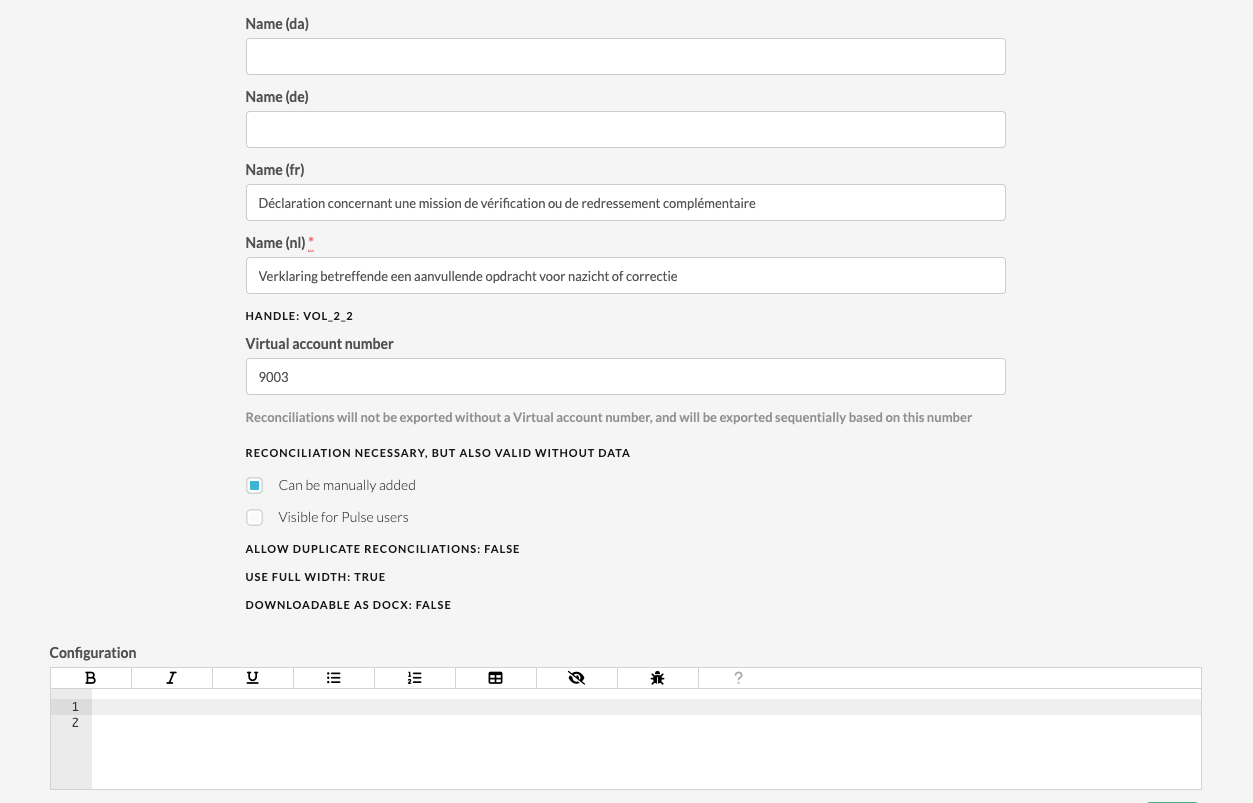
The field where we will record the settings is the configuration field that you will find at the bottom of the page.
You need to copy and paste the following configuration variables into the field to add one natural and/or legal person for the entire environment.
Start date
First and foremost, copy and paste the following configuration that determines when the configuration will be displayed. You need to enter a start date between the quotation marks (" ").
{% assign start_date_conf = "31/12/2020" %}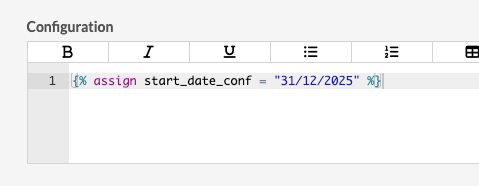 Configuration of Natural Person and/or Legal Person
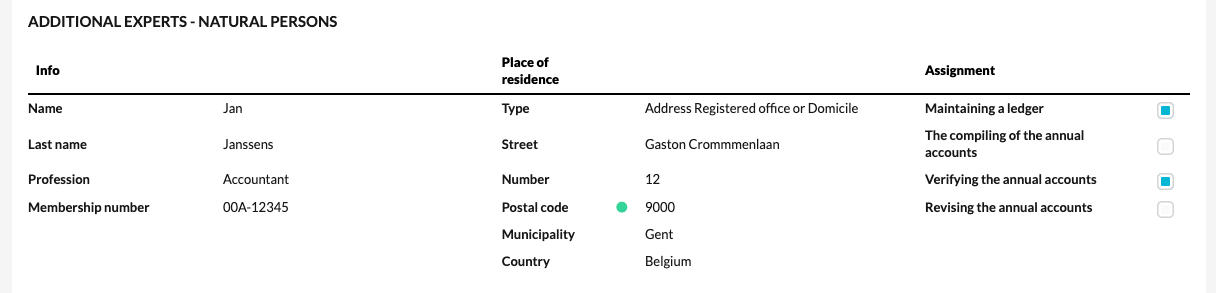
For the configuration of a natural and/or legal person, use the following settings. Customize the configuration by editing the data within the quotation marks (" "). For example:
{% assign physical_first_name_conf = "Name" %} becomes {% assign physical_first_name_conf = "Jan" %}.
Lines containing "true" and "false" affect the option fields. "True" ensures that an option is checked, while "false" means it is unchecked.
Natural person
{% assign physical_first_name_conf = "Name" %}
{% assign physical_last_name_conf = "Last name" %}
{% assign physical_address_conf = "001" %}
{% assign physical_street_conf = "Street" %}
{% assign physical_profession_conf = "Profession" %}
{% assign physical_number_conf = "Number" %}
{% assign physical_member_number_conf = "Membership number" %}
{% assign physical_postal_code_conf = "Postal code" %}
{% assign physical_city_conf = "Municipality" %}
{% assign physical_country_conf = "BE" %}
{% assign def_phyiscal_assignment_bookkeeping_conf = true %}
{% assign def_phyiscal_assignment_compiling_annual_accounts_conf = false %}
{% assign def_phyiscal_assignment_verifiying_annual_accounts_conf = true %}
{% assign def_phyiscal_assignment_revising_annual_accounts_conf = false %}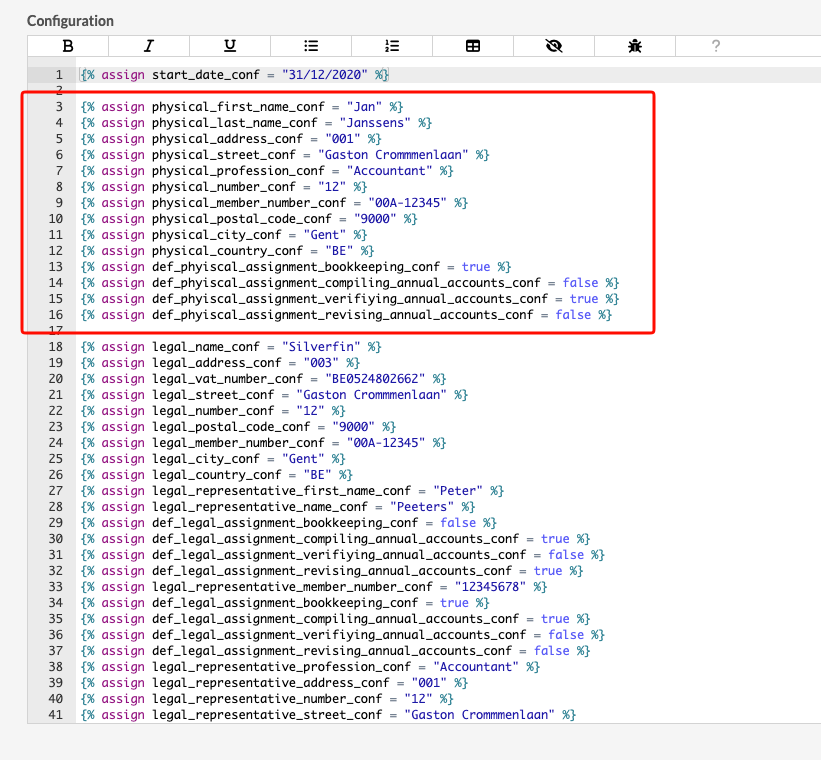
 Legal person
{% assign legal_name_conf = "Last name" %}
{% assign legal_address_conf = "001" %}
{% assign legal_vat_number_conf = "Company identification number" %}
{% assign legal_street_conf = "Street" %}
{% assign legal_number_conf = "Number" %}
{% assign legal_postal_code_conf = "Postal code" %}
{% assign legal_member_number_conf = "Membership number" %}
{% assign legal_city_conf = "Municipality" %}
{% assign legal_country_conf = "BE" %}
{% assign legal_representative_first_name_conf = "Rep. Name" %}
{% assign legal_representative_name_conf = "Rep. Last name" %}
{% assign def_legal_assignment_bookkeeping_conf = false %}
{% assign def_legal_assignment_compiling_annual_accounts_conf = true %}
{% assign def_legal_assignment_verifiying_annual_accounts_conf = false %}
{% assign def_legal_assignment_revising_annual_accounts_conf = true %}
{% assign legal_representative_member_number_conf = "Membership number" %}
{% assign def_legal_assignment_bookkeeping_conf = true %}
{% assign def_legal_assignment_compiling_annual_accounts_conf = true %}
{% assign def_legal_assignment_verifiying_annual_accounts_conf = false %}
{% assign def_legal_assignment_revising_annual_accounts_conf = false %}
{% assign legal_representative_profession_conf = "Beroep" %}
{% assign legal_representative_address_conf = "002" %}
{% assign legal_representative_number_conf = "Number" %}
{% assign legal_representative_street_conf = "Street" %}
{% assign legal_representative_postal_code_conf = "Postal code" %}
{% assign legal_representative_city_conf = "Municipality" %}
{% assign legal_representative_country_conf = "BE" %}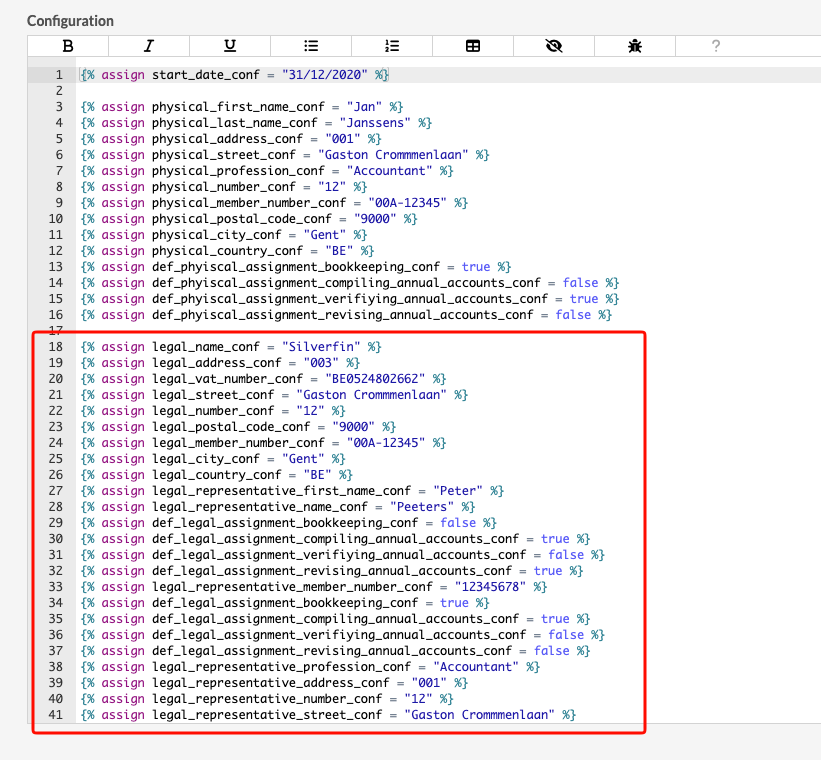
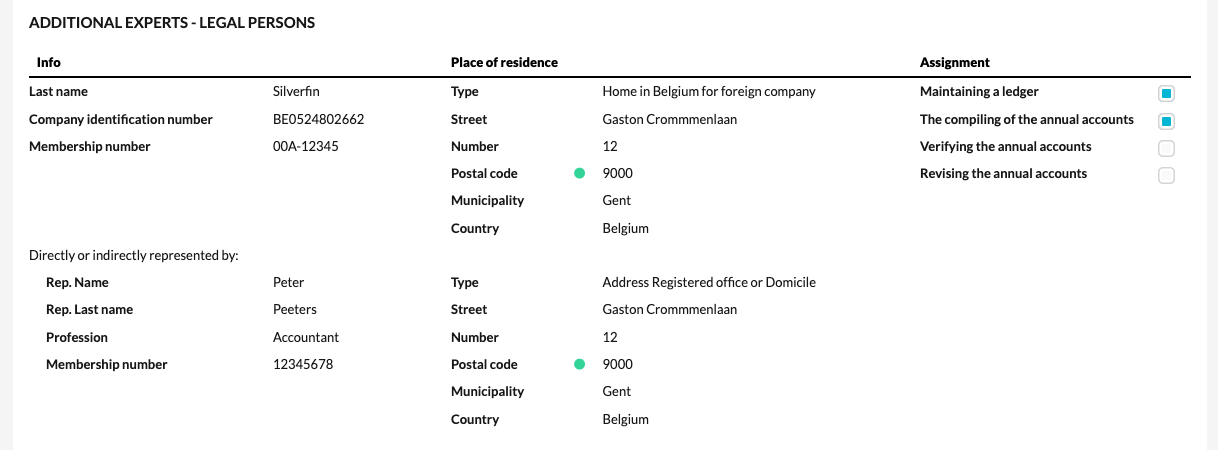
Note! There are two separate templates at the office level for the full and abbreviated models. Therefore, you need to apply this setting in both templates.
For the address, enter a code 001, 002, or 003. Here's what they mean:
001 = Home in Belgium for foreign company
002 = Address Registered office or Domicile
003 = Home in Belgium for foreign company
Verification or correction task
You can also configure the question regarding the verification or correction task by default.

You can use the following configuration for this. If you want "Yes" to appear by default, use "true." If you want "No" to appear by default, use "false."
{% assign def_verification = "false" %}{% assign def_verification = "true" %}