
| User Roles |  Admin Admin | ✗Staff contributor | ✗External contributor | ✗Pulse user |
This article explains how to connect Silverfin with Sage Business Cloud Accounting (Sage BCA) to synchronise bookkeeping data at firm level. Once the connection is established, any changes made in Sage BCA will sync with Silverfin.
Only users with admin rights can set up synchronisation at firm level.
To establish the connection, follow these steps:
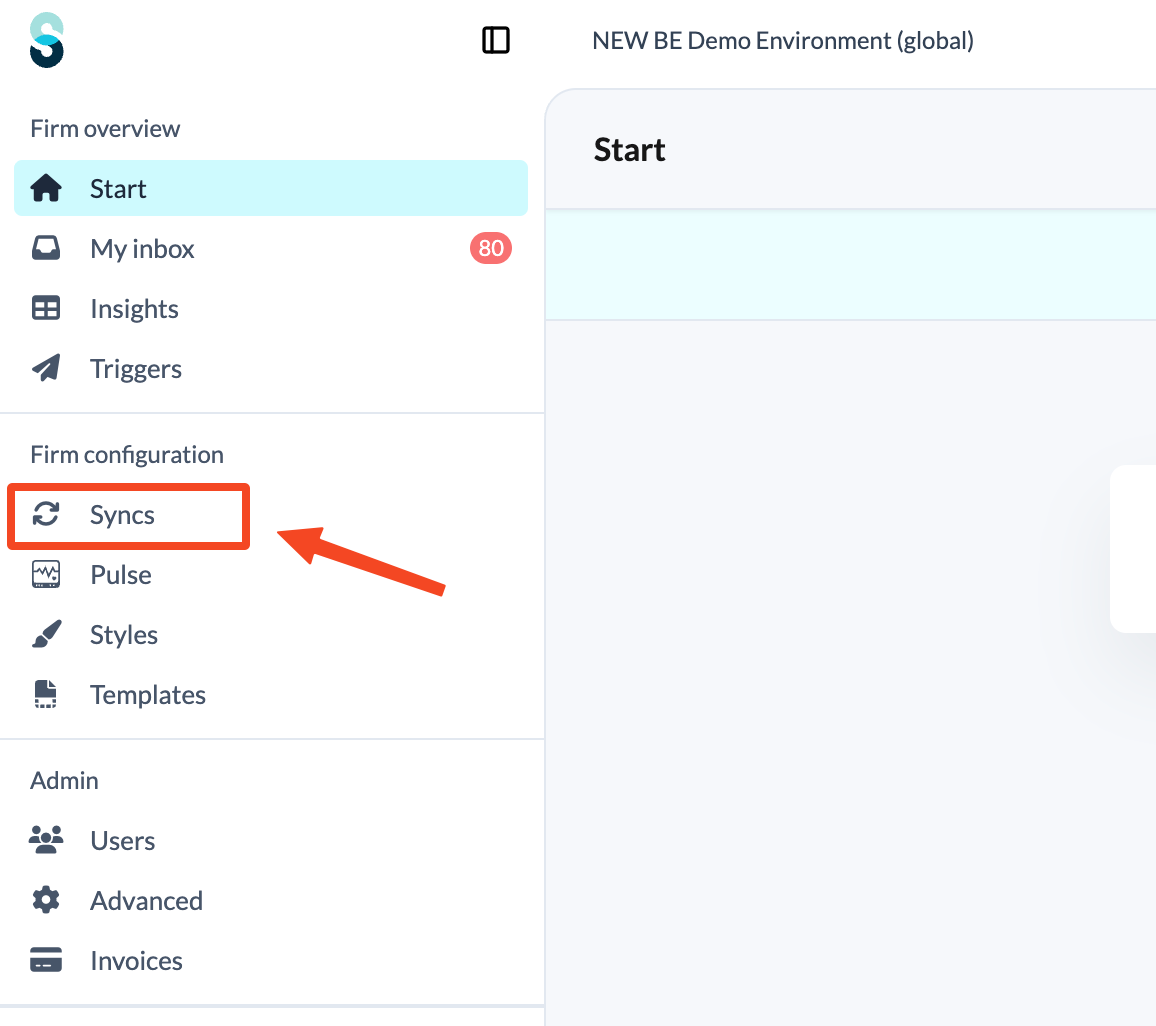
- Click Syncs in the left panel, under Firm configuration.
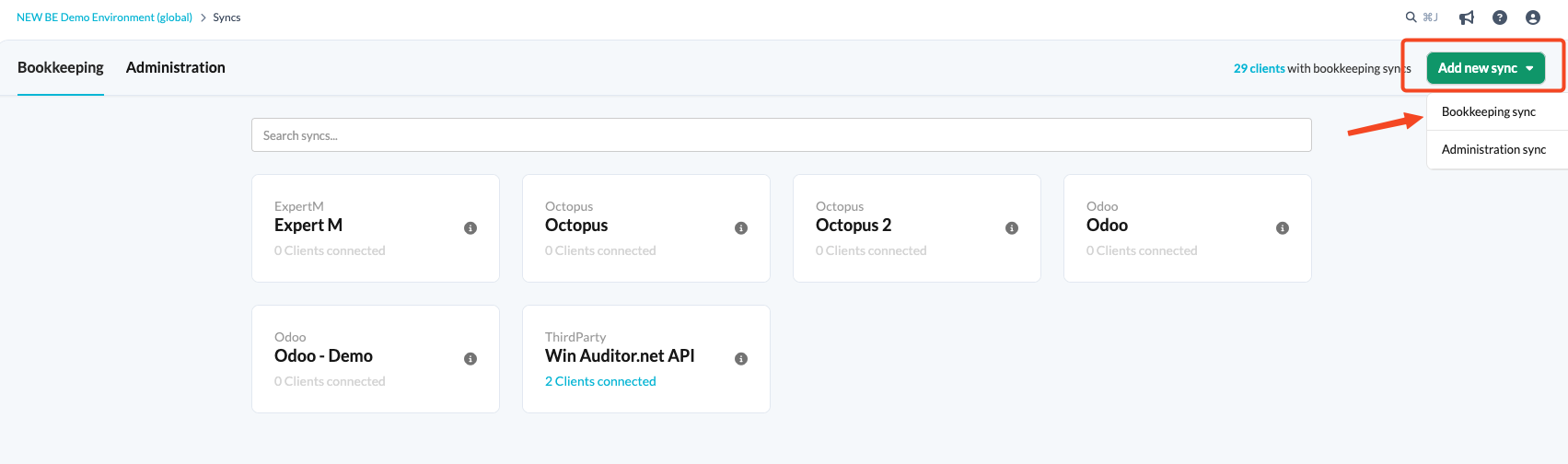
- Click the Add new sync button and choose Bookkeeping sync.
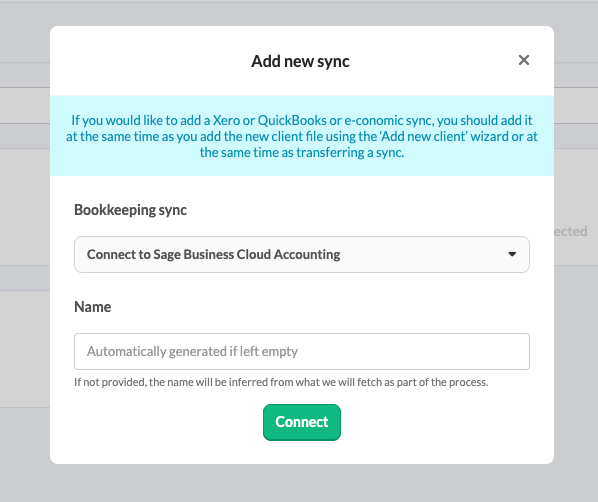
- From the drop-down menu, choose Connect to Sage BCA and click Connect. Provide a name for your synchronisation.
- You will be redirected to the accounting software login page. Select your country, then log in with your Sage Business Cloud Accounting account details.
- If the login page of Sage Business Cloud Accounting does not open, it may be because you are already logged in.
Once the synchronisation exists at firm level, it can be linked to a client file. See How to set up synchronisation with Sage Business Cloud Accounting in the file?
You cannot set up multiple integrations in one sitting without first logging out of Sage Business Cloud Accounting.