
| User Roles |  Admin Admin |  Staff contributor Staff contributor | ✗External contributor | ✗Pulse user |
The prepayments account template reconciles the prepayments value in your trial balance to the underlying documentation: the invoices. This article explains how to enter or import that detail, how the frequency calculation works, and how the reconciliation resolves. It is relevant for anyone preparing a prepayments reconciliation in Silverfin.
Table of contents
- How do I get started?
- How do I enter the data manually?
- How do I upload an extract from Excel?
- How does the reconciliation work?
- How do I copy the data to the next period?
- How do I preview the proposed journal?
How do I get started?
Get the prepayments information from the client's bookkeeping system, then either enter it manually (Option 1) or upload an extract (Option 2). There is no preference.
How do I enter the data manually?
The prepayment amount is calculated from the frequency, the Period from and Period to dates and the amount entered.
- Pull in the relevant nominal accounts using the # functionality.
- Set the Frequency (D/M column):
- D (Days): the invoice amount is spread by the fraction of days remaining after the period end, over the total number of days.
- M (Months): the amount is spread by whole months, calculated as days ÷ 30.4167 (being the average month length), rounded. For example, 10/11/2025 to 09/11/2026 counts as 12 months.
- (If enabled, a Fractions option (F) also appears.)
- Enter the Period from date.
- Enter the Period to date.
- Enter the total invoice amount.
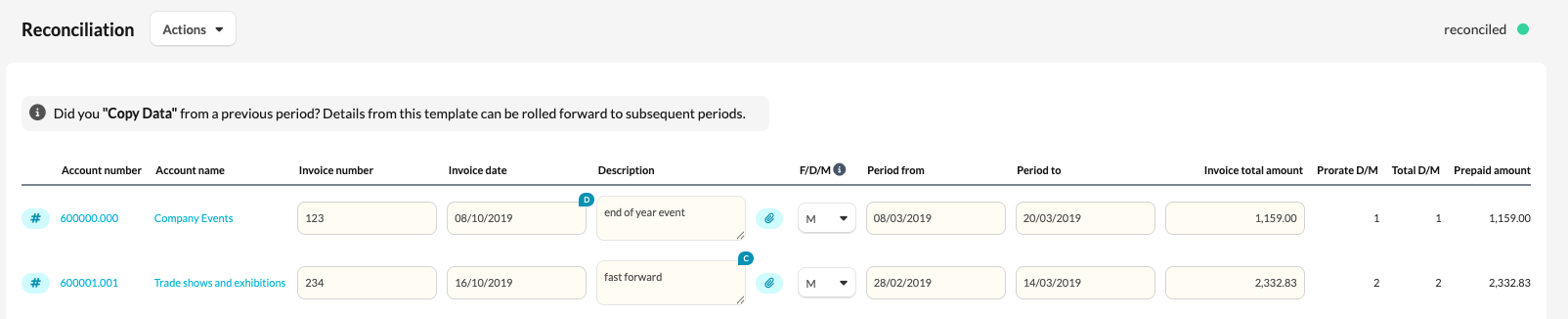
The "Days" option gives the most accurate result.
The Invoice number, Invoice date and Description columns are optional.
How do I upload an extract from Excel?
- Give every column a header.
- No thousands separators: enter 15000.00, not 15,000.00.
- You still select the account via the # account selector functionality.
- Select the frequency after import.
To import:
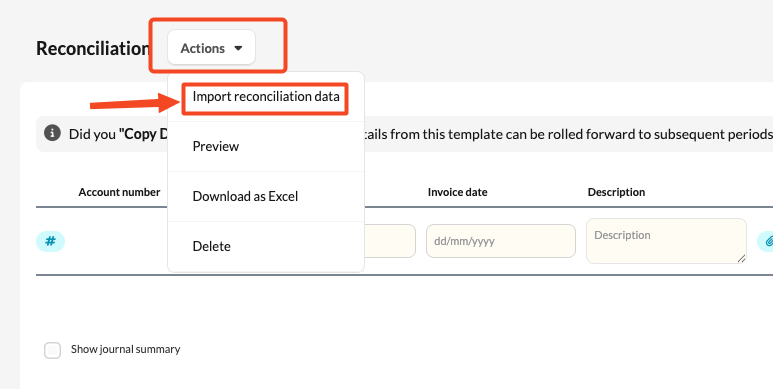
- Click Actions → Import reconciliation data.
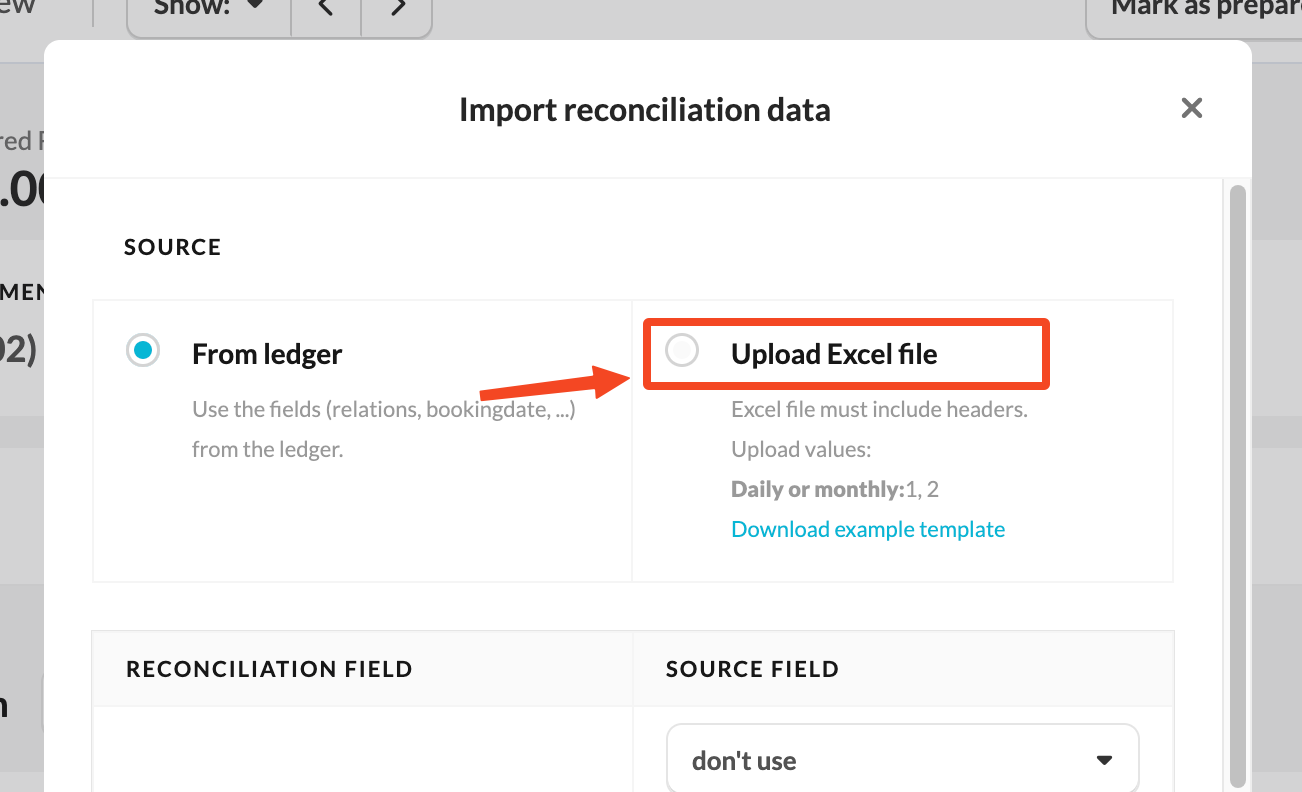
- Select Upload Excel file and map your columns to the fields available in Silverfin.
How does the reconciliation work?
If the prepayments are correct, the recalculated amount reconciles to the book value and the account turns green. Any residual goes under Explanation of differences, which is added to the sum of the Prepaid amount column.
How do I copy the data to the next period?
In the next period, only new prepayments need entering, so use Copy Data to carry the existing ones over.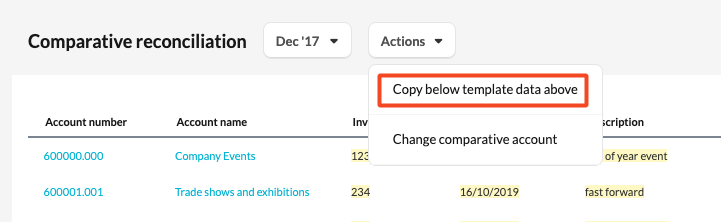
How do I preview the proposed journal?
Tick Show journal summary to preview the proposed journal. If it isn't showing, contact support to enable it.