
| User Roles |  Admin Admin | ✗Staff contributor | ✗External contributor | ✗Pulse user |
As an admin user in Silverfin, you can manage user access at the firm level. This article explains how to deactivate a user and how to reactivate them again.
Table of contents
How do I deactivate a user?
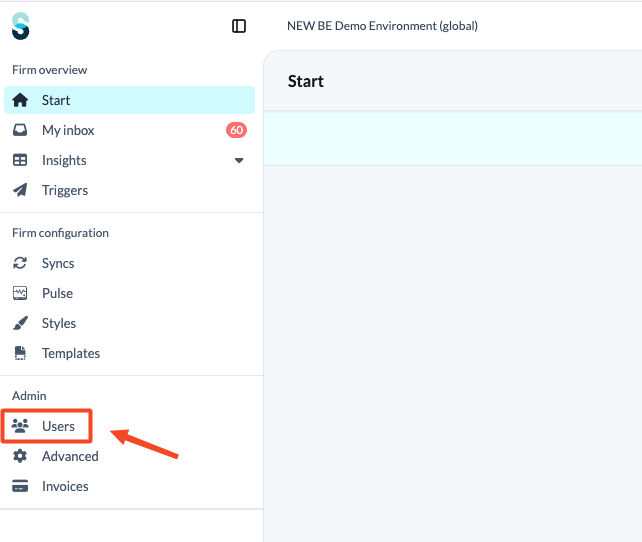
- Go to the 'Users' tab on the firm level.
- Locate the user profile of the person you wish to deactivate.
- Select 'Deactivate user'.
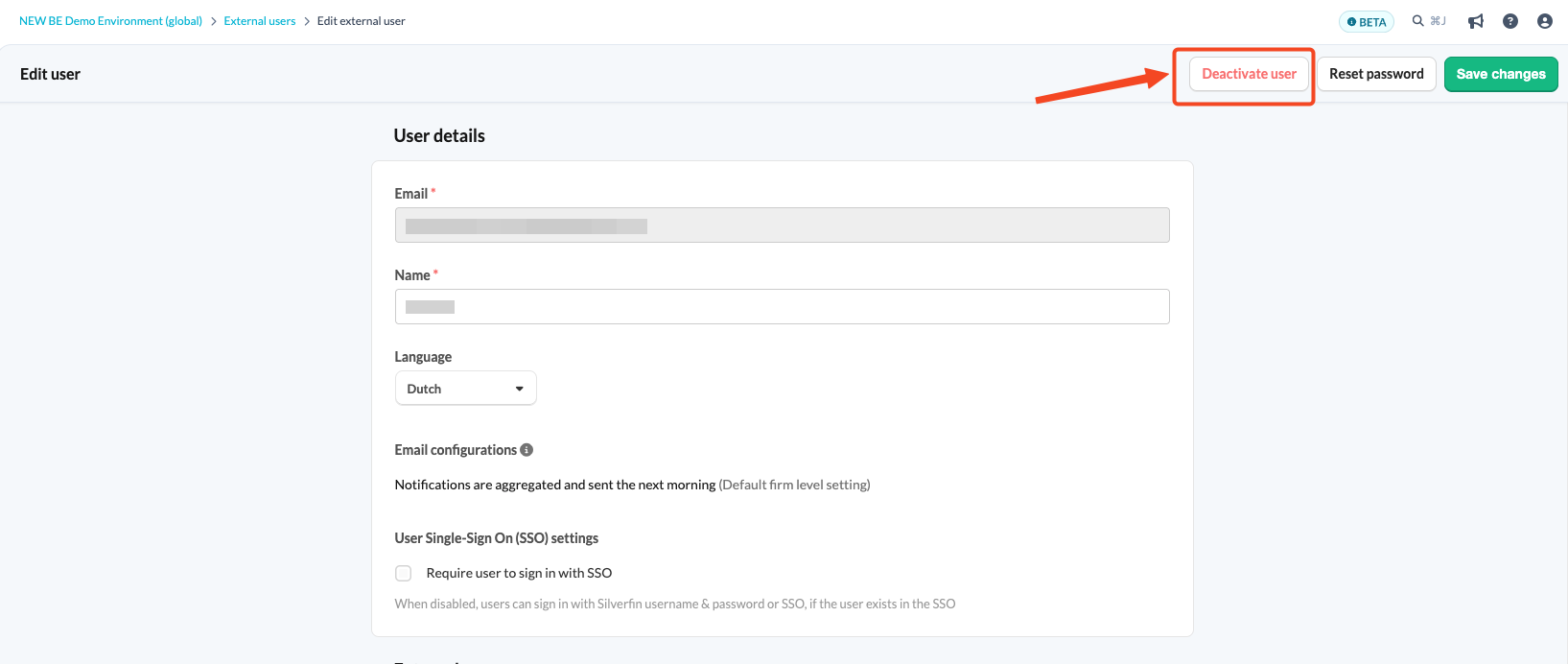
- Save the changes.
Once deactivated, the user will no longer have access to Silverfin.
How do I reactivate a user?
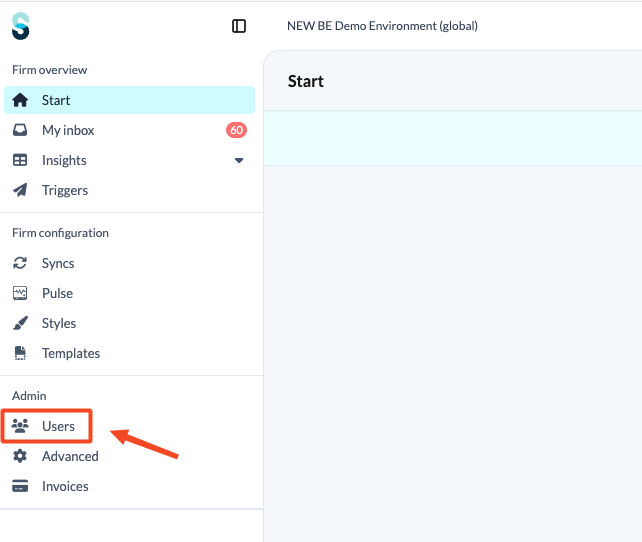
- Go to the 'Users' tab on the firm level.
- Locate the user profile of the person you wish to reactivate.
- Select 'Activate user'.
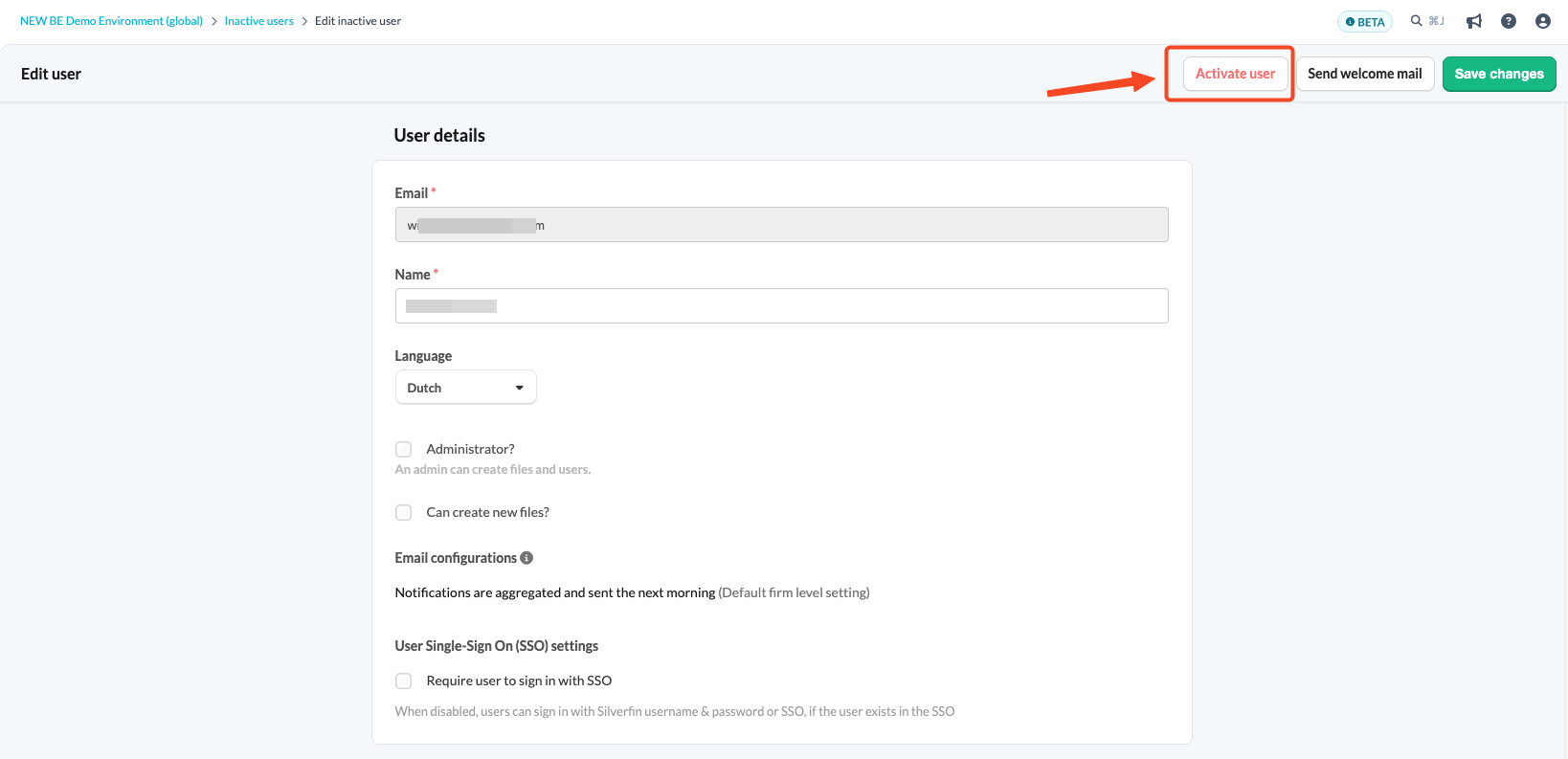
- Save the changes.
Once reactivated, the user regains their previous access.
Users cannot be deleted. Deactivating a user is the best way to remove their access.