
| User Roles |  Admin | ✗Staff contributor | ✗External contributor | ✗Pulse user |
When setting up your sync, you will come across two configuration options: automatic and manual. This article gives a quick breakdown of both types of sync configuration.
Table of contents
- Where do I see the two configuration types?
- What is an automatically configured sync?
- What is a manually configured sync?
Where do I see the two configuration types?
When setting up a sync, you may notice that we group the configuration into two categories:
- Automatically configured sync
- Manually configured sync
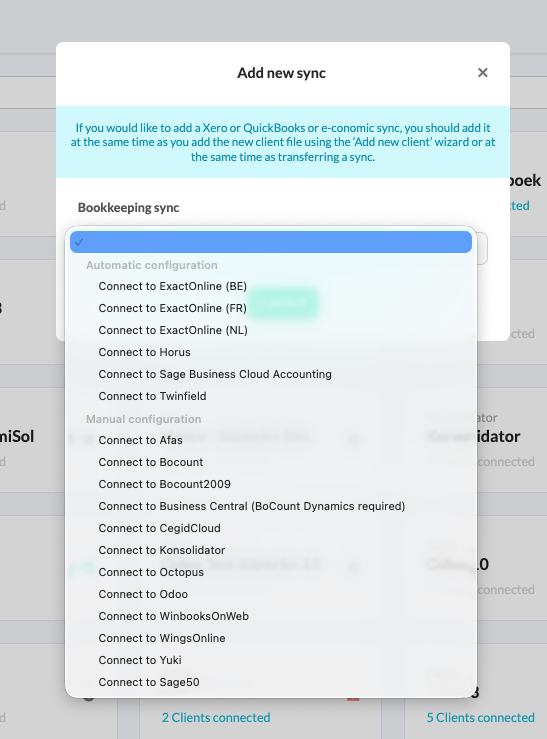
You will see this grouping for both sync types - Bookkeeping syncs and Administration sync.
What is an automatically configured sync?
- In an automatically configured sync, all you need to do is log in to your bookkeeping system.
- Once you are logged in, the system takes care of the rest - no additional information is needed.
What is a manually configured sync?
- For a manually configured sync, the process is a bit more involved. In this case, you need to provide some extra details, such as a database URL, an API key, or a token.
- This additional information makes sure the sync can be set up securely and correctly.