
| User Roles |  Admin Admin |  Staff contributor Staff contributor |  External contributor External contributor | ✗ Pulse user |
This article explains how to correctly fill in the 'Office information' template in the working papers. This template forms the basis of every file and contains the address details of the firm as well as the staff members responsible for the various aspects of the client's file.
Table of contents
- What is the purpose of the template?
- How do I use this template?
- What should you pay attention to when filling in the firm information?
- FAQ
What is the purpose of the template?
- During the onboarding process, your Customer Success Manager will configure the information you provide, ensuring that this data is automatically and consistently available across all your files.
- Within the template, your firm's details are recorded, such as the name, address, and any branches (if there are multiple locations).
- In addition, the responsible accountants and their contact details (such as email address and phone number) are also recorded. Using dropdown menus, you can then easily select the appropriate accountant for a given file. Based on the configuration, the corresponding contact details are filled in automatically.
How do I use this template?
The information entered is used as default settings at firm level.
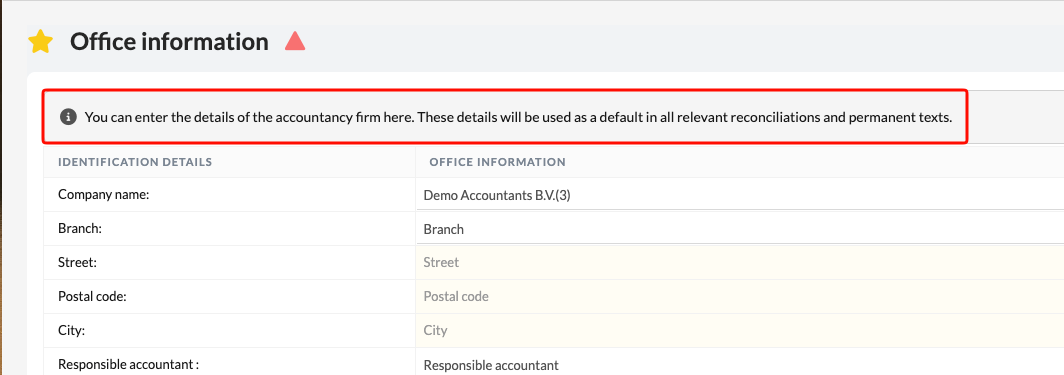
By filling in this information correctly:
- you reduce the risk of errors when selecting data in other templates,
- and selection lists and reports are automatically generated based on this information.
What should you pay attention to when filling in the firm information?
- If you have multiple offices/locations, select the correct office to ensure all details correspond to the right branch.
- Choose the correct staff members for each section (e.g. assistant accountant, administrative staff, tax advisor).
- Double-check your input: this information is used throughout the file in Silverfin, across other notes and texts.
FAQ:
Responsible accountant: This is displayed on the compilation report.
Title accountant: If you would like this to differ from the name specified under "responsible accountant", you can enter it here. This is displayed on your LOR.
Digital signing: If you wish to make use of digital signing, it is mandatory to also fill in the email address and phone number fields here.