
| User Roles |  Admin Admin |  Staff contributor Staff contributor |  External contributor External contributor | ✗ Pulse user |
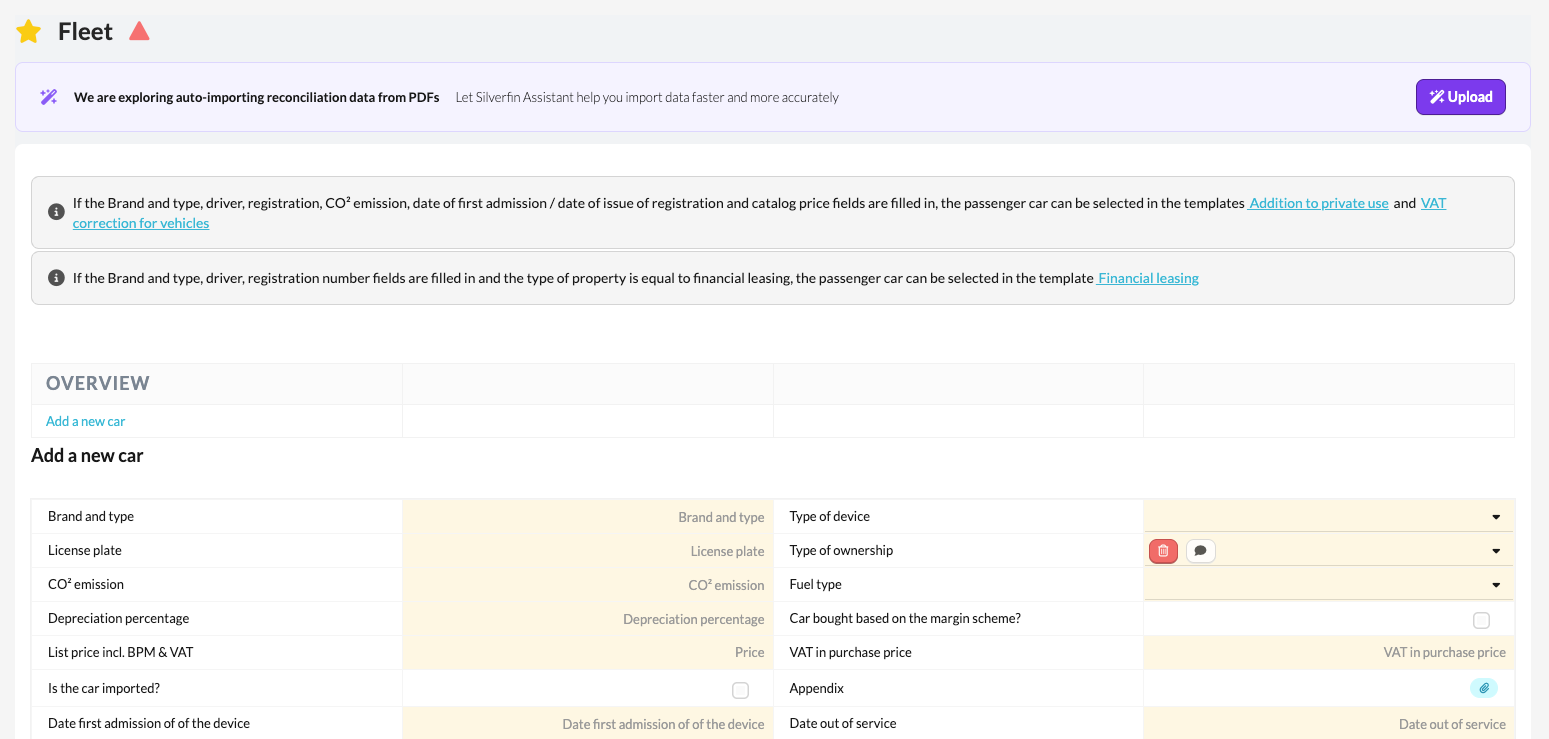
This article explains how to correctly fill in the 'Fleet' template within the working file. This template records all information regarding the use of cars and vans within the company. The information entered is automatically used to calculate the benefit in kind and the VAT correction for private use, as applicable under Dutch legislation.
Table of contents
- What is the 'Fleet' template?
- What information do you fill in in the 'Fleet' template?
- What should you pay attention to when filling in the 'Fleet' template?
What is the 'Fleet' template?
The 'Fleet' template contains all data relating to company cars made available to employees or directors.
- By recording this information correctly, the tax calculations (such as the benefit in kind and VAT correction) are performed automatically and accurately in the financial statements.
What information do you fill in in the 'Fleet' template?
In the template you record, among other things:
- Registration number and type of vehicle
- Category (car or van)
- Owner or user of the vehicle
- Date of first use
- List price and CO₂ emissions
- Any private contributions or usage agreements
This information forms the basis for the tax calculation.
What should you pay attention to when filling in the 'Fleet' template?
- If no vehicles are applicable in the file, unstar the template. You can do this by clicking the star next to the template so that it turns grey.
- If vehicles are present, open the template and carefully fill in all relevant details.
- Verify that all information matches the actual situation and the company's records.
Accurate completion ensures that the benefit in kind and VAT correction are automatically and consistently calculated in accordance with Dutch tax regulations.