
| User Roles |  Admin Admin |  Staff contributor Staff contributor |  External contributor External contributor | ✗ Pulse user |
In this article you can read how to use the 'Gross margin check' template within the working papers. This template helps you to analyse the revenue and the cost of goods sold and to check the gross margin for deviations.
Table of contents
- What does the 'Gross Margin Check' template do?
- How can you expand the template with additional calculations?
- What should you pay attention to when using this template?
What does the 'Gross Margin Check' template do?
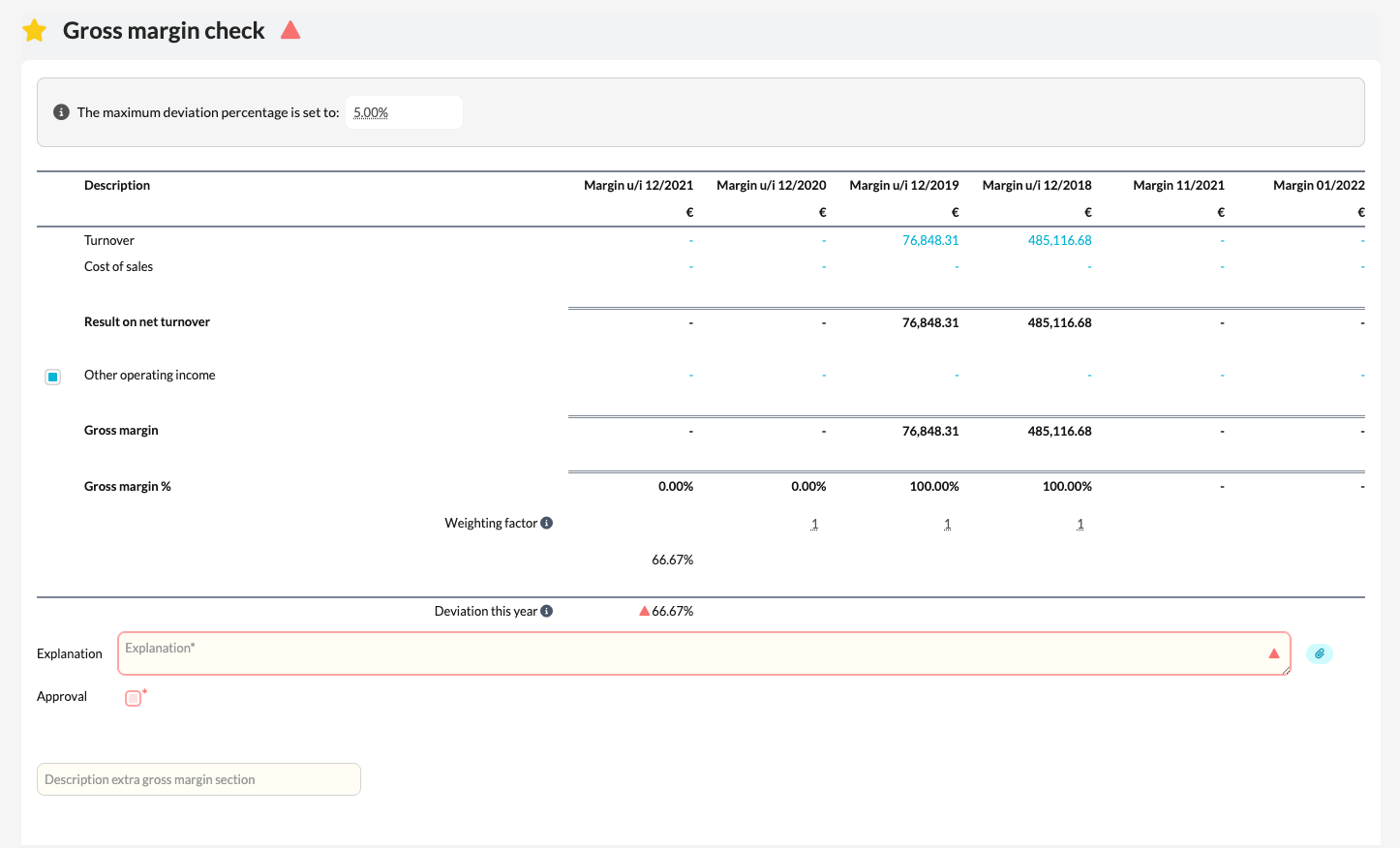
The template automatically compares the total revenue amount with the total cost of goods sold and calculates the gross margin as a percentage from this. When the calculated percentage deviates from the reference percentage set at the top of the template, a red triangle appears. In that case, you must explain the deviation by adding a comment in the designated field.
How can you expand the template with additional calculations?
You can enrich the template with additional gross margin calculations, for example to analyse specific product groups or revenue categories separately.
- Enter a title or description in the 'Description extra gross margin section' field.
- A new section will then automatically appear in which you can add a supplementary calculation by selecting the desired accounts.
- You can create as many additional sections as needed for your analysis.
This way you can monitor different parts of the revenue and cost of goods sold separately and explain deviations more quickly.
What should you pay attention to when using this template?
- Always verify that the calculated gross margin percentage matches the expected percentage.
- Add a clear explanation for every deviation.
- Use additional sections to set up further analyses or detailed calculations.