
| User Roles |  Admin Admin | ✗Staff contributor | ✗External contributor | ✗Pulse user |
This article explains how to connect Silverfin with Bocount2009 to synchronise bookkeeping data. Once the connection is established and the synchronisation is set up in a client file, any changes made in Bocount2009 will sync with Silverfin.
To connect an individual client file to Bocount2009, see How to set up synchronisation with Bocount2009 in a file?
How to set up synchronisation with Bocount2009 at firm level?
Only users with admin rights can set up synchronisation at firm level.
To establish the connection, please follow these steps:
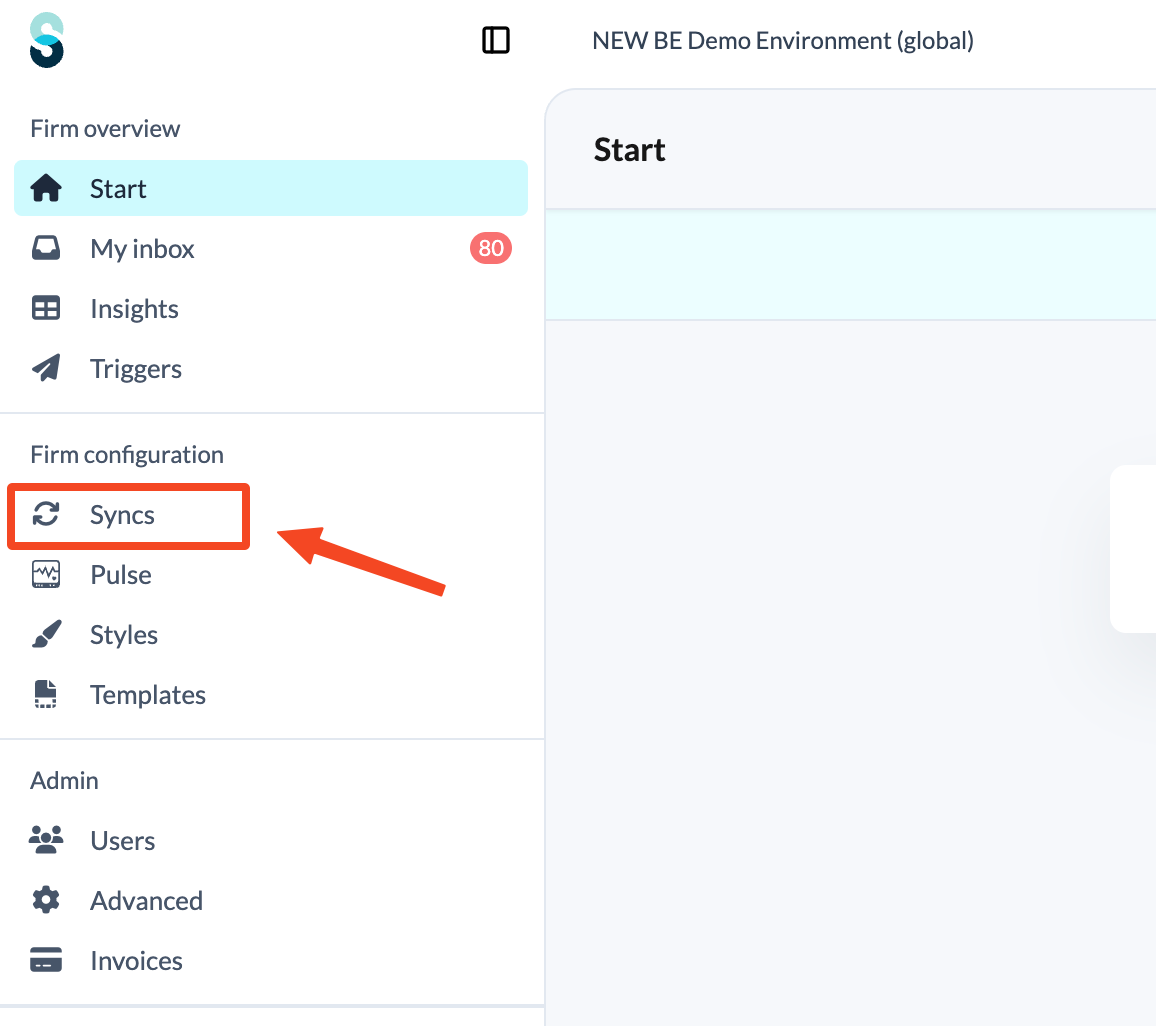
- Click Syncs in the left panel, under Firm configuration.
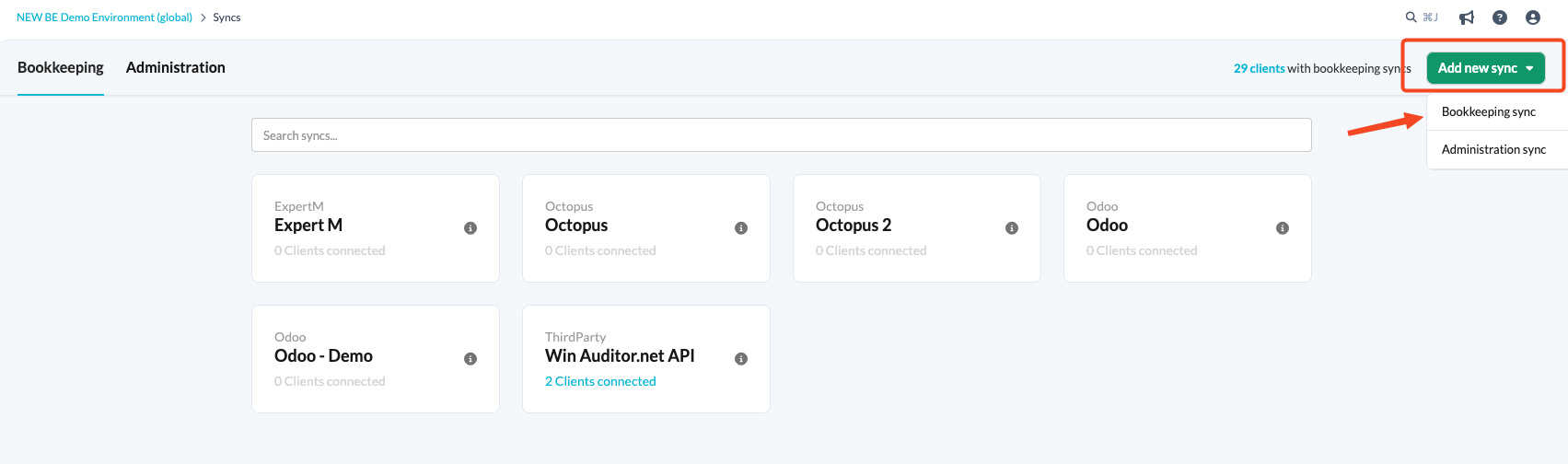
- Click the Add new sync button and choose Bookkeeping sync.
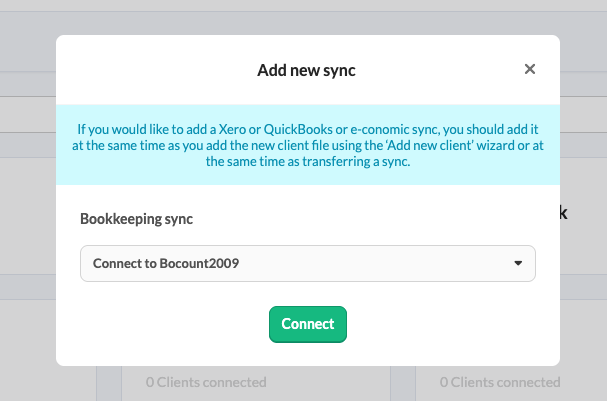
- From the drop-down menu, select Connect to Bocount2009, then click Connect.
- Complete the fields on the Synchronise with Bocount2009 screen:
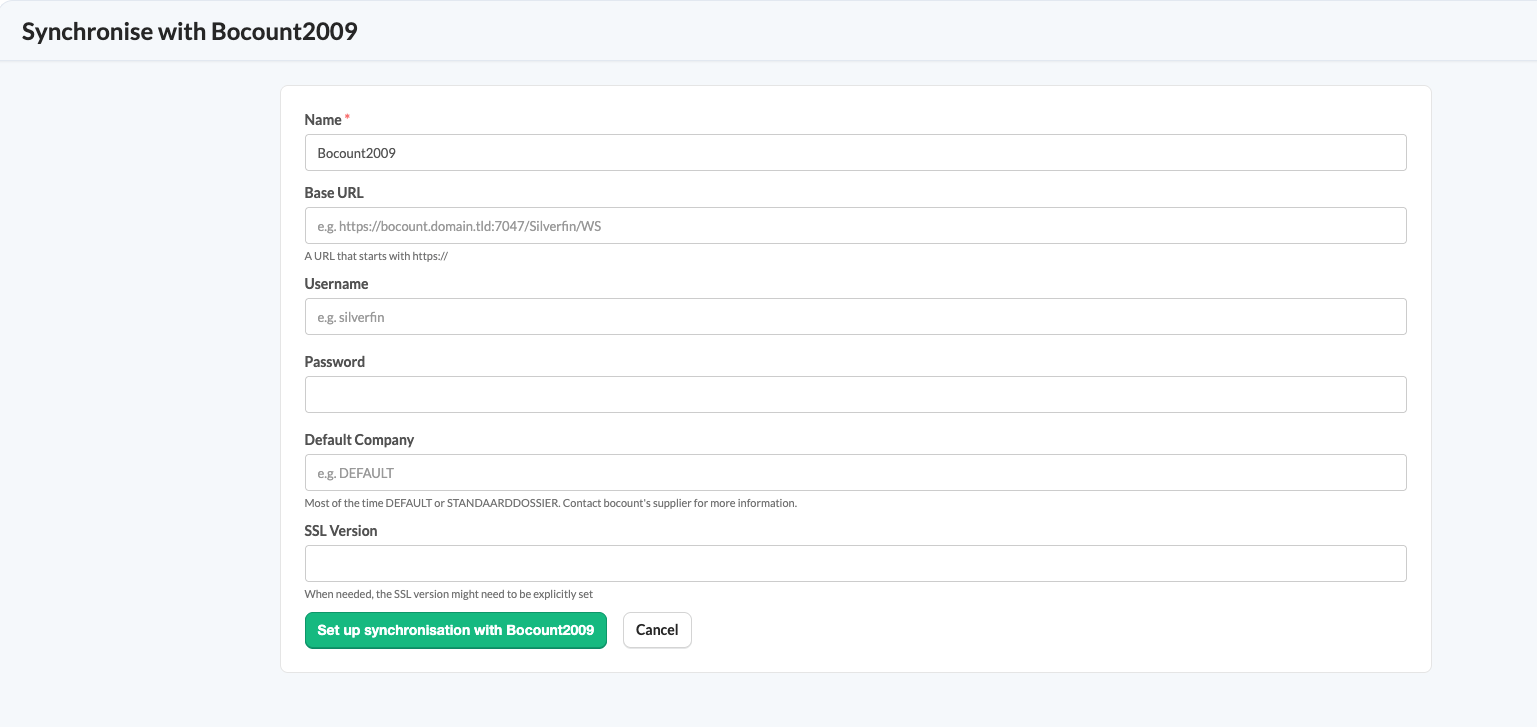
- Name: the name you give to the sync entity.
- Base URL: a URL that starts with https://.
- Username: for instance Silverfin.
- Password: your password.
- Default Company: usually DEFAULT or STANDAARDDOSSIER. If in doubt, please contact your Bocount supplier.
- SSL Version: you may need to set the SSL version explicitly. If in doubt, please contact your Bocount supplier.