
| User Roles |  Admin Admin |  Staff contributor Staff contributor |  External contributor External contributor | ✗ Pulse user |
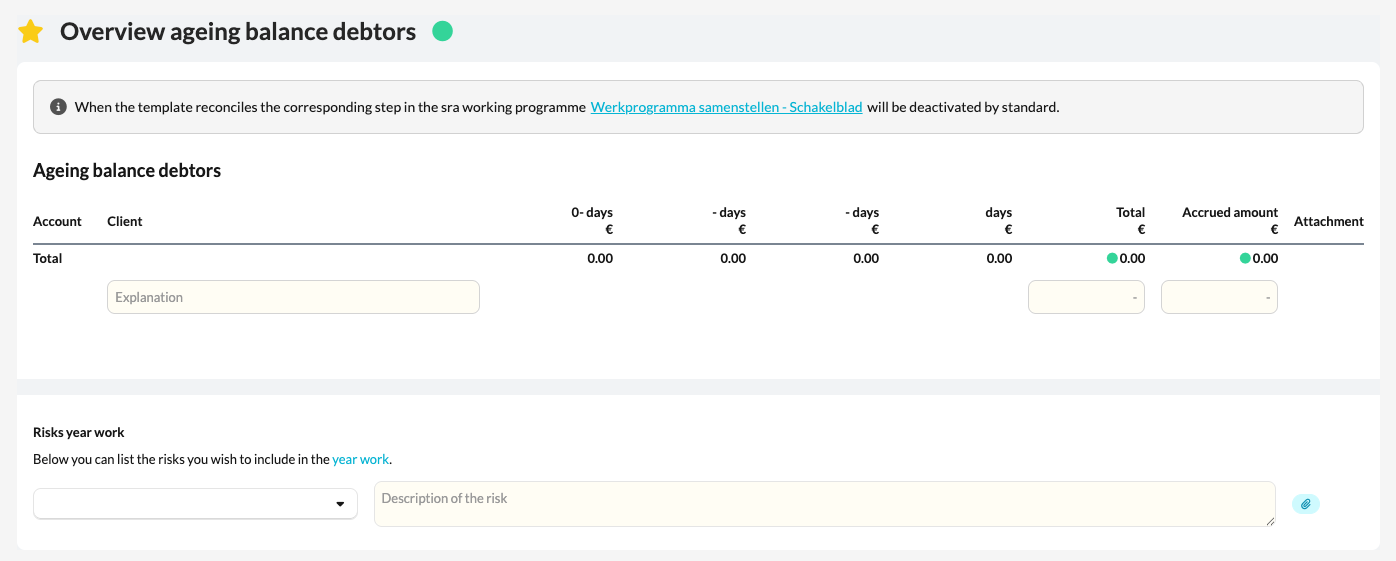
This article explains how to use the 'Overview ageing balance debtors' template within the working papers.
The template provides insight into outstanding debtor balances and helps you assess the ageing and risk of outstanding receivables.
Table of contents
What does the template do?
- The Overview ageing balance debtors template automatically collects all data entered in the 'Debtors' account template on the linked ledger accounts.
- The result is an overview of all outstanding invoices, sorted by ageing category (for example 0–30 days, 31–60 days, >90 days).
- The template also helps you determine the provision for doubtful debtors, so you can check whether it matches the amounts posted in the bookkeeping.
How to use the template
- Open the Overview ageing balance debtors template in the file.
- Check that all relevant debtor accounts are correctly linked to the Debtors account template.
- Review the ageing analysis to see which receivables fall within or outside the payment term.
- Check that the calculated provision for doubtful debtors matches the amount posted in the bookkeeping.