
| User Roles |  Admin Admin |  Staff contributor Staff contributor |  External contributor External contributor | ✗ Pulse user |
This article explains how to use the 'Provisions' template within the client file.
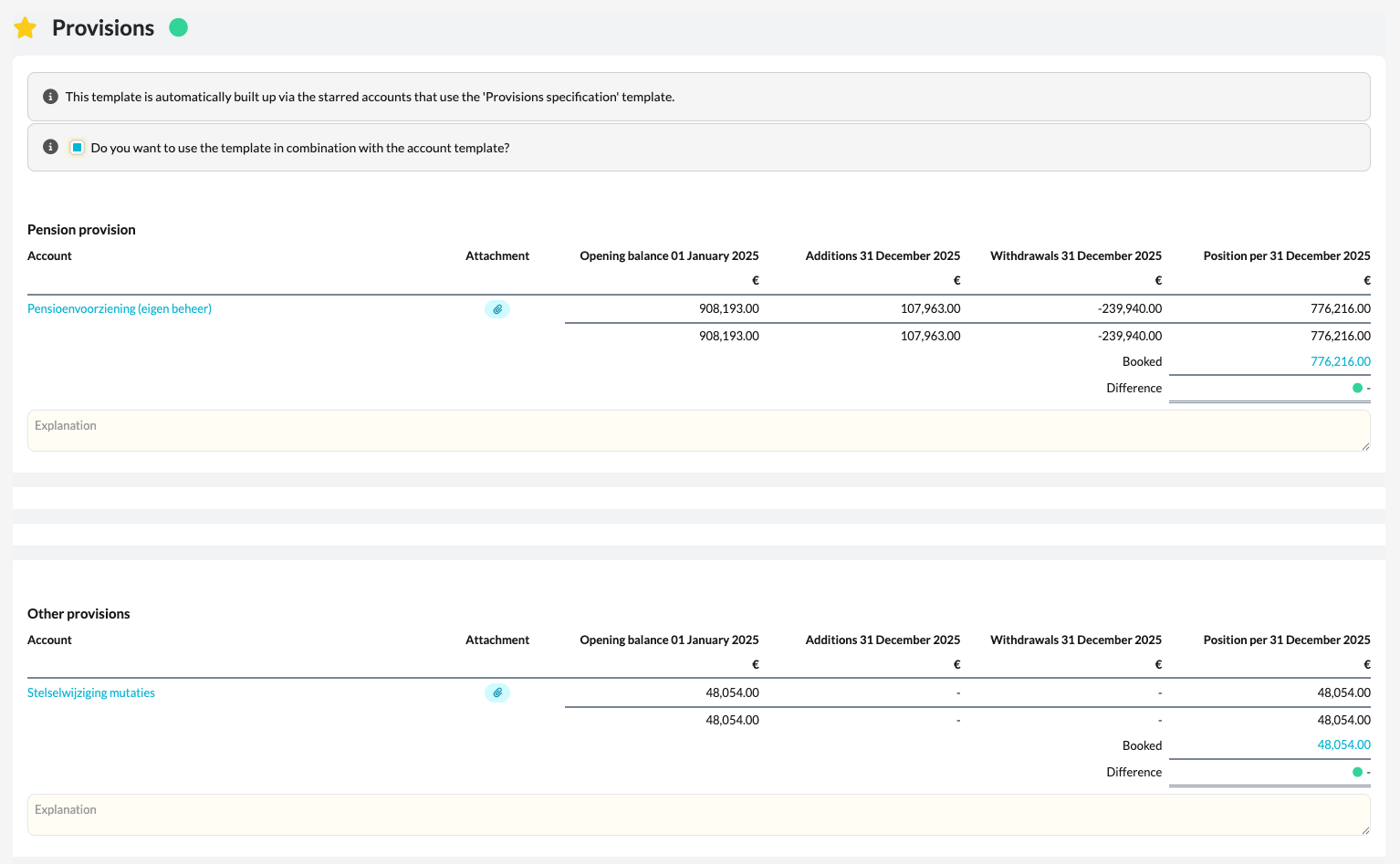
The template helps you to correctly specify all provisions in the bookkeeping, including movements such as additions and releases.
Table of contents
What does the template do?
- The Provisions template is automatically activated when a balance is present on one of the RGS groups linked to the Provisions item.
- Once these groups are active, you can complete the relevant details in the template, such as the opening balance, additions, releases, and closing balance per provision.
- The template provides a clear specification of all provisions, which is essential for both the balance sheet reconciliation and the notes to the annual accounts.
How to use the template
- Open the Provisions template in the client file.
- Check which RGS groups are active based on the posted balances.
- Complete the relevant details per provision, such as additions and releases.
- Check that the totals reconcile with the postings in the bookkeeping.