
| User Roles |  Admin Admin |  Staff contributor Staff contributor |  External contributor External contributor | ✗ Pulse user |
This article explains how to use the 'Balance Sheet personnel costs' template within the client file.
The template provides insight into the balance sheet items arising from payroll processing and links to the reconciliation of payroll costs.
Table of contents
What does the template do?
- The Balance Sheet personnel costs template is a copy of the Assessments personnel costs template, but focuses specifically on the balance sheet accounts related to payroll administration.
- It displays only the balance sheet amounts, such as wages payable, social security charges, and taxes arising from payroll processing.
- This allows you to easily verify whether the payroll journal entries have been correctly processed in the balance sheet.
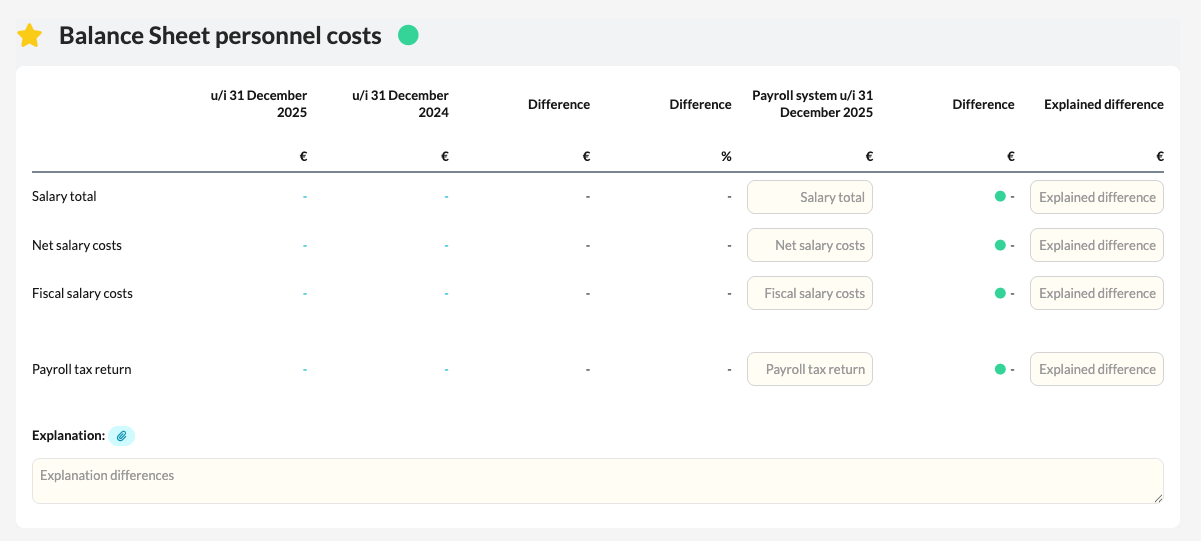
How to proceed:
- Open the Balance Sheet personnel costs template in the client file.
- Check the balance sheet items displayed that relate to payroll processing.
- If there is no integration with Nmbrs, you can manually copy the amounts from the relevant period into the Payroll System column.
- Then check that the totals reconcile with the posted balances in the bookkeeping.