
| User Roles |  Admin Admin | ✗Staff contributor | ✗External contributor | ✗Pulse user |
This article explains how to use the 'General settings - Financial statements' template within the Prepare annual account workflow.
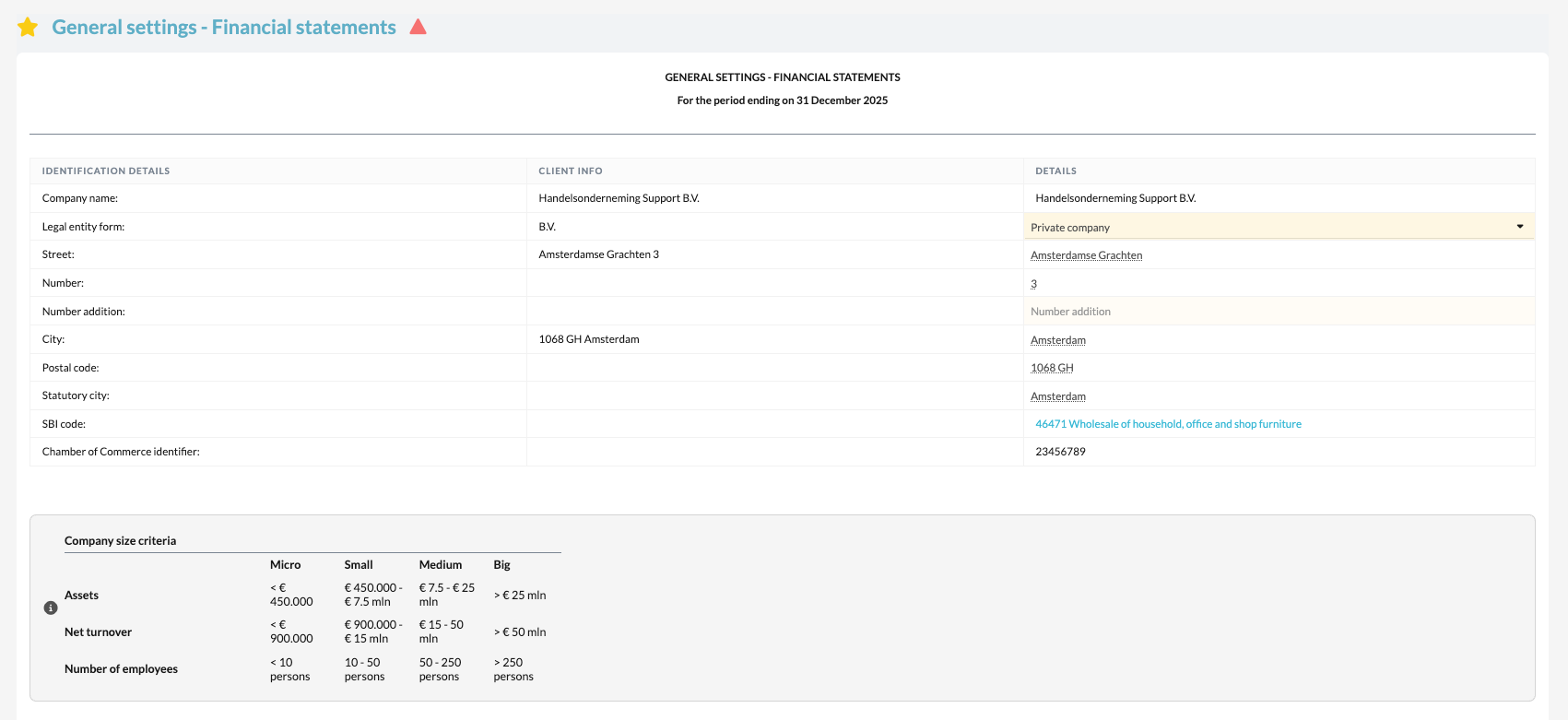
This template is used to define the basic settings for the layout of the annual accounts and the publication documents.
Table of contents
What does the template do?
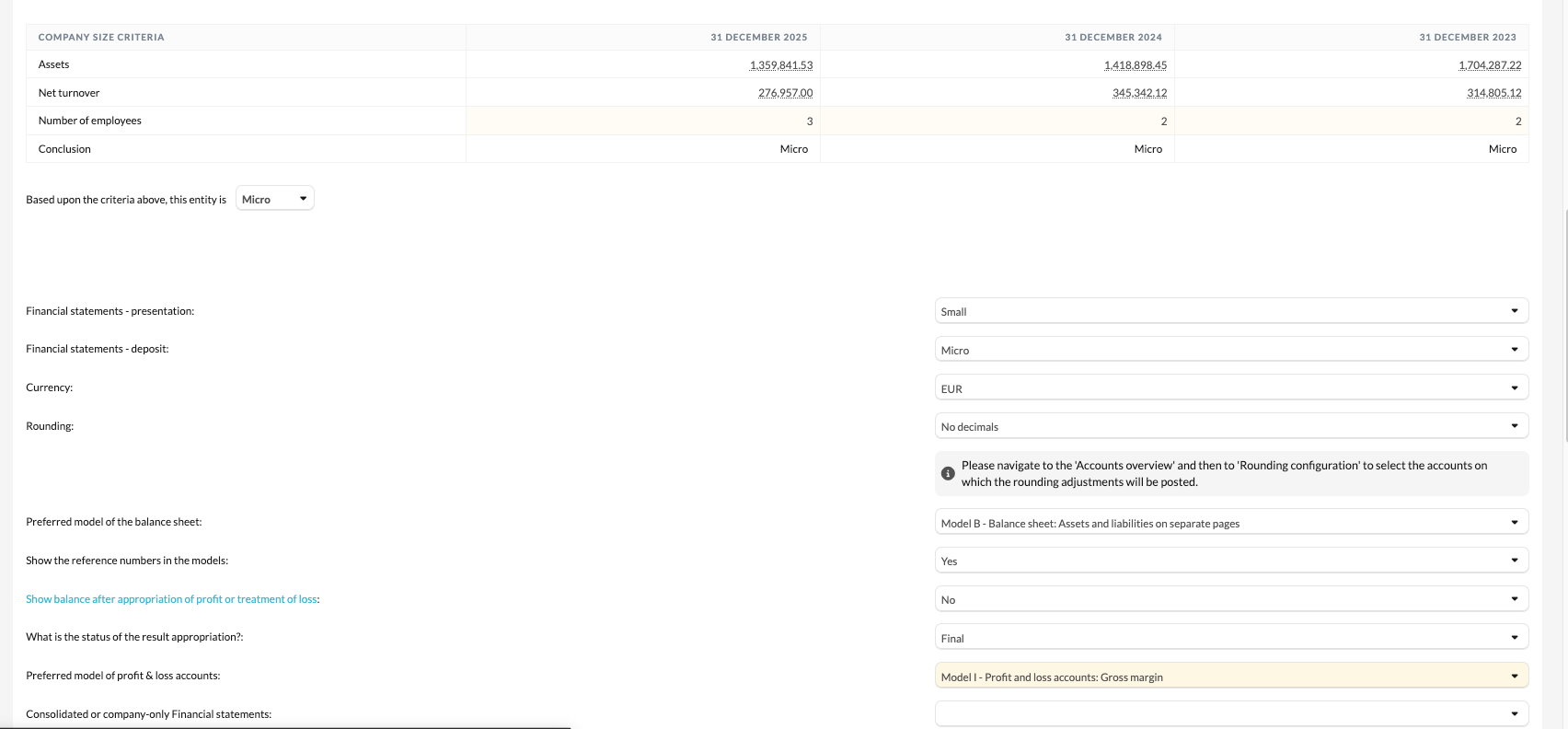
The General Settings – Financial statements template defines all the fundamental settings that influence the content and presentation of the annual accounts.
Here you set, amongst other things:
- the size of the entity (micro, small, or medium-sized), which determines the preparation and publication requirements;
- the model for the balance sheet and profit and loss account;
- the type of accounting policies to be displayed (commercial or fiscal);
- and other parameters that drive the final reporting output.
These settings form the basis for both the internal annual accounts and the external publication version.
How to get started
- Open the General Settings – Financial statements template in the file.
- Select the correct entity size (micro, small, or medium-sized).
- Choose the appropriate model for the balance sheet and profit and loss account.
- Determine the type of accounting policies (commercial or fiscal).
- Verify that all other parameters are correctly configured based on the legal form and reporting requirements.
By completing these steps carefully, you lay the foundation for accurate and consistent annual accounts.