
| User Roles |  Admin Admin |  Staff contributor Staff contributor | ✗ External contributor | ✗ Pulse user |
This article explains how to use the 'Accountant's report' template within the working papers.
This template generates a concise report for the accountant, including the balance sheet position, profit and loss, and tax position.
What does the template do?
The Accountant's report template displays a compact summary of the financial position of the entity.
The report includes, amongst other things:
- a summary of the balance sheet position,
- an overview of the profit and loss,
- and a summary of the tax position.
This makes the report suitable as an internal checkpoint or as an overview document for the accountant.
How to get started
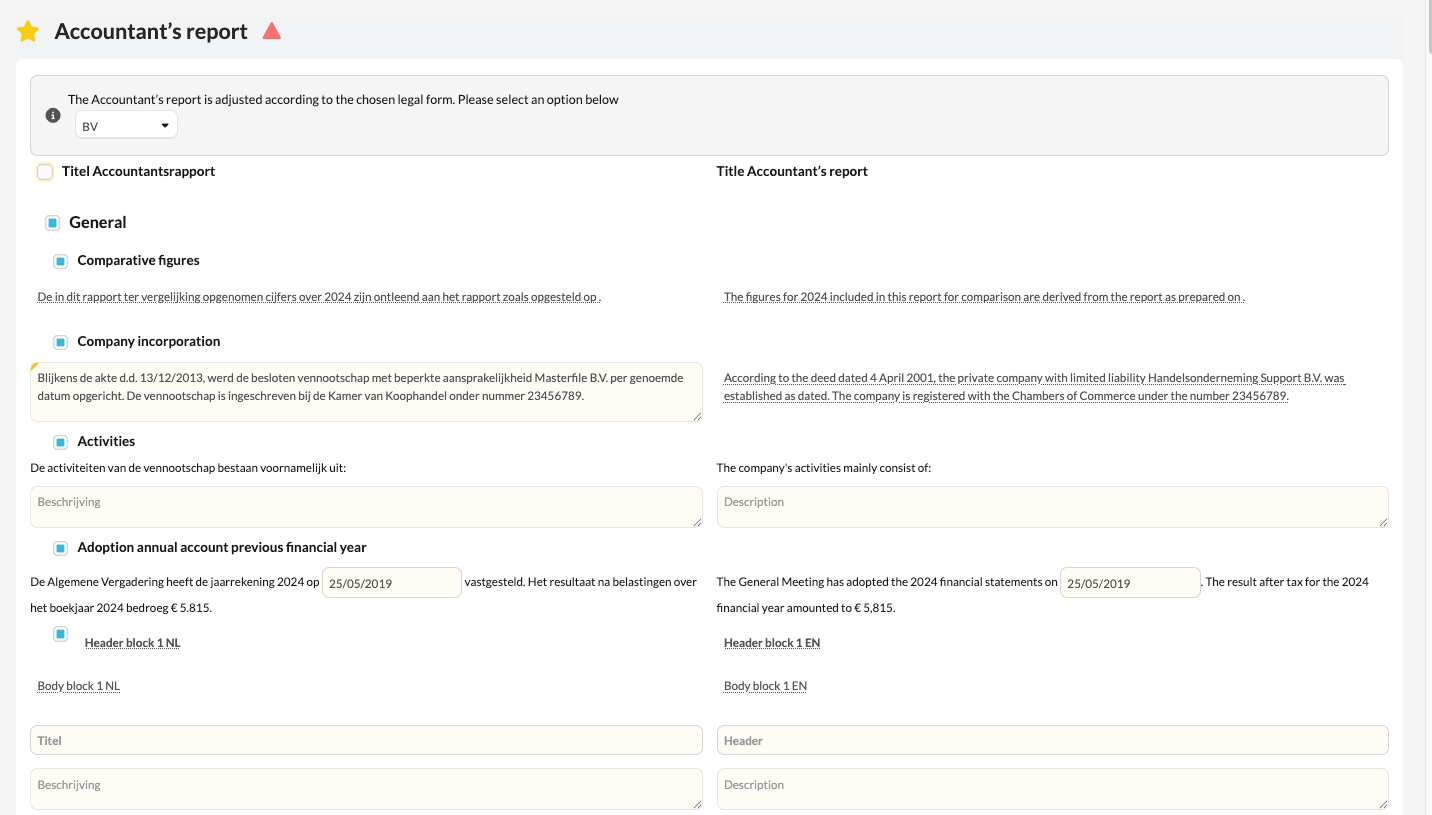
- Open the Accountant's report template in the file.
- Decide for each section whether it should be included in the report.
- Use the checkboxes in the template to enable or disable sections.
- Verify that the report fully aligns with the data in the file before exporting the document.
What to keep in mind
- You can decide for each section individually whether it should be included in the accountant's report.
- The checkboxes give you full flexibility to tailor the report to the specific situation of the file.
Would you like certain sections to always or never be included in the report by default?
We can configure this for you at the firm level.
Please contact your Customer Success Manager to arrange this.