
| User Roles |  Staff contributor Staff contributor |  External Contributor External Contributor | ✗Pulse user |
You can automatically populate your aged debtors and aged creditors reconciliations using data from your Xero synchronisation.
When you work with the Aged debtors and creditors account template, Silverfin can bring in open transactions from Xero and prefill the template for you. This helps you complete your reconciliation faster and with more accurate data.
How it works
If you have:
- An active Xero synchronisation, and
- Open debtor or creditor transactions in Xero
Silverfin Assistant will prompt you to import the data into your template.
You will see a preview of the proposed transactions. You can review the data and choose whether to accept and import it.
The transactions are:
- Automatically grouped by customer or supplier
- Aged based on how overdue they are
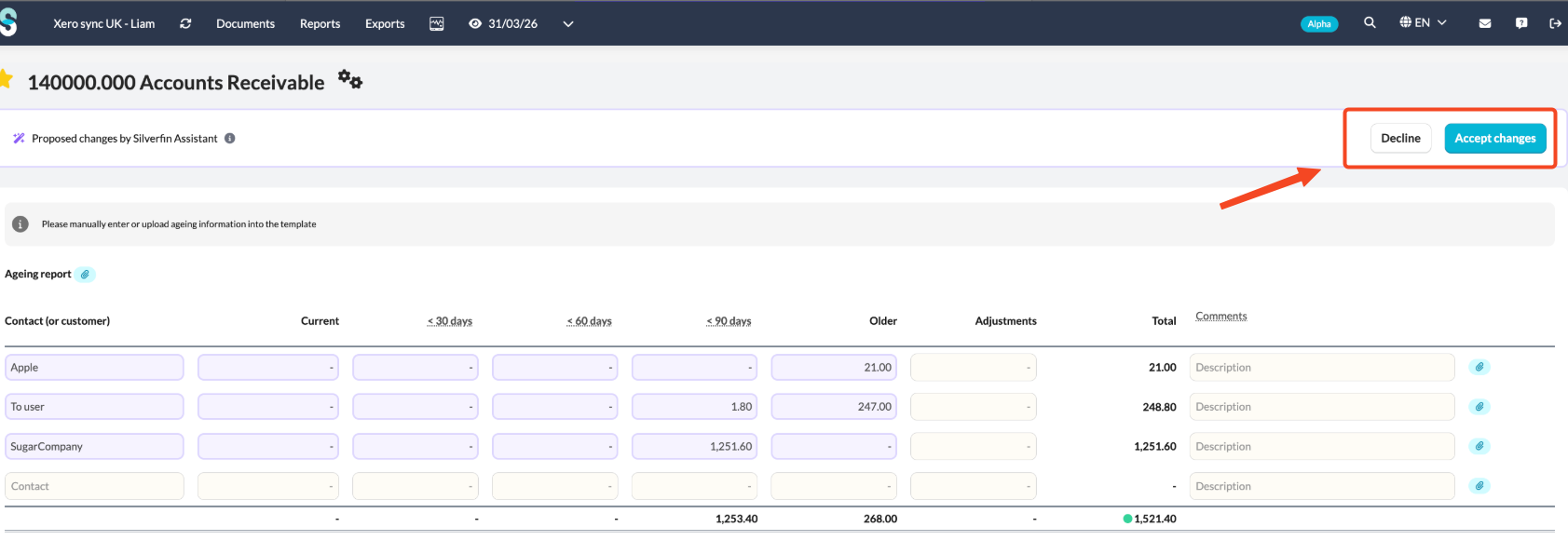
This gives you quick visibility into potential bad debt risks and cash flow impact.
No separate Silverfin Assistant licence required
This feature uses the Silverfin Assistant flow, but you do not need a paid Silverfin Assistant licence. If you use Xero synchronisation, you can use this functionality at no extra cost.
When does the suggestion appear?
Silverfin Assistant will suggest importing aged debtors or creditors when all of the following apply:
- Xero synchronisation is active
- You are working on one of the following mapped accounts:
- 140000
- 150000
- 240000
- 250000
- The Aged debtors & creditors account template is in use
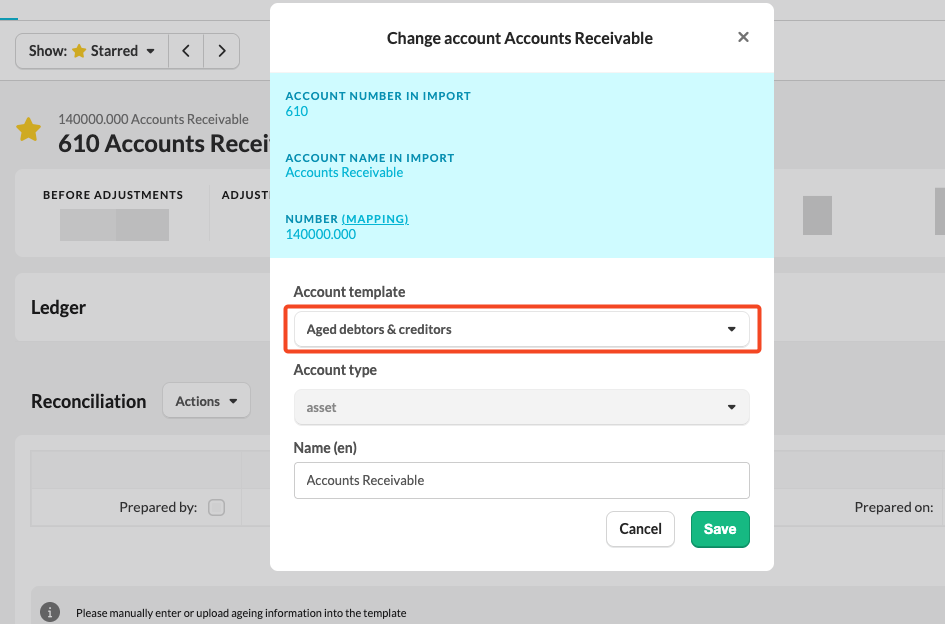
When these conditions are met, you will see a suggestion to import the data.