
| User Roles |  Admin Admin | ✗Staff contributor | ✗External Contributor | ✗Pulse user |
This article explains how to connect Silverfin with CegidCloud to synchronise bookkeeping data. Once the connection is established and sync is set up in a file, any changes made in CegidCloud will sync with Silverfin.
How to set up synchronisation with CegidCloud at the firm level?
Only users with admin rights can set up synchronisation on the firm level.
To establish the connection, please follow these steps:
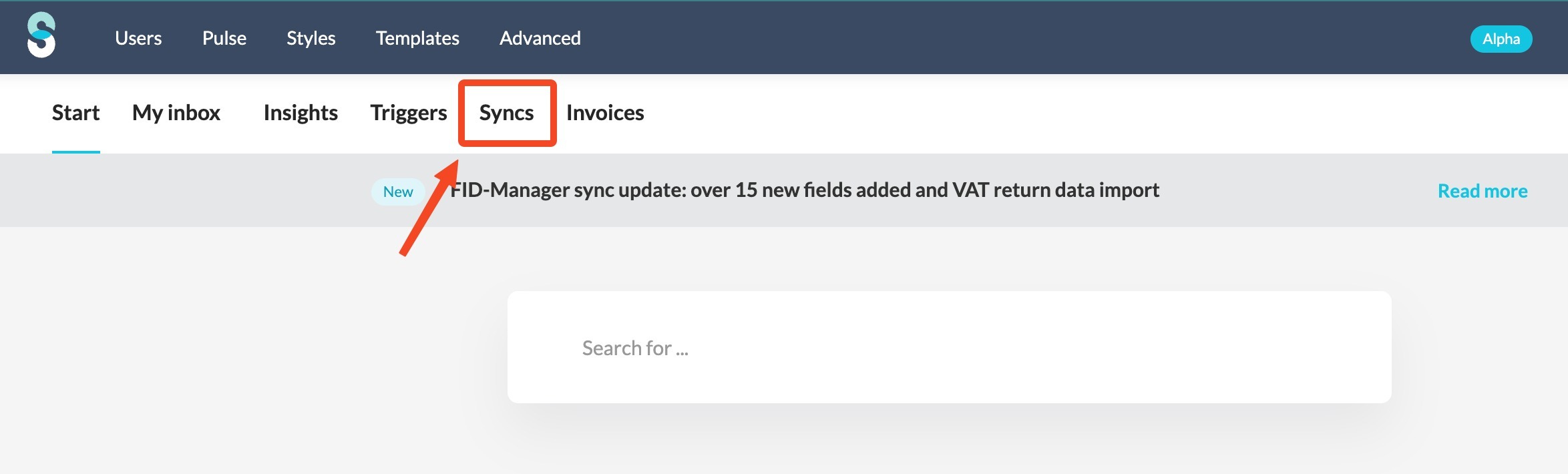
- In the firm overview screen click on the 'Syncs' tab.
- Click the 'Add new sync' button and choose 'Bookkeeping sync'.
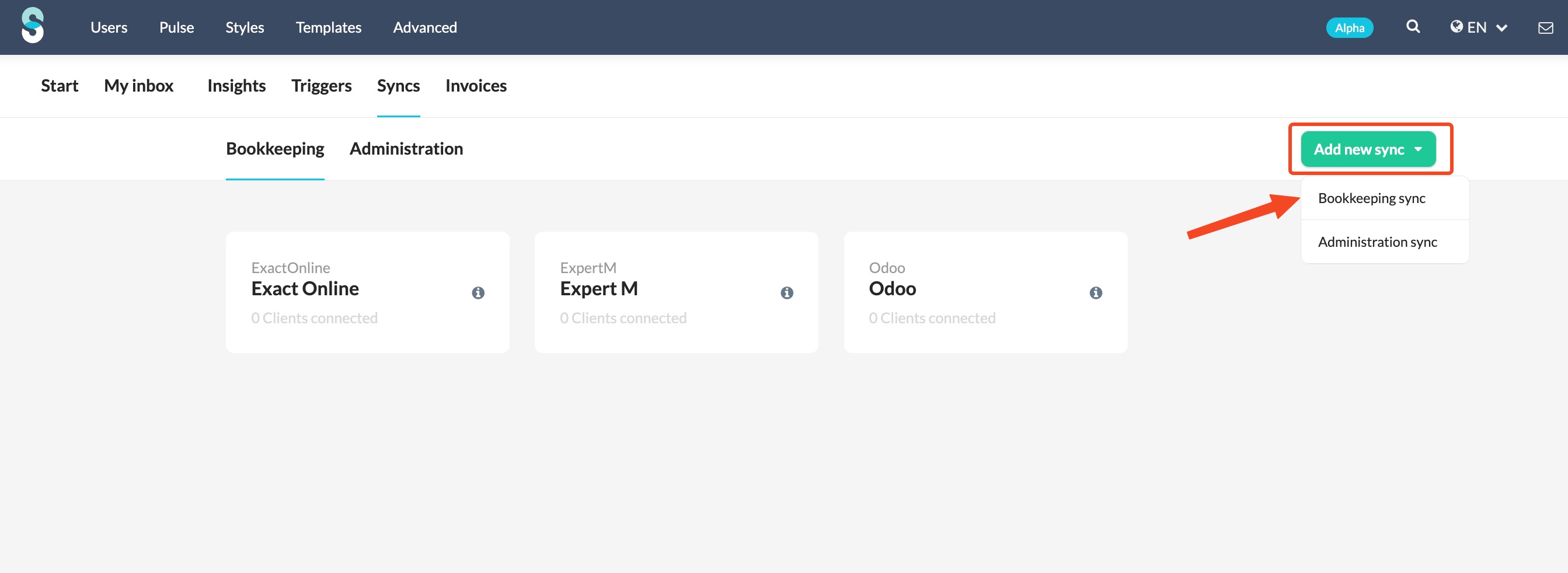
- From the drop-down menu, choose CegidCloud sync and click 'Connect'.
- Fill in the relevant fields and click 'Set up synchronisation with CegidCloud'.
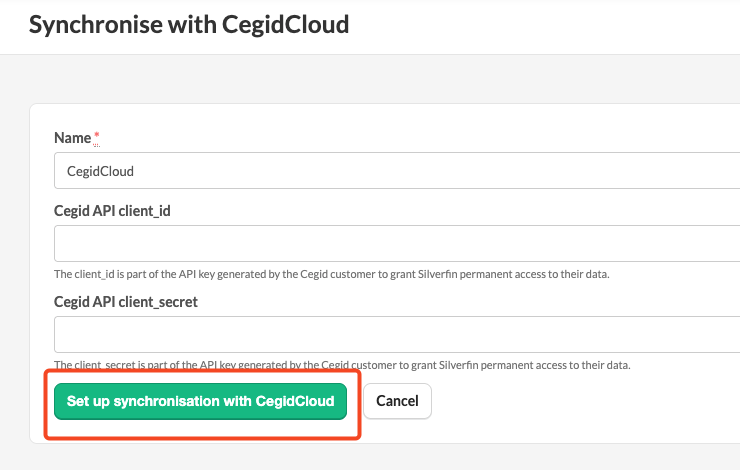
- Name: name you give to the sync entity.
- CegidAPI client_id: The client id is part of the API key generated by the Cegid customer to grant Silverfin permanent access to their data.
- Cegid API client_secret: The client_secret is part of the API key generated by the Cegid customer to grant Silverfin permanent access to their data.