
| User Roles |  Admin | ✗Staff user | ✗External contributor | ✗Pulse user |
This article explains how users with admin rights can activate Fintrax packages from the Silverfin Marketplace and add a Fintrax workflow to a client file.
Table of contents
- Where do I find Fintrax packages?
- How do I activate a Fintrax package?
- How do I add a Fintrax workflow to a client file?
Where do I find Fintrax packages?
Fintrax packages are available in the Silverfin Marketplace, which only users with admin rights can access. To find them:
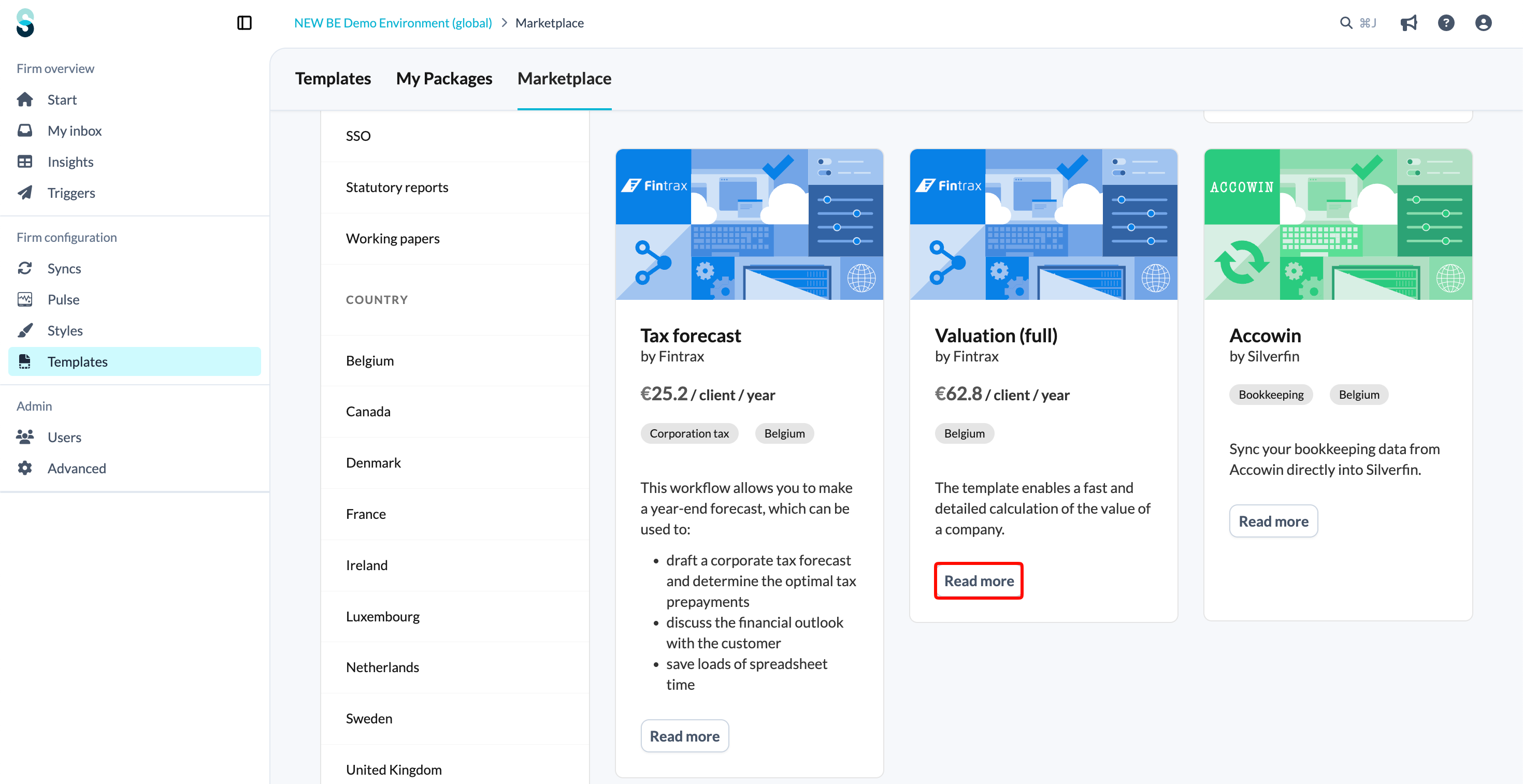
- In the left panel, under Firm configuration, click Templates.
- At the top of the page, click the Marketplace tab.

- Find the Fintrax packages by browsing the Marketplace, or press Ctrl + F and type Fintrax.
How do I activate a Fintrax package?
- Click Read more on the package you want to activate.
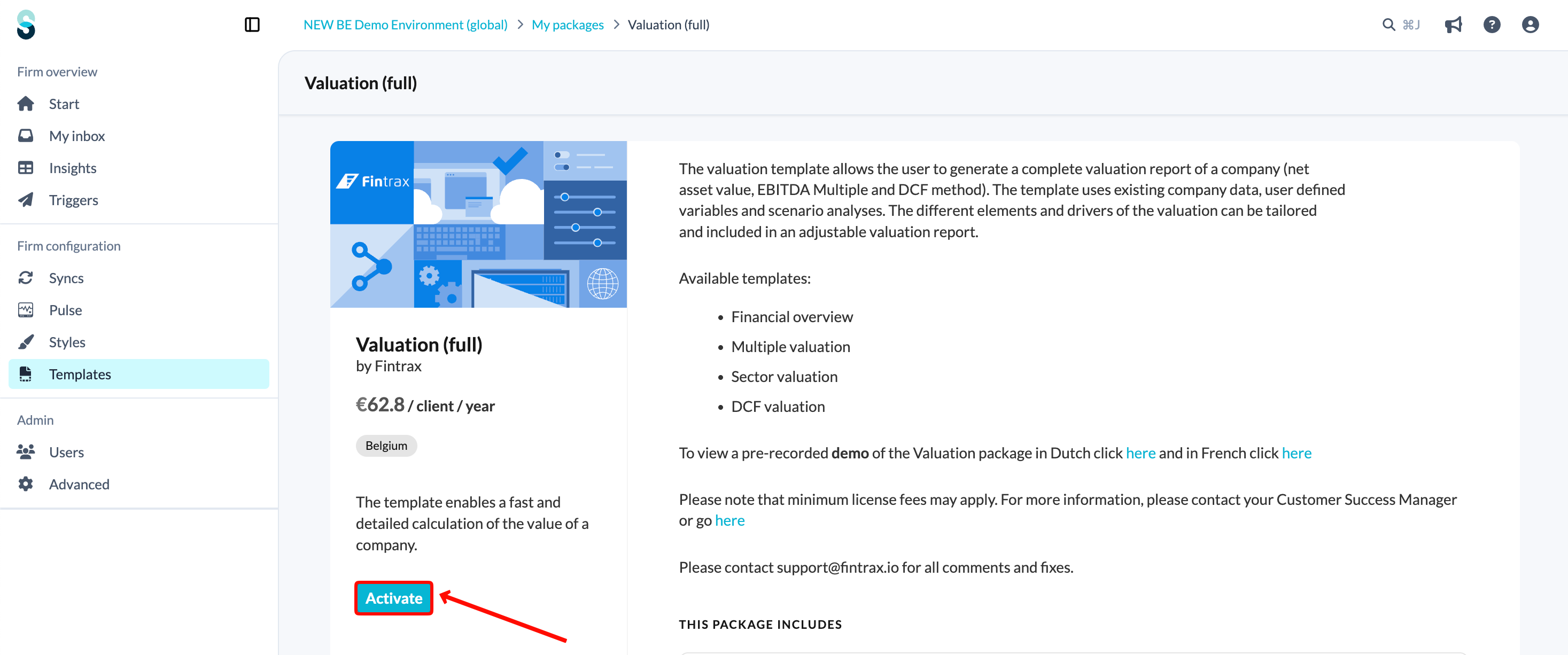
- In the package details, click Activate.
Note: if the package is already active, you will see a deactivate button instead.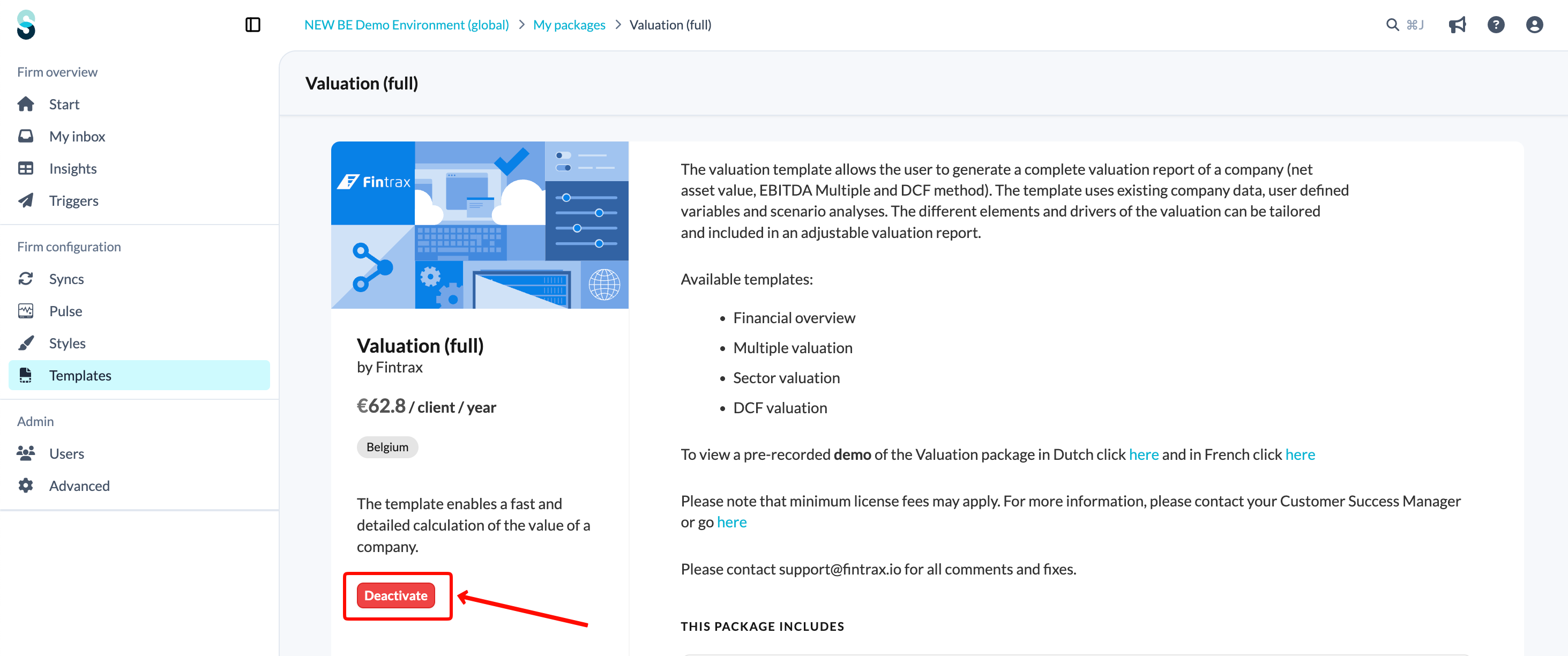
How do I add a Fintrax workflow to a client file?
Once the Fintrax package is active, you can add its workflow to a client file:
- Open the client file where you want to add the workflow.
- On the Client overview page, click Add workflow.
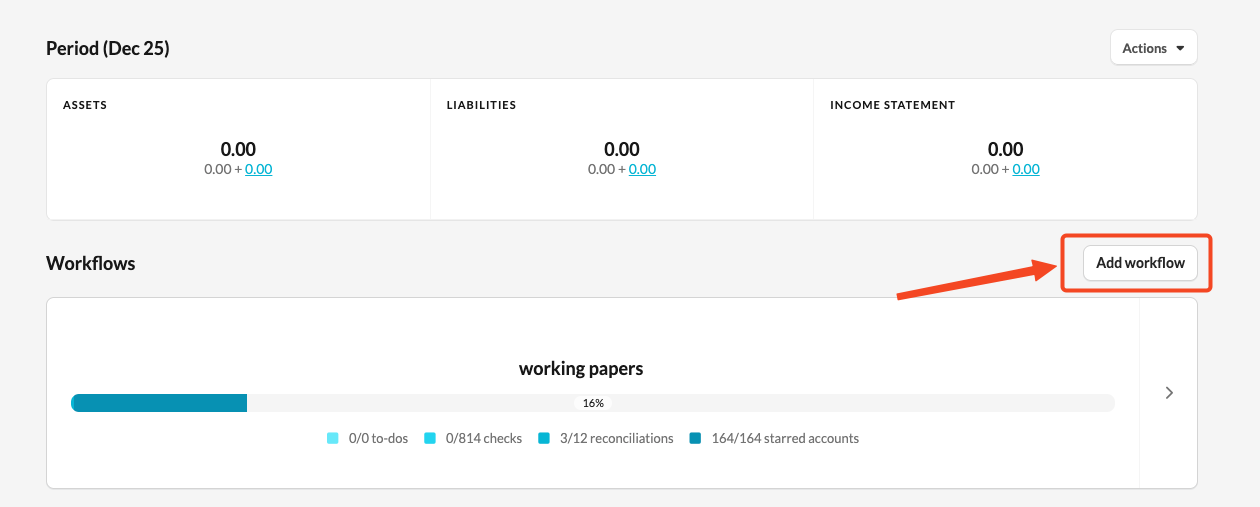
- Select the workflow you want to add.
Good to know: minimum licence fees may apply. For more information, contact your Customer Success Manager or visit https://fintrax.io/. For comments and fixes, contact support@fintrax.io.