| User Roles |  Admin Admin | ✗Staff contributor | ✗External contributor | ✗Pulse user |
This article explains how to locate a synchronisation reference in WinBooksOnWeb synchronisation to synchronise a client file.
Good to know:
- To connect an existing WinBooksOnWeb synchronisation to a client file in Silverfin, you need to enter a sync reference in a file. Silverfin cannot automatically retrieve this code, so you must locate it in WinBooksOnWeb and enter it manually in the relevant reference field.
- In the following article you will find detailed information on How to set up synchronisation with WinbooksOnWeb in a file?
- In WinBooksOnWeb, the reference is called the company code.
There are two ways to identify the sync reference:
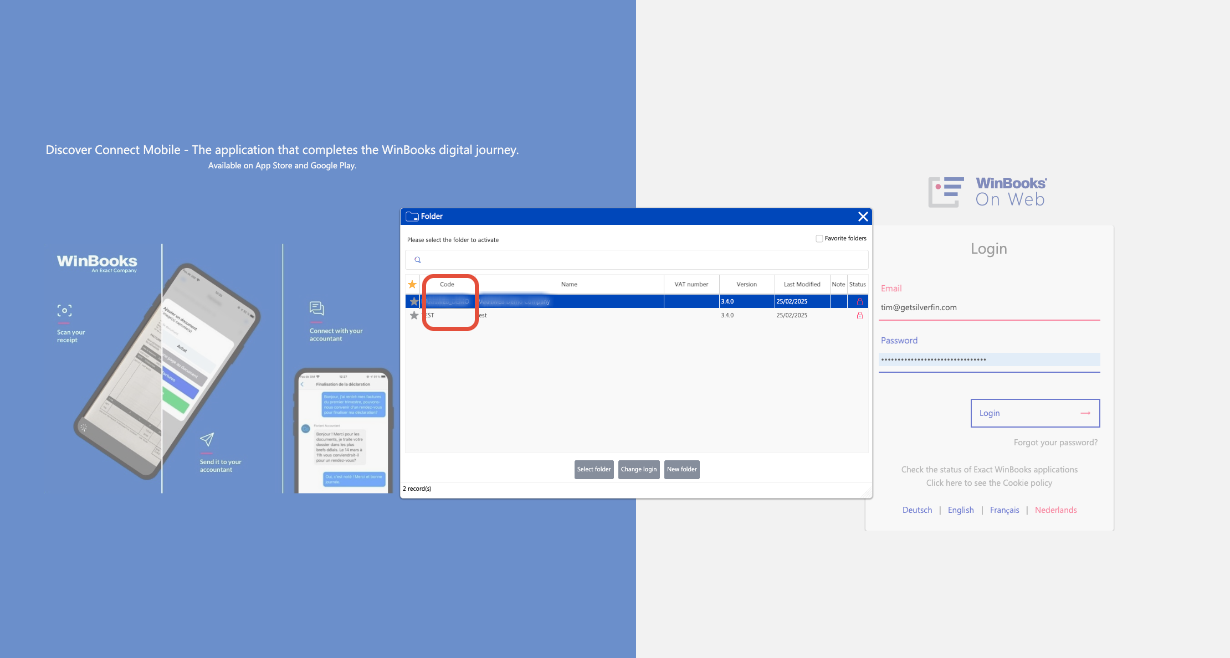
- You can see the references when you log in to WinBooksOnWeb.
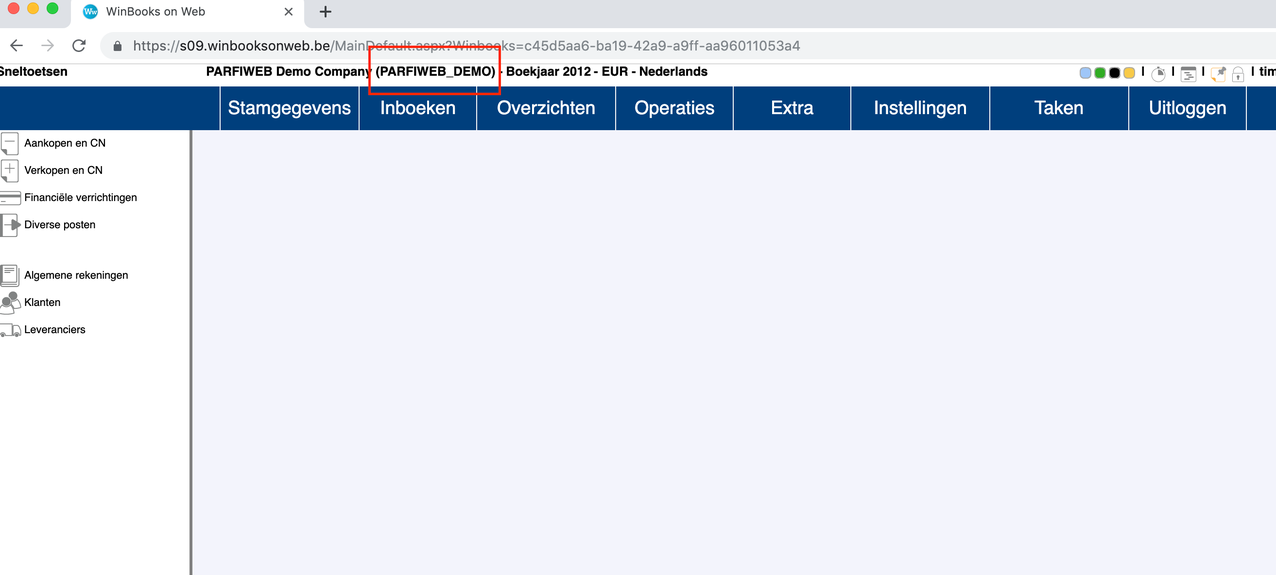
- If you are already in the correct file in WinbooksOnWeb, the code is shown in brackets next to the company name.