
| User Roles |  Admin Admin |  Staff contributor Staff contributor |  External contributor External contributor | ✗ Pulse user |
This article explains how the 'Overview notes' template works and how you use it to determine which notes are included in the final PDF export.
How the template works
Notes that contain a value in the current or prior period are selected by default.
Example: If there is an amount under 'Tangible fixed assets', the note for 'Tangible fixed assets' is automatically activated.
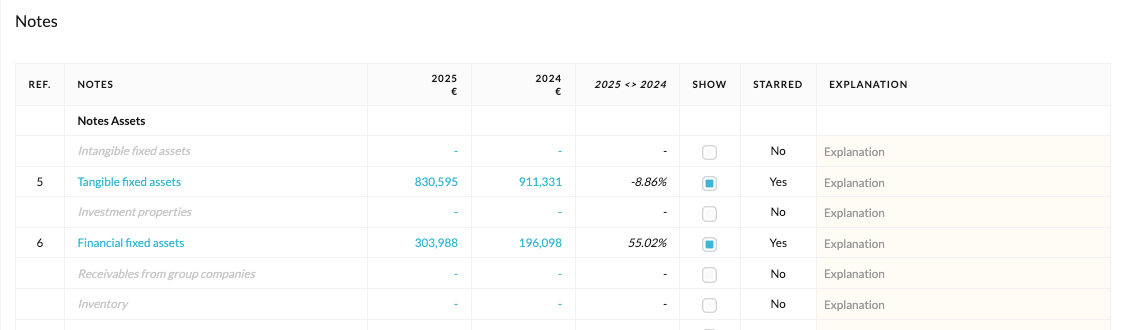
Enabling or disabling notes
- In this template, users can override the automatically selected notes by manually enabling or disabling them.
- If you do not wish to include certain notes, you can disable them.
Important: do not use stars
- This template is where you determine which sections are included in the final PDF export.
- Using stars (starring/unstarring templates) within the 'Prepare annual accounts' workflow causes reference numbers to stop functioning correctly. We therefore recommend managing this exclusively through the 'Overview notes' template.