
| User Roles |  Admin Admin |  Staff contributor Staff contributor | ✗External contributor | ✗Pulse user |
The Tax computation template sits within the Tax disclosures part of the UK Corporation Tax workflow and reconciles the profit per the accounts to the profit per the tax return. For each adjusting item, it records whether the difference is a timing difference or a permanent difference, which disclosure category it belongs to, and (optionally) how the item is split across the profit and loss account, other comprehensive income (OCI) and equity. This is what drives the deferred tax provision and the tax reconciliation.
Table of contents
- When should I use this template?
- Before you start
- Understanding the table
- Changing a row between timing and permanent
- Choosing the category
- Enabling OCI and Equity adjustments
- What flows through to the rest of Corporation Tax?
- Frequently asked questions
When should I use this template?
Use it to analyse the adjustments between the accounting profit and the taxable profit for deferred tax and disclosure purposes, once the income and adjustment templates are complete. Most lines are populated automatically from the rest of the workflow; your job is to confirm — and where necessary change — the timing/permanent split and the category for each line.
Before you start
Set up the categories in the DT disclosure categories - setup template first — the dropdowns in this template are populated from there.
Complete the income, adjustment and capital allowance templates, as most lines in the Tax computation are fed from them.
Understanding the table
Each adjusting item appears as a row. The columns are:
- Description — the item (for example Depreciation, Capital allowances, Provisions, Disallowable / non-taxable). Most rows are fed automatically from the source template.
- Timing difference category — a dropdown used when the item (or part of it) is a timing difference.
- Permanent difference disclosure category — a dropdown used when the item (or part of it) is a permanent difference.
- P&L permanent and P&L timing — the amount split between permanent and timing in the profit and loss account.
- OCI permanent and OCI timing — manual adjustment columns, shown only when OCI adjustments are enabled.
- Equity permanent and Equity timing — manual adjustment columns, shown only when Equity adjustments are enabled.
Changing a row between timing and permanent
Silverfin splits each line into a P&L permanent amount and a P&L timing amount, and pre-fills the split based on the nature of the item. You change the treatment by editing those two amounts:
- For an item that can be either (for example Provisions, Depreciation / impairment / revaluation, Capital items expensed), move the amount between the P&L permanent and P&L timing columns. Putting the amount in P&L timing treats it as a timing difference; putting it in P&L permanent treats it as a permanent difference. The two should add up to the total for the line.

- Some items are fixed to one treatment because only one is possible — for example Capital allowances and Qualifying charitable donations not paid are always timing; Total dividend income and Disallowable car leasing are always permanent. For those, only the applicable column can be used.
Choosing the category
The category determines how the difference is presented in the deferred tax analysis (for timing differences) or the tax reconciliation (for permanent differences):
- Timing difference category — select the category the timing difference belongs to, for example accelerated capital allowances, pensions, provisions, property revaluation timing differences or trading tax losses. Each line has a sensible default (for example capital allowances default to the capital allowances category, and depreciation to the net book value of qualifying assets category), but you can override it from the dropdown.

- Permanent difference disclosure category — select the category for a permanent difference, for example non-taxable income, non-deductible expenses, local taxes, overseas taxes or withholding tax suffered. Again, sensible defaults are applied and can be changed.

The lists of available categories come from the DT disclosure categories - setup template. To add, rename or remove a category, change it there and it will appear in these dropdowns.
Enabling OCI and Equity adjustments
By default, the template deals with amounts recognised in the profit and loss account. Where a difference is recognised in other comprehensive income or in equity, you can bring those in:
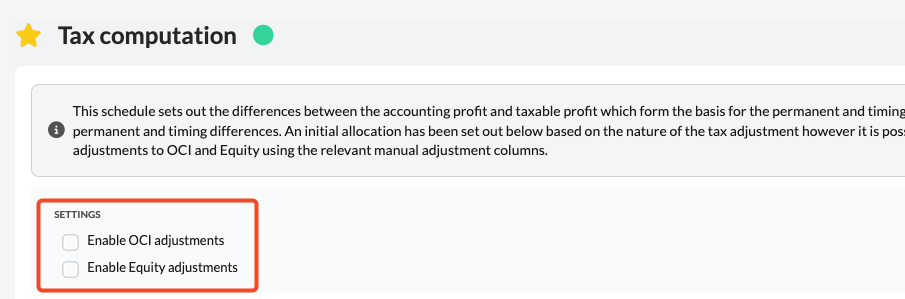
- Tick Enable OCI adjustments to reveal the OCI permanent and OCI timing columns.
- Tick Enable Equity adjustments to reveal the Equity permanent and Equity timing columns.
These are manual adjustment columns — you enter the amounts yourself. For each line, the manual adjustments across P&L, OCI and equity should net to zero against the total for the line (you are reallocating where the difference is recognised, not creating a new difference). Silverfin shows a warning where the manual adjustments do not net to zero, giving the total per the analysis, the recalculated total and the difference, so you can correct it.
What flows through to the rest of Corporation Tax?
- Amounts recorded as timing differences (P&L, and OCI/equity where enabled), under their selected timing difference categories, feed the Timing differences template and the deferred tax account.
- Amounts recorded as permanent differences, under their selected disclosure categories, feed the Tax reconciliation and the tax disclosures.
- Together, they explain the movement between profit per the accounts and profit per the return.
Frequently asked questions
How do I change a row from timing to permanent (or back)?
Edit the split between the P&L permanent and P&L timing columns for that line so the amount sits in the column you want; the two should sum to the line total. Lines that can only be one type will only accept an amount in the applicable column.
Why can I not switch some rows?
Some items are, by their nature, always a timing difference (for example capital allowances) or always permanent (for example non-taxable dividends). Those rows are fixed to the applicable column.
Where do the category options come from, and how do I change them?
From the DT disclosure categories - setup template. Add, rename or remove categories there and they update in the Timing difference category and Permanent difference disclosure category dropdowns.
How do I record a difference that went through OCI or reserves?
Tick Enable OCI adjustments and/or Enable Equity adjustments to reveal the manual OCI and Equity columns, then enter the amounts. The manual adjustments for a line should net to zero; Silverfin warns if they do not.
What is the difference between a timing and a permanent difference?
A timing difference reverses over time and gives rise to deferred tax (for example depreciation versus capital allowances). A permanent difference never reverses and does not give rise to deferred tax (for example disallowable entertaining or exempt dividends).