
| User Roles |  Admin Admin |  Staff contributor Staff contributor |  External contributor External contributor | ✗ Pulse user |
This article explains how to show taxi costs in the 'Car costs (disallowed expenses)' template. You do this from the 'Disallowed expenses' account template at account level, rather than entering the amounts in the corporate tax template itself. It is relevant for anyone preparing a Belgian corporate tax return in Silverfin.
Table of contents
How do I select taxi costs on the account?
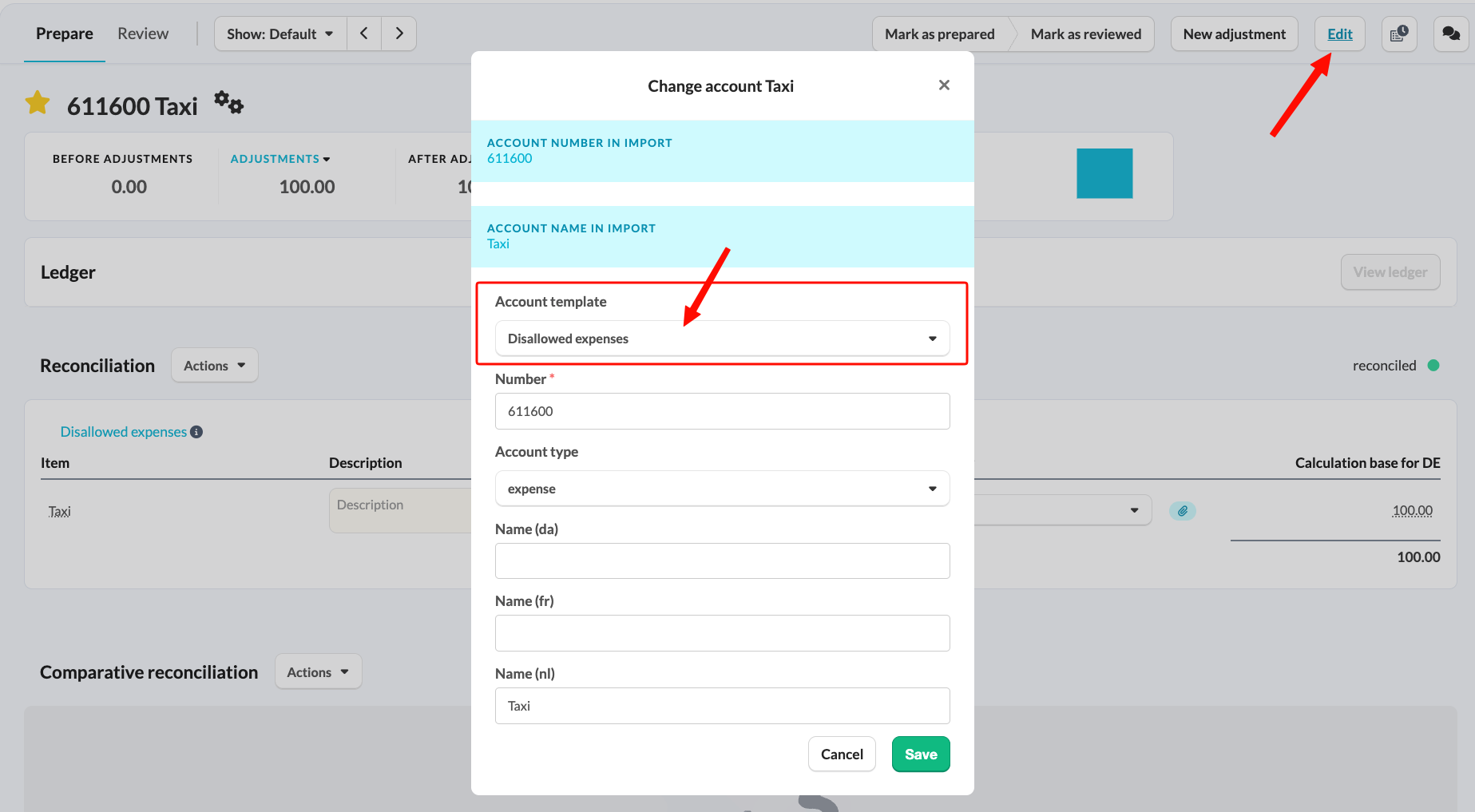
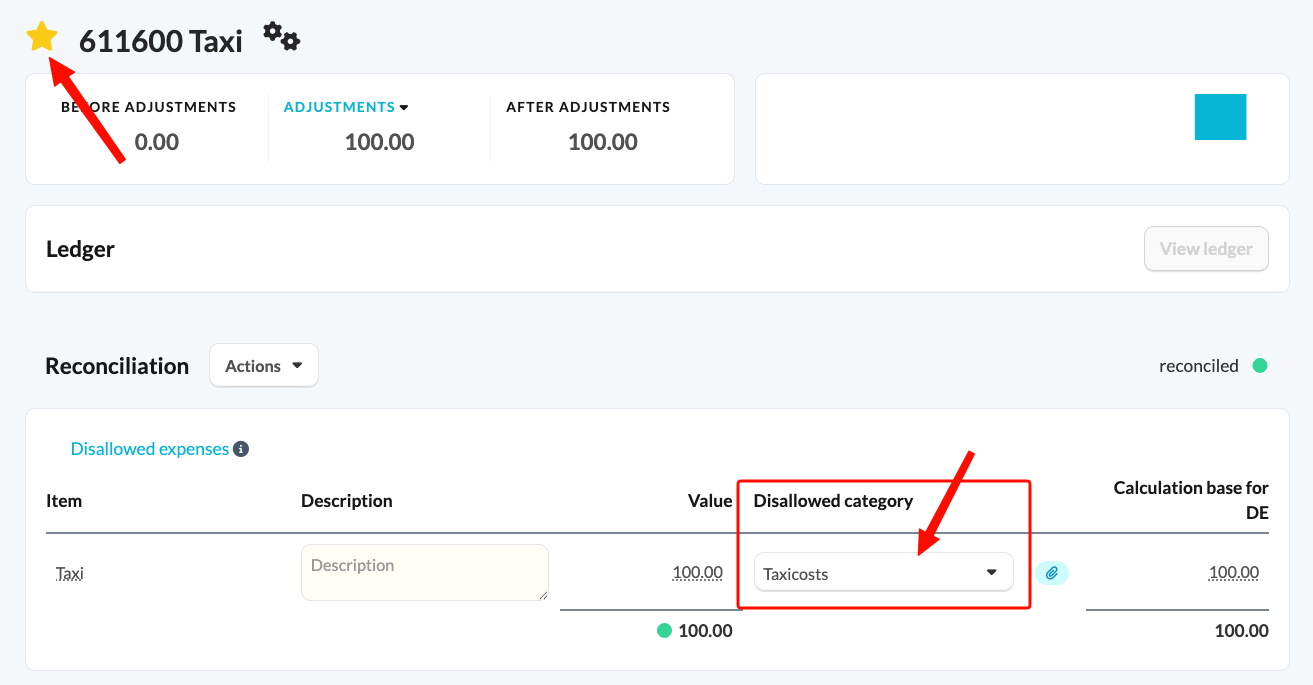
You can display taxi costs in the 'Car costs (disallowed expenses)' template by using the 'Disallowed expenses' account template at account level. Select the taxi costs there and then mark the account with a star.
 Where do the taxi costs appear afterwards?
Once you change the category within the template to 'Taxi costs' and mark the account with a star, this will automatically flow through to the 'Car costs (disallowed expenses)' template and subsequently to the 'Disallowed expenses' template.
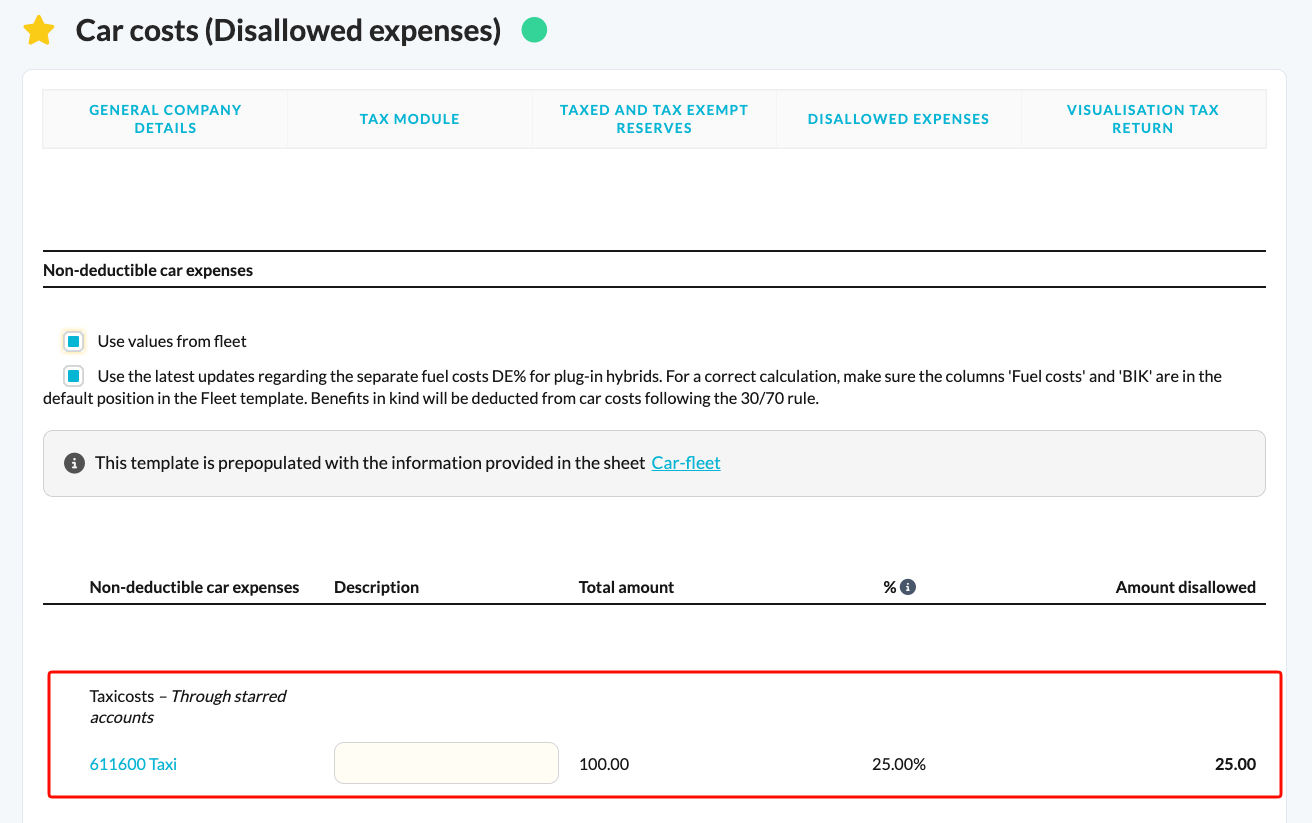
Nothing flows through to the 'Car costs (disallowed expenses)' template until the account is marked with a star. If the taxi costs don't appear, check the star first.