
| User Roles |  Admin Admin |  Staff contributor Staff contributor | ✗External contributor | ✗Pulse user |
Table of contents
Key informations
- Reporting frequency refers to the interval at which financial data is prepared in Silverfin and provided or communicated to relevant parties (for instance stakeholders, end clients).
- Reports can be prepared on a monthly, quarterly, or annual basis.
- Reporting frequency cannot be changed in bulk for multiple client files at once; it can only be adjusted within an individual client file.
- As a default, intermediate periode-end dates besides the year-end will follow the same day of the month as the year end. E.g. if a book year ends 11 December 2026 in a monthly reporting frequency file, the other monthly periods will also end on the 11th of the month. To disregard this, and have the other periods end on the last day of the month, Silverfin has the option to allign the intermediate period-end dates to the last of the month instead. This setting can only be adjusted by Silverfin Support to prevent periods being lost when adjusting.
How to change the reporting frequency
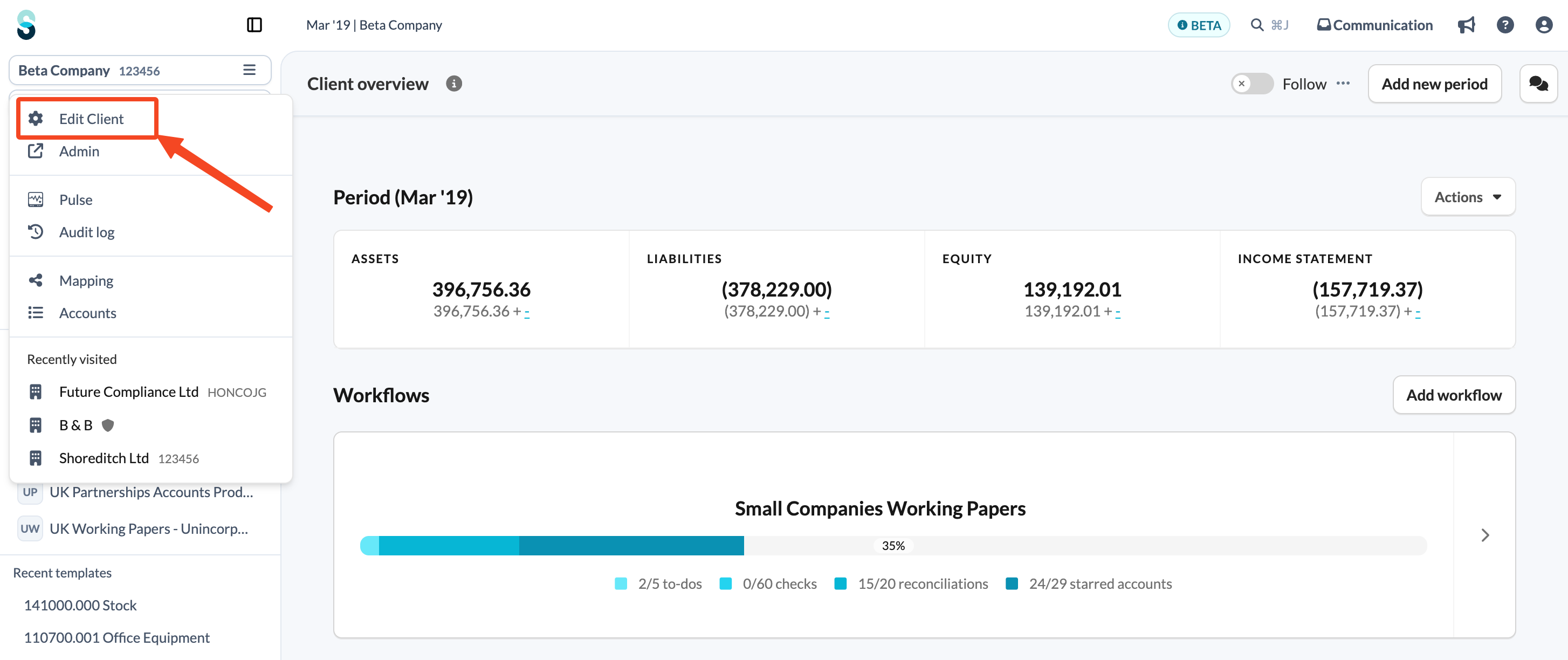
- Go to 'Edit Client' in a left-side navigation panel.
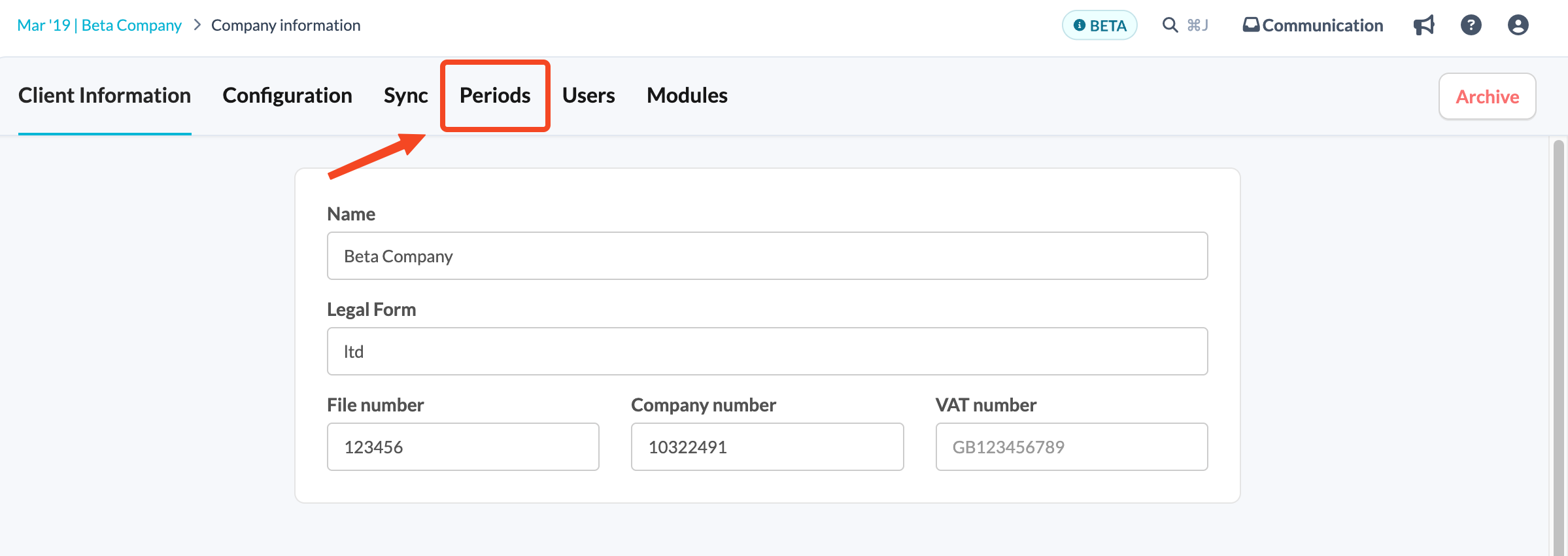
- Select the 'Periods' tab.
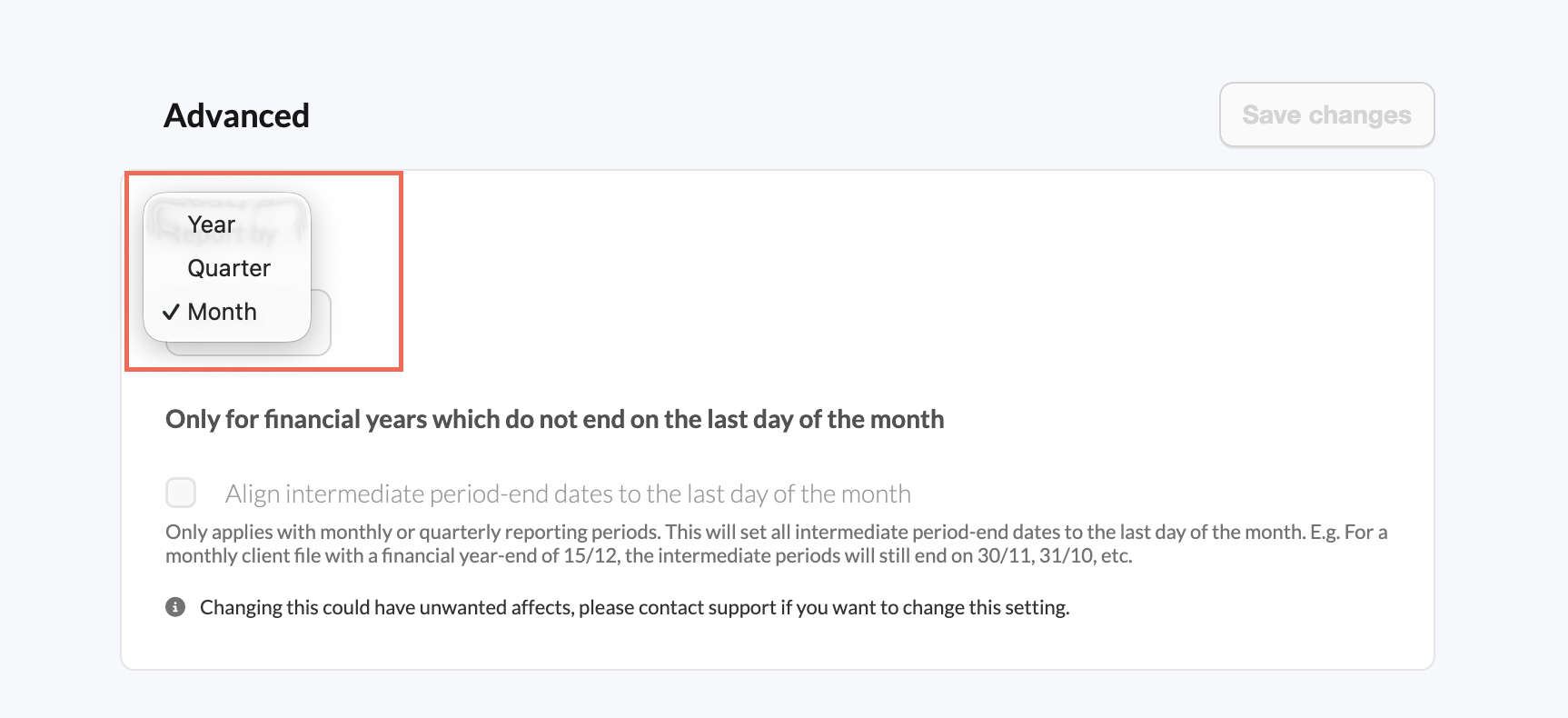
- In the Advanced part, choose your new frequency from the available options.
- Click 'Save changes' to apply the changes.
Reducing frequency
When you decrease the frequency (e.g., from monthly to yearly), Silverfin will erase the periods corresponding to the old frequency that do not overlap with the new frequency. This will result in the loss of all data associated with those periods. For instance, if you switch from a monthly frequency to a yearly frequency all periods besides your year-end will be removed. If you’re uncertain about the impact, please contact our support team for guidance.
Warning: You will see a warning message if you attempt to change the frequency, indicating that data may be lost.
User attempting to change the frequency sees the following warning:
Increasing frequency
When you increase the frequency (e.g., from yearly to monthly), new periods will not automatically appear if you have uploaded data manually. This may cause some of the newly made available periods to be greyed out in the periods overview.
- For Manually Uploaded files: You will need to manually add new periods by using the 'Add New Period' button on the client overview screen. Data that was manually entered in templates, will remain in the end-year ledger and will not be redistributed to new periods.
- For synced files: If your file is synced, Silverfin will automatically create new periods based on the bookkeeping periods of transactions fetched from the bookkeeping system.
If you need further assistance or have any questions about changing the report frequency, please contact our support team.