
| User roles |  Admin Admin |  Staff Staff | ✗ External contributor | ✗ Pulse user |
This article explains how the 'Immovable property' note works and how it relates to rental income and costs. You'll learn exactly how the link with the 'Rental income' account template works, and which entry methods you can use for the cost column.
Table of contents
Rental income
The 'Immovable property' note provides a handy overview for keeping track of the property. For the 'Rental income' column, it is also linked to the 'Rental income' account template.
- You start by fully completing the real estate properties in the 'Immovable property' template.
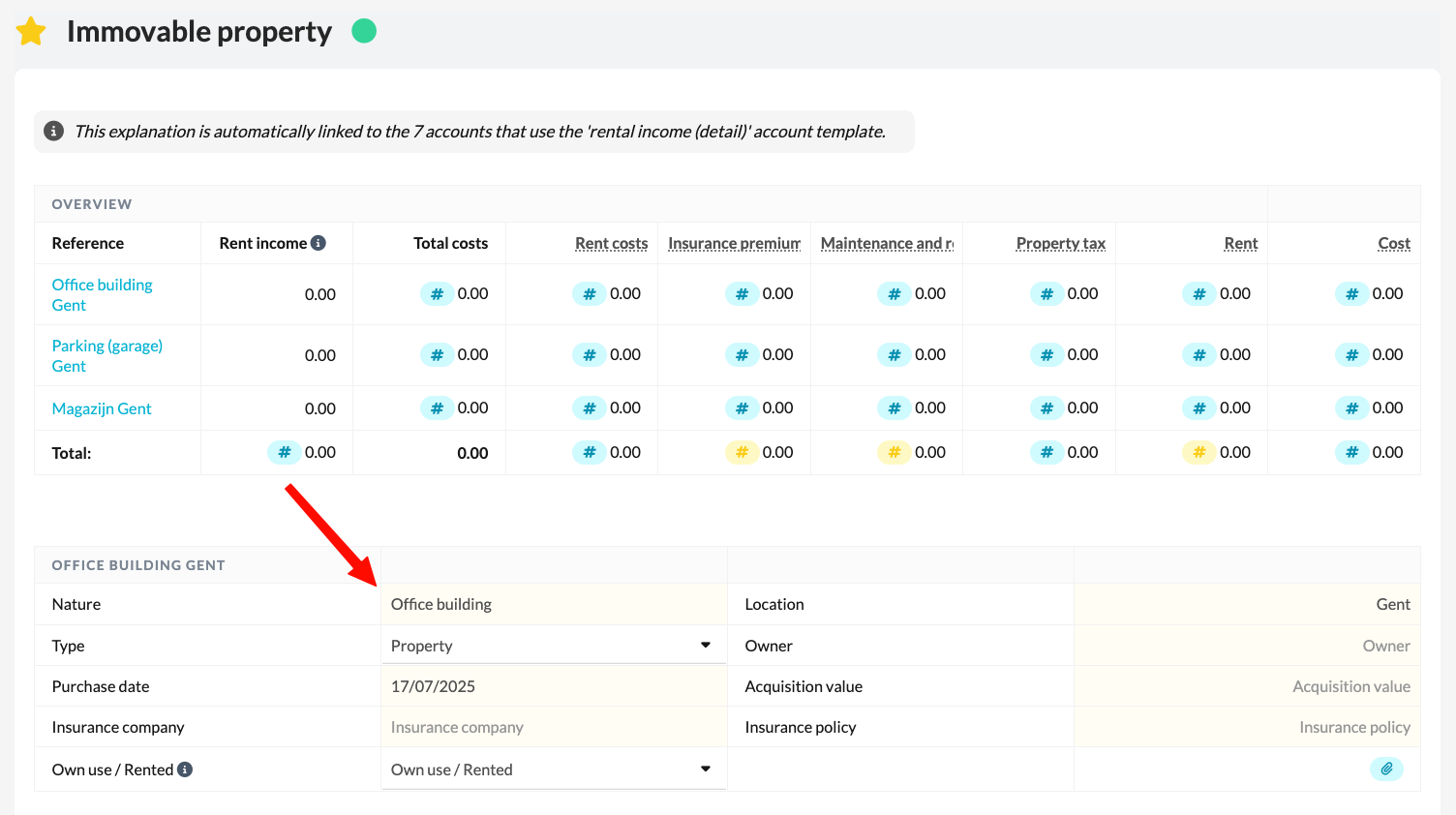
- Once all the necessary data has been entered, go to the 7-account and select the property in the 'Rental income' account template.
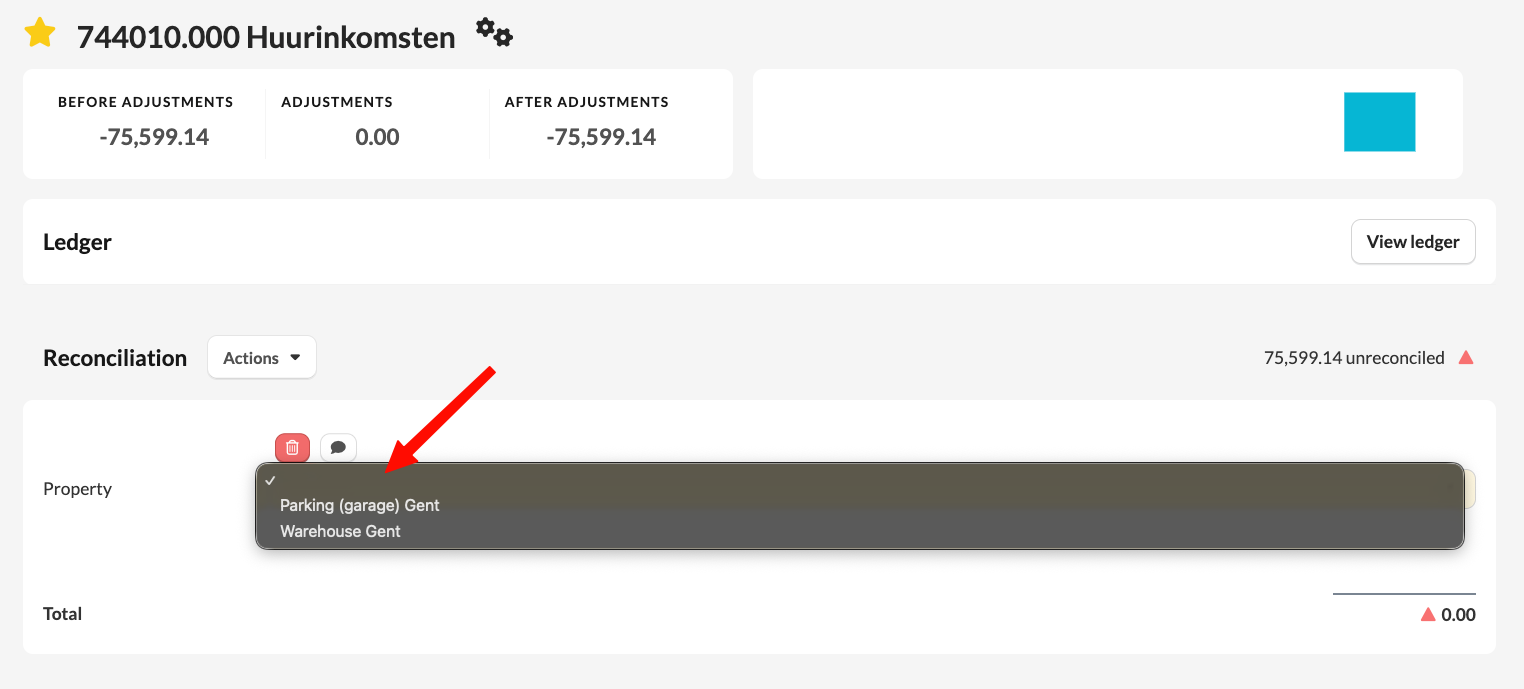
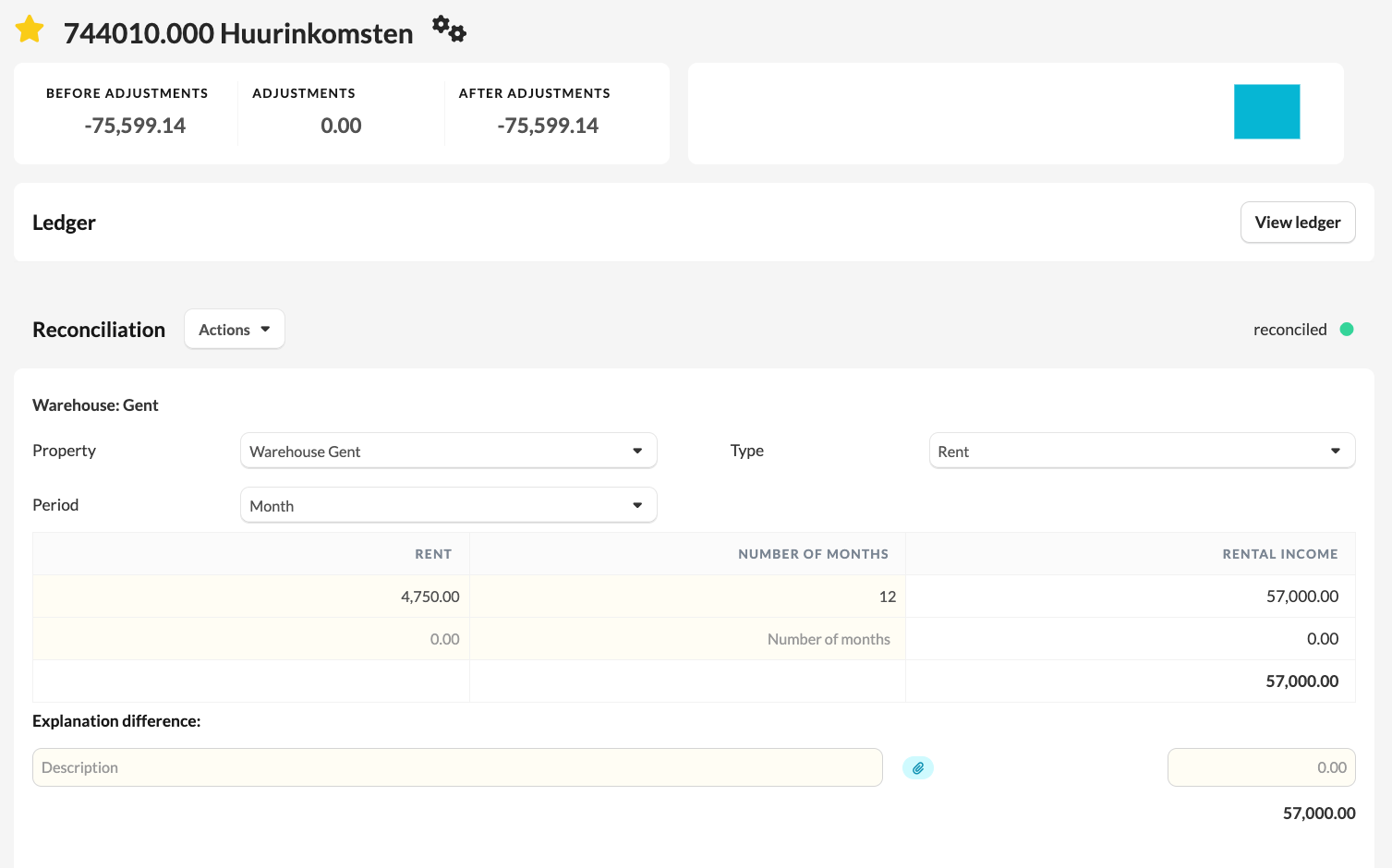
- You work out the rental income in the account per property.
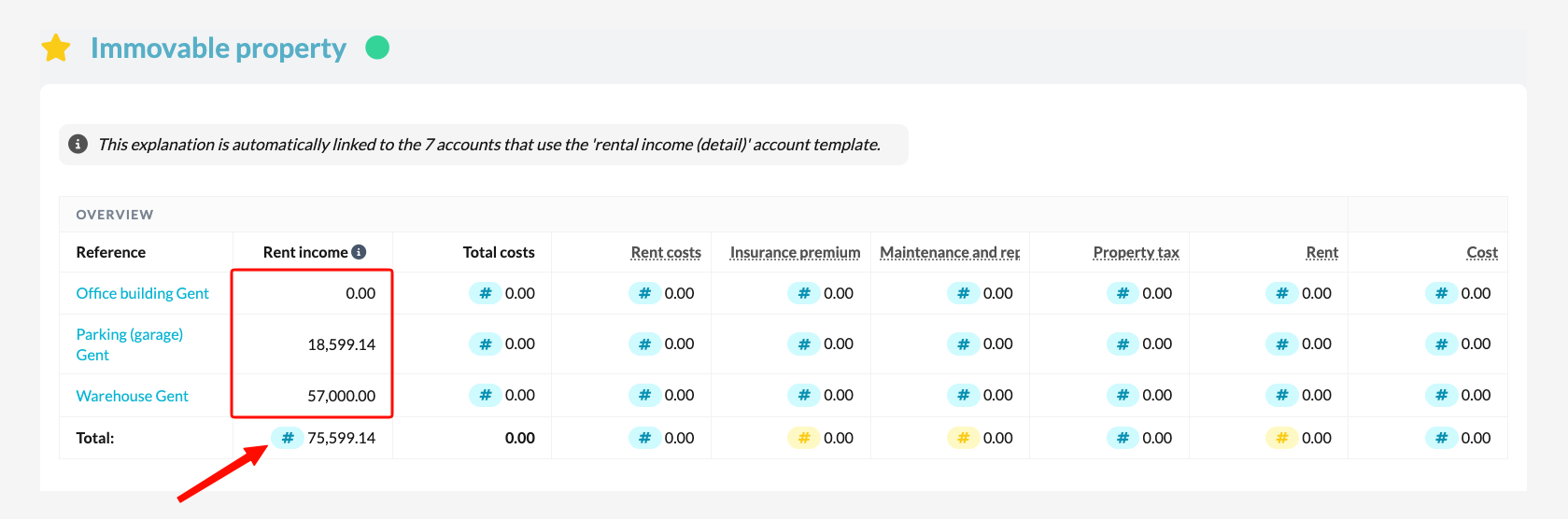
- In the 'Immovable property' template, you'll see that this data is automatically included as soon as you link the 7-account to the hashtag.
Costs
There is no specific account template for the cost column. The 'Immovable property' template supports three entry methods per cost column, which are mutually exclusive: the template automatically selects the method based on the accounts already linked.
Within the template itself, you work with one of the following methods:
- A total account per cost category
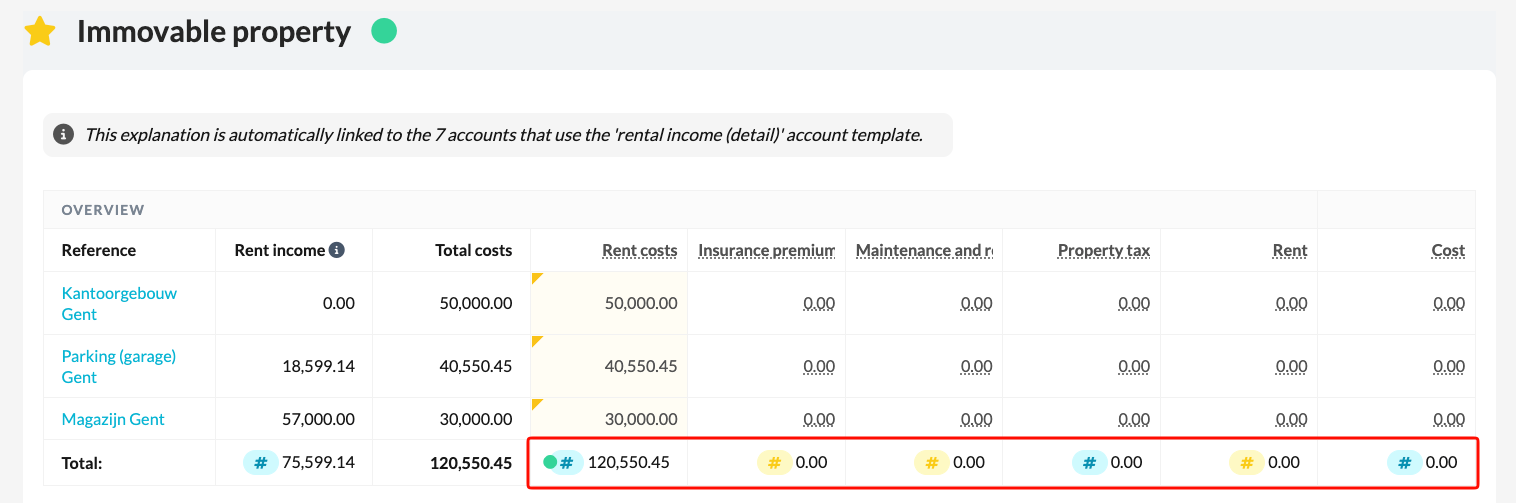
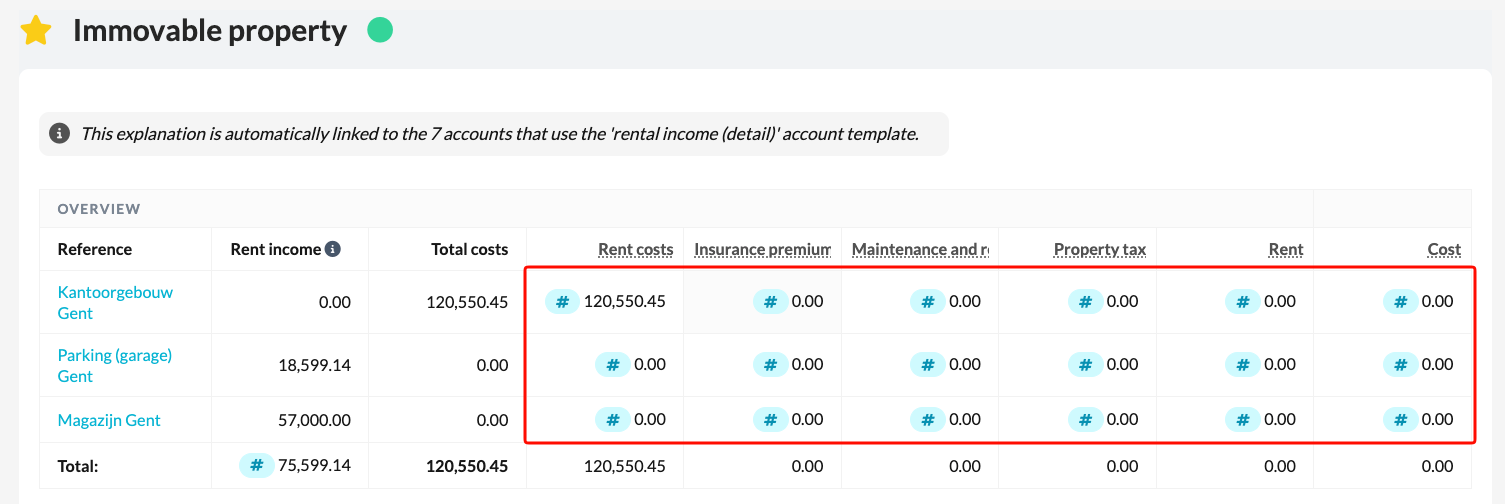
- An individual account per cost, per individual property
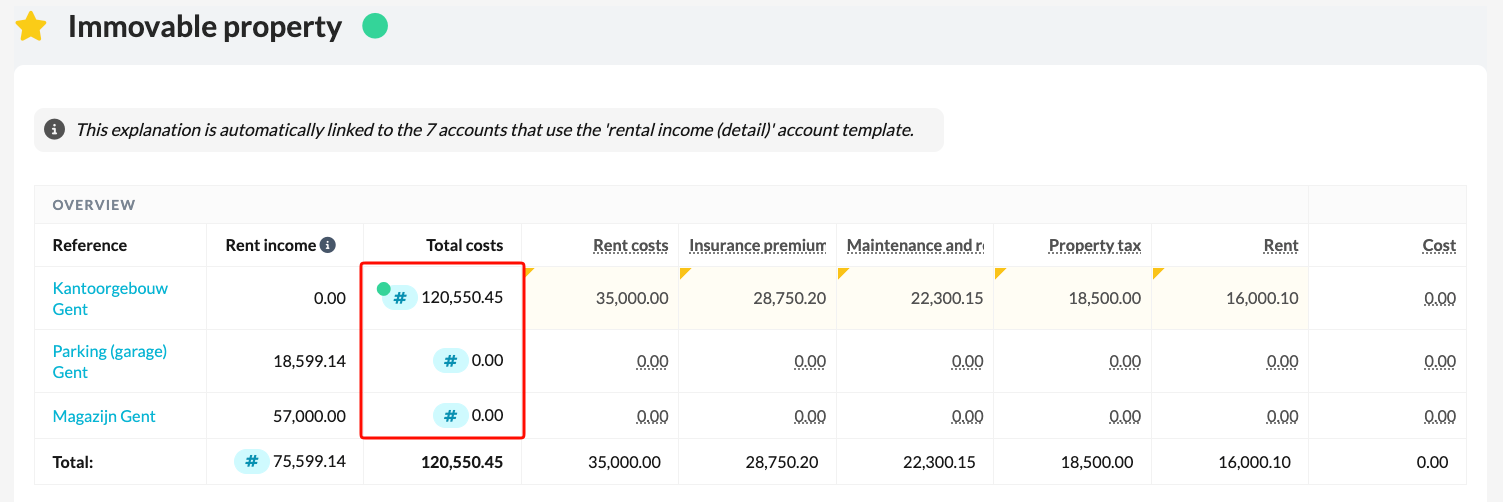
- An individual account per property
A combination of these methods at the same time is currently not possible.
For example, are accounts linked to the individual cells of the cost columns? Then the template automatically switches that column to the 'individual account per cost, per individual property' mode, and deliberately hides the # sign on the total line.