
| User Roles |  Admin | ✗Staff contributor | ✗External contributor | ✗Pulse user |
If your Silverfin synchronisation with Horus has been interrupted - for example because access rights were revoked or the connection expired - your data remains safe, but the sync needs to be re-established.
To restore the synchronisation with Horus at firm level, follow these steps:
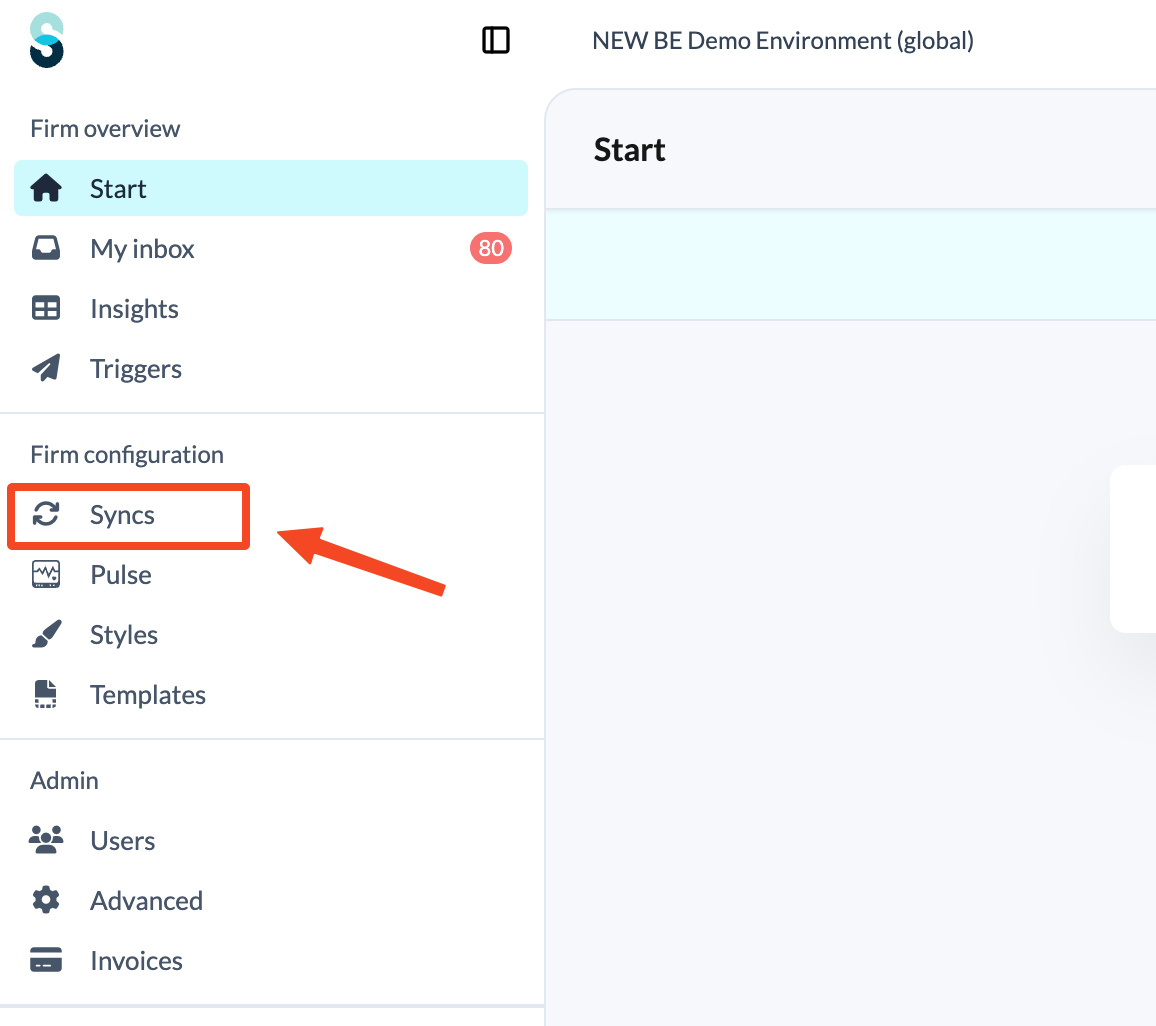
- Click Syncs in the left panel, under Firm configuration.
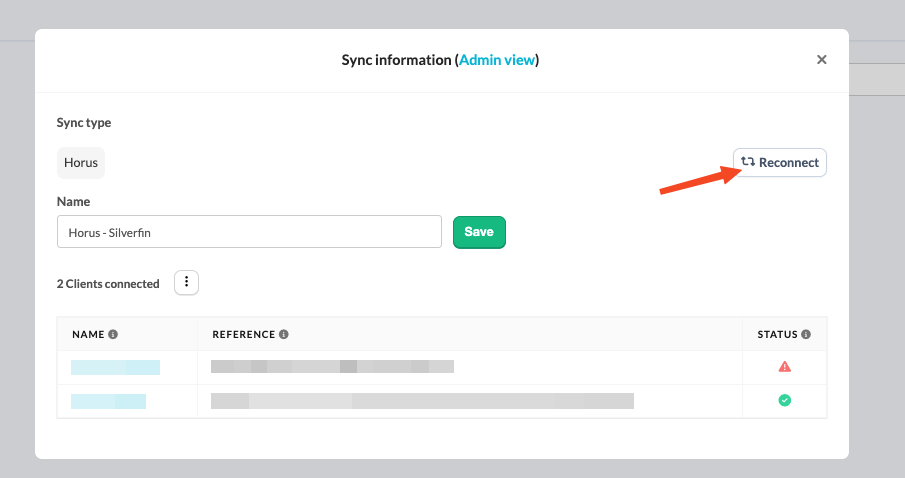
- Click the Horus sync that needs reconnecting.

- Click the Reconnect button for that sync.
- You will be redirected to the Horus login page. Enter your credentials to re-establish the connection.
- If the login page of Horus does not open, it may be because you are already logged in.
- Only users with admin rights can re-authenticate synchronisation at firm level.
Once these steps are completed, the synchronisation between Silverfin and Horus resumes automatically.