
| User Roles |  Admin | ✗Staff contributor | ✗External contributor | ✗Pulse user |
This article explains how to connect Silverfin with Bocount to synchronise bookkeeping data. It covers the connection at firm level, which is the first step before you can link the sync to a client file. Once the connection is established and the sync is set up in a file, any changes made in Bocount will sync with Silverfin.
How do I set up synchronisation with Bocount at firm level?
Only users with admin rights can set up synchronisation at firm level.
To establish the connection, please follow these steps:
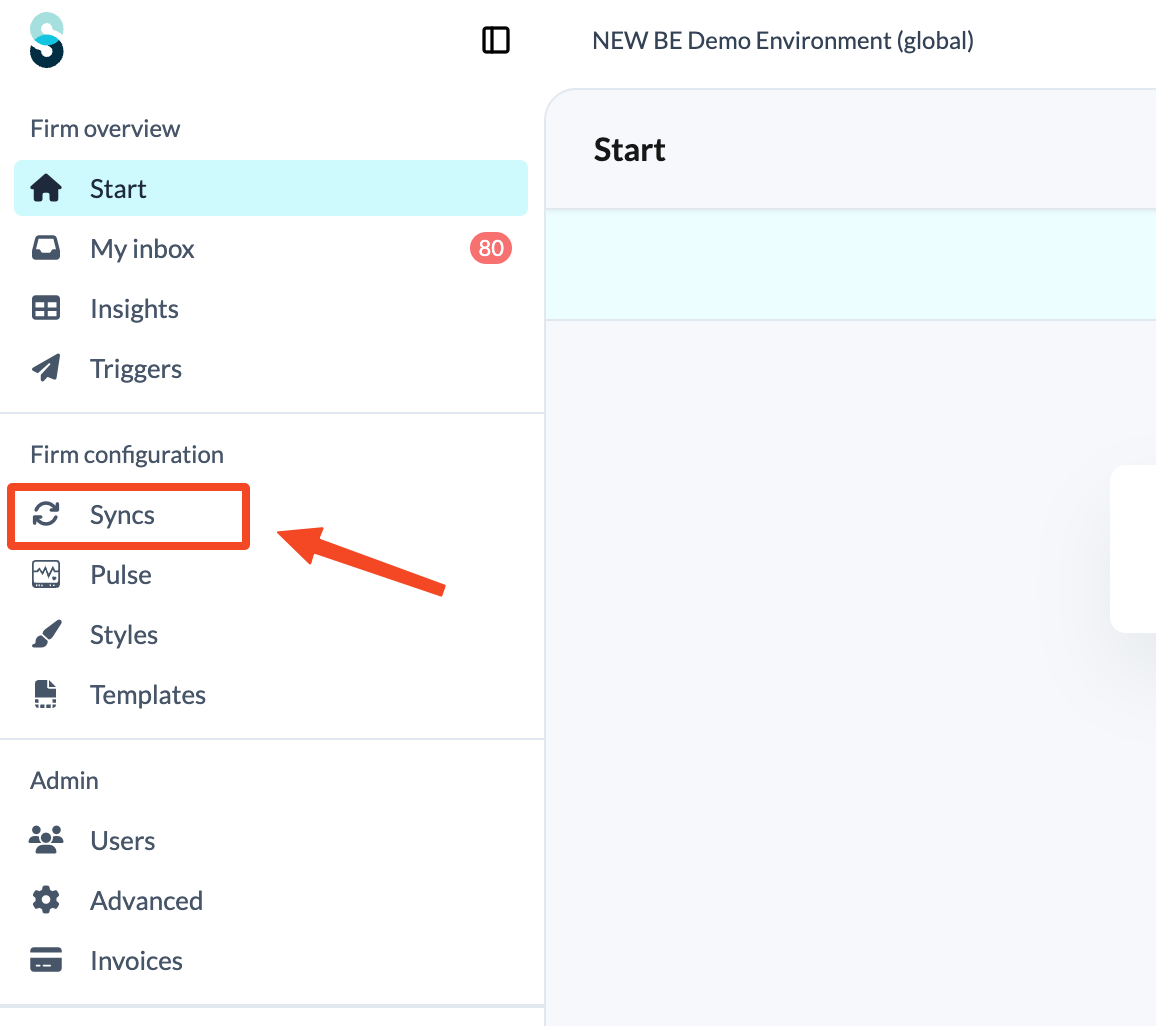
- Click Syncs in the left panel, under Firm configuration.
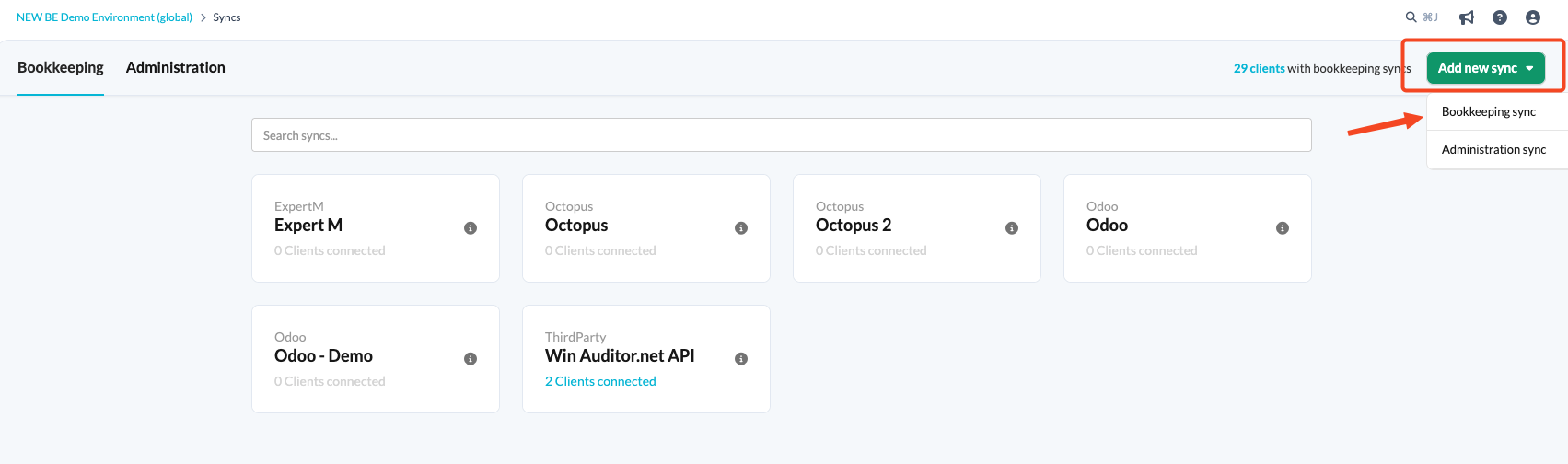
- Click the Add new sync button and choose Bookkeeping sync.
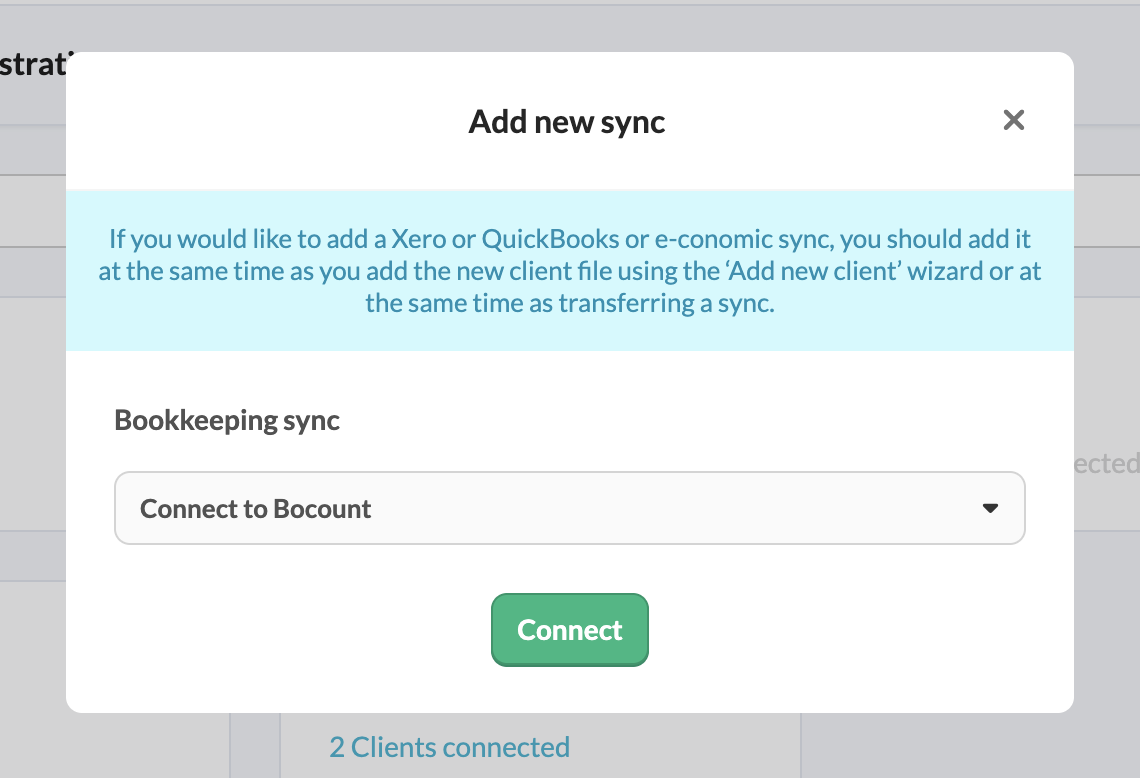
- From the drop-down menu, choose the Connect to Bocount sync and click Connect.
- Fill in the relevant fields and click Set up synchronisation with Bocount.
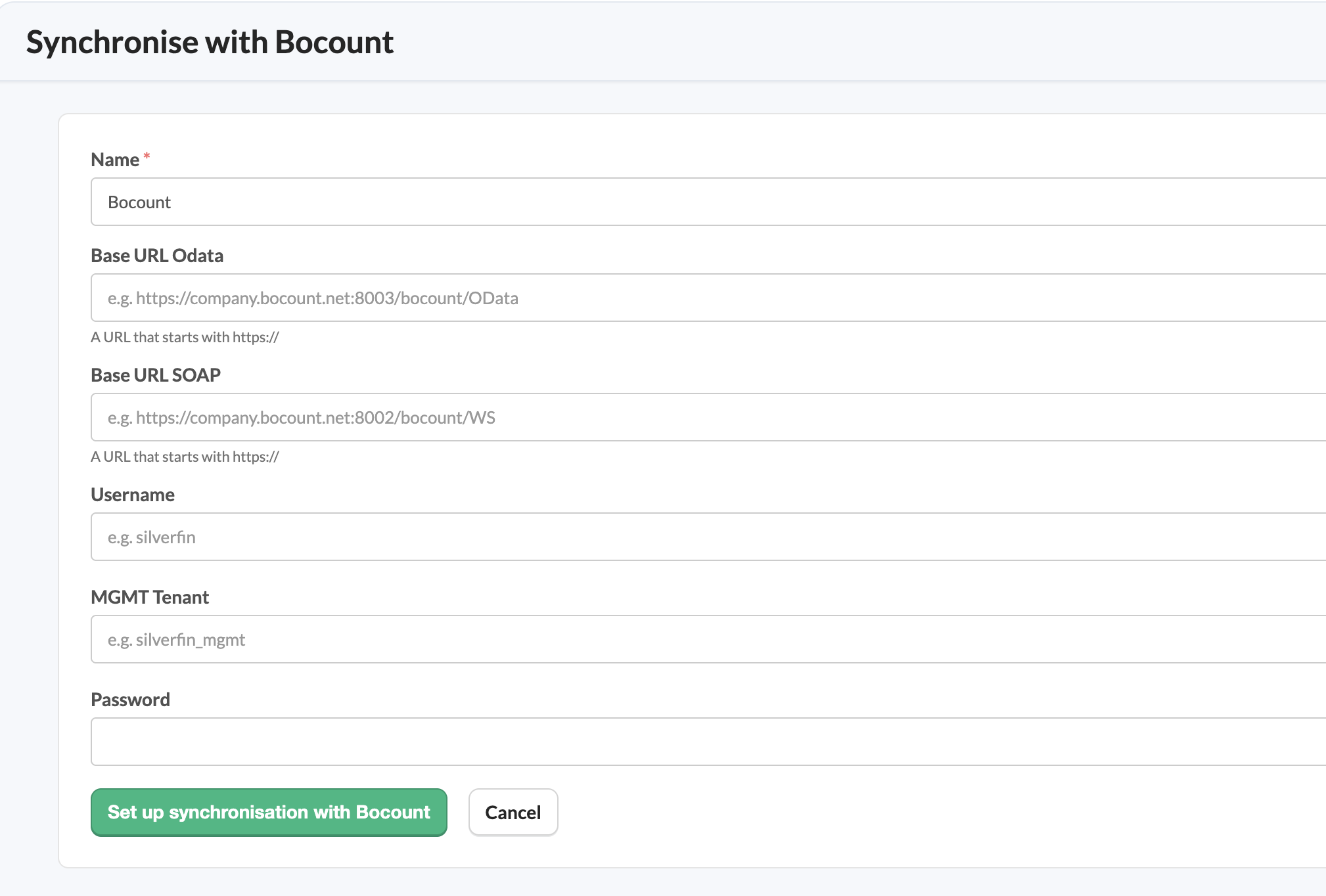
- Name: the name you give to the sync entity.
- Base URL Odata: a URL that starts with https://.
- Base URL SOAP: a URL that starts with https://.
- Username: for instance Silverfin.
- MGMT Tenant: for instance silverfin_mgmt.
- Password: your password.
Once the connection exists at firm level, you can link it to a client file. See How to set up synchronisation with Bocount in a file?