| User Roles |  Admin Admin |  Staff contributor Staff contributor |  External contributor External contributor |  Pulse user Pulse user |
Visma Connect is the account system behind your Silverfin login. From your Visma Connect account settings you can update your email address, add passkeys, and change your password. This article is relevant for anyone who signs in to Silverfin and wants to manage their own login details.
Table of contents
- How do I open my Visma Connect account settings?
- How do I change my email address?
- How do I add a passkey?
- How do I change my password?
How do I open my Visma Connect account settings?
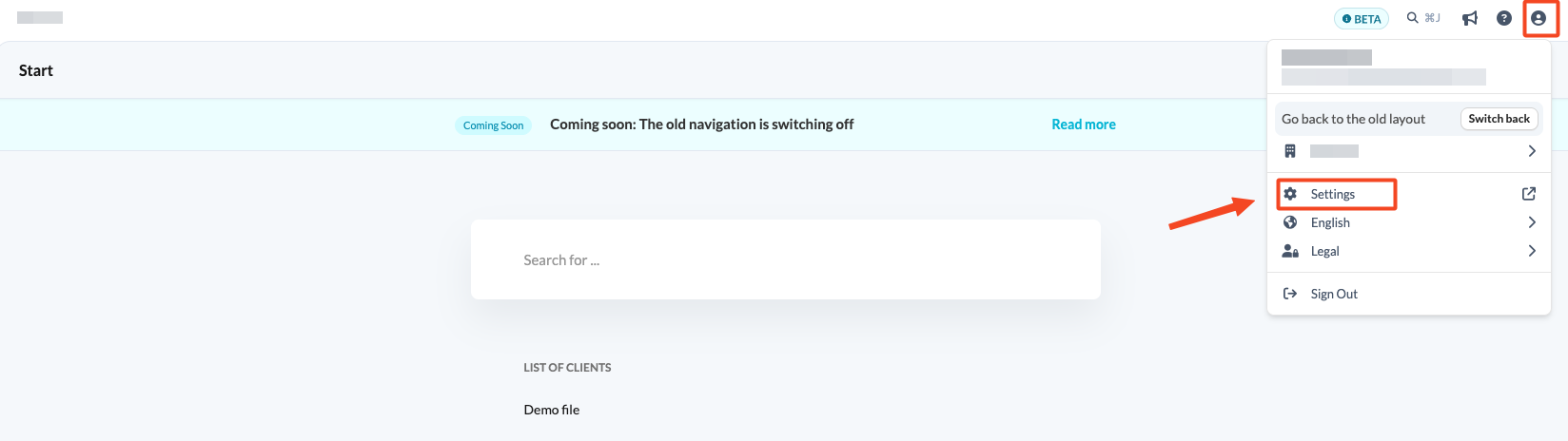
If you use the new navigation, you can open your Visma Connect account settings from Silverfin, without needing a separate link:
- Click the profile icon in the top-right corner of Silverfin.
- Click Settings. Your Visma Connect account settings open in a new tab.
You can also open the page in your browser: go to accountsettings.connect.visma.com. If you are asked to log in, use your current email address and password.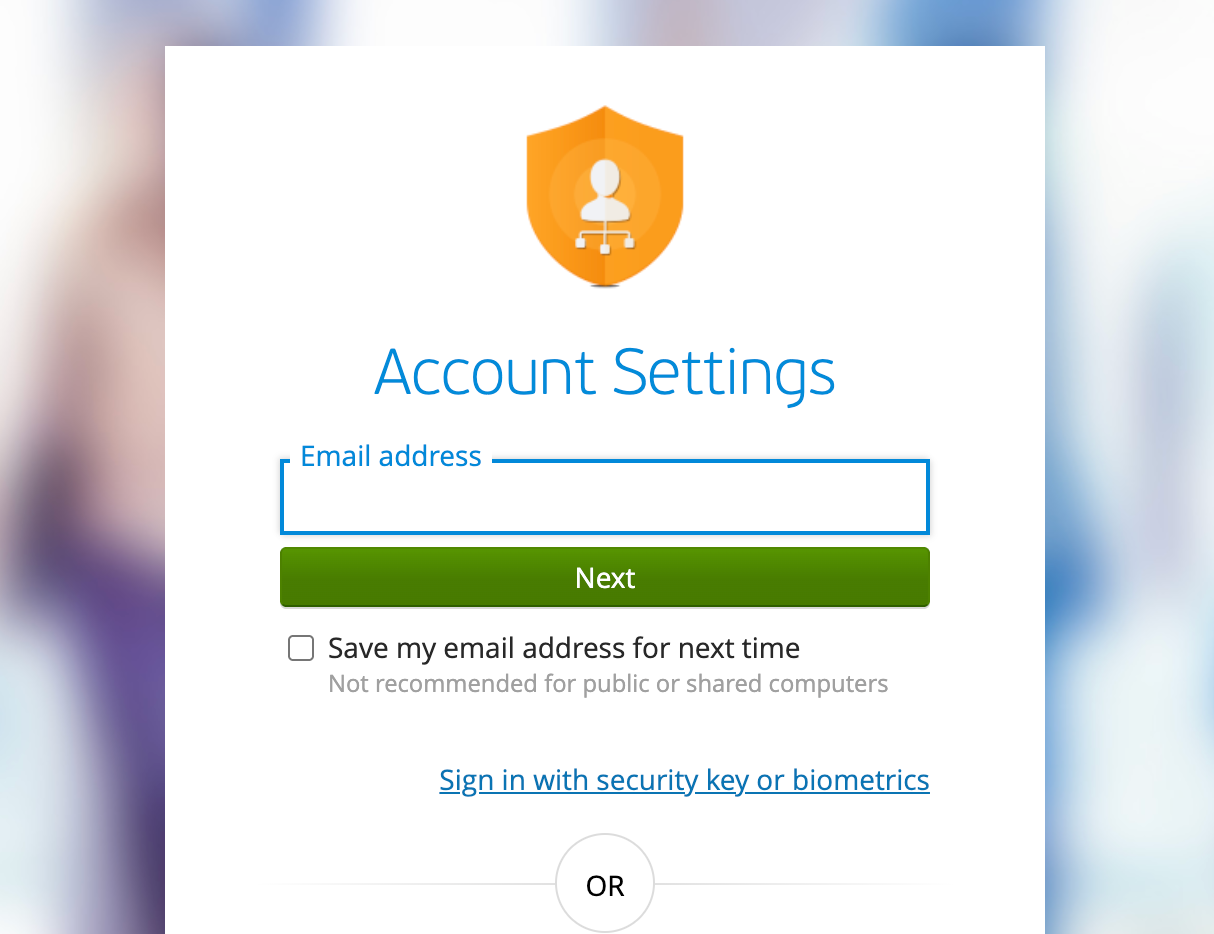
How do I change my email address?
- Click on the three dots in the email addresses section and click on Change email.
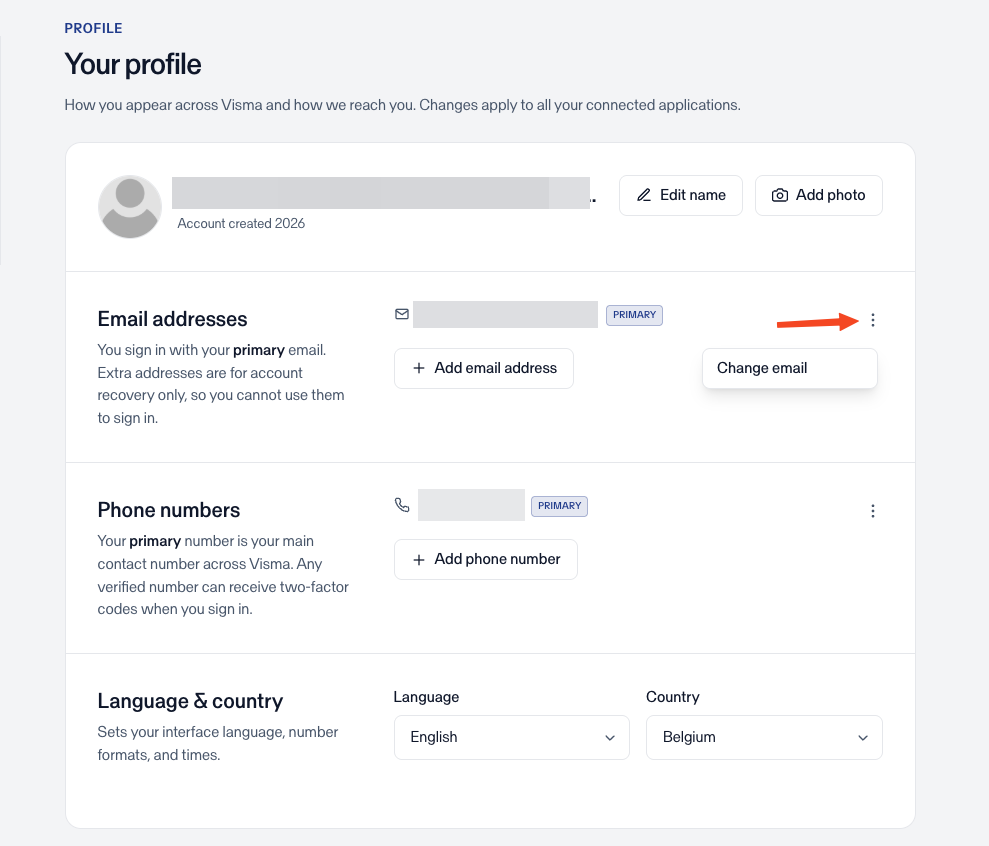
- Enter the new email address and click Send confirmation link.
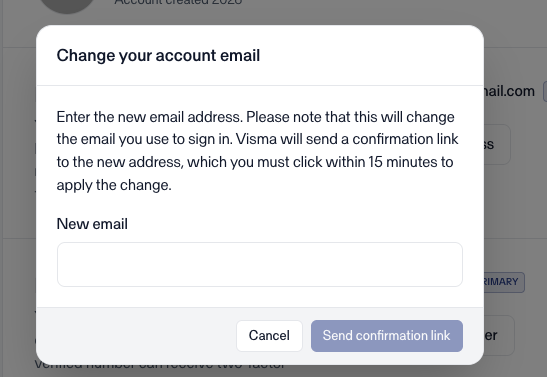
- Open your inbox and click the confirmation link to apply the change.
How do I add a passkey?
Passkeys let you log in without a password, using biometrics or a device PIN.
- Go to the Sign in and Security section.
- Click on Add passkey.
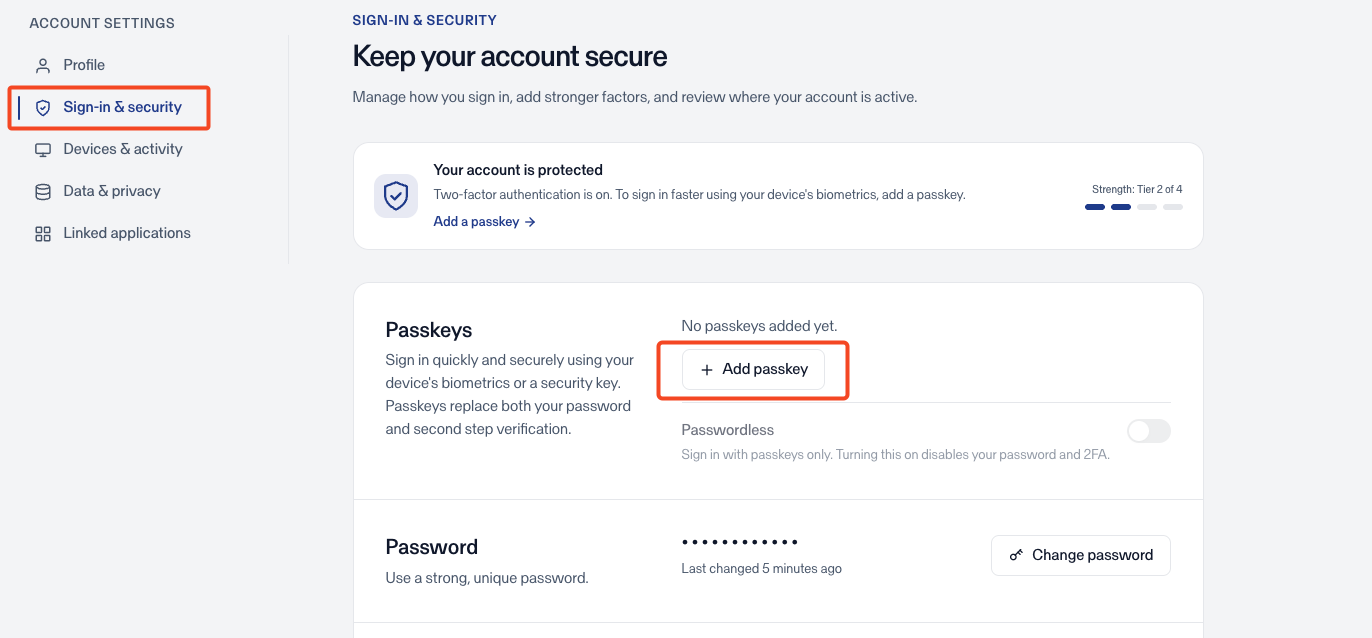
- You may be prompted to log in again.
- Follow your browser or device prompts to register the passkey.
Once added, you can use the passkey to log in to Silverfin instead of your password.
How do I change my password?
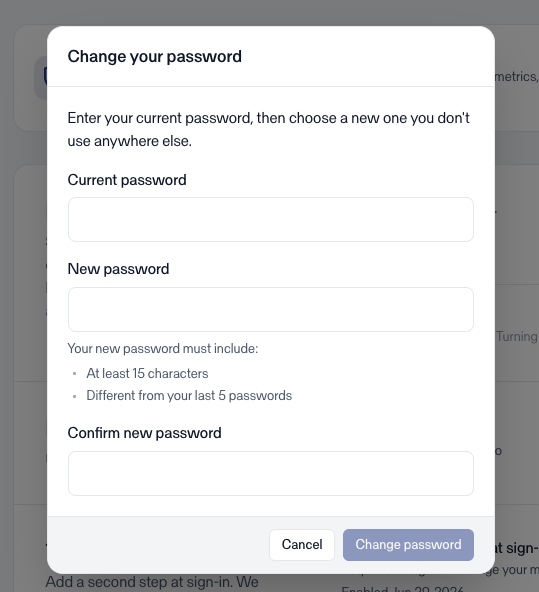
- Go to the Sign in and Security section and click on Change password.
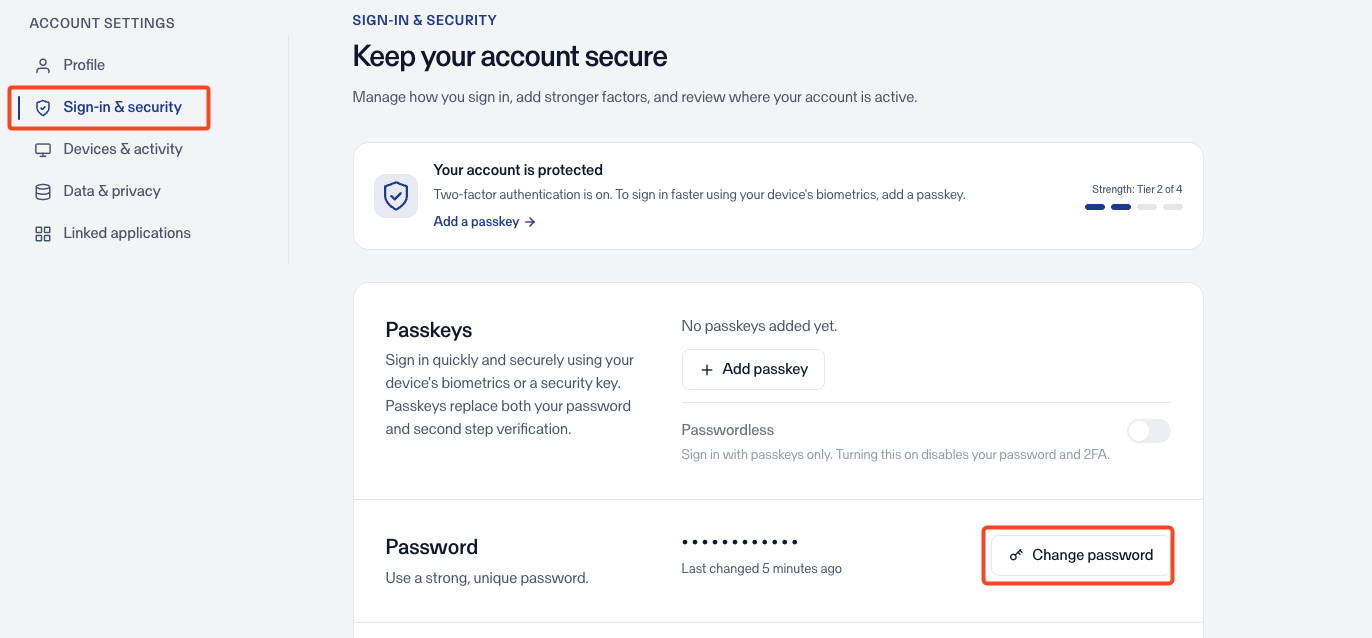
- Enter your current password, then enter and confirm your new password.
- Click Change password to apply the change.