
| User Roles |  Admin Admin |  Staff contributor Staff contributor |  External Contributor External Contributor |  Pulse user Pulse user |
This article explains how to activate a new Silverfin account through Visma Connect, what happens when the activation link expires, and how to get a new one. It covers both what a new user can do themselves and what an admin can do on their behalf.
Table of contents
- How do I activate my new account?
- What happens if my activation link has expired?
- I'm a new user: how do I request a new activation link myself?
- I'm an admin: how do I resend the activation email for a user?
How do I activate my new account?
When a new user is created, Visma Connect sends an email containing a link to activate their account. Click the link in that email to activate your account.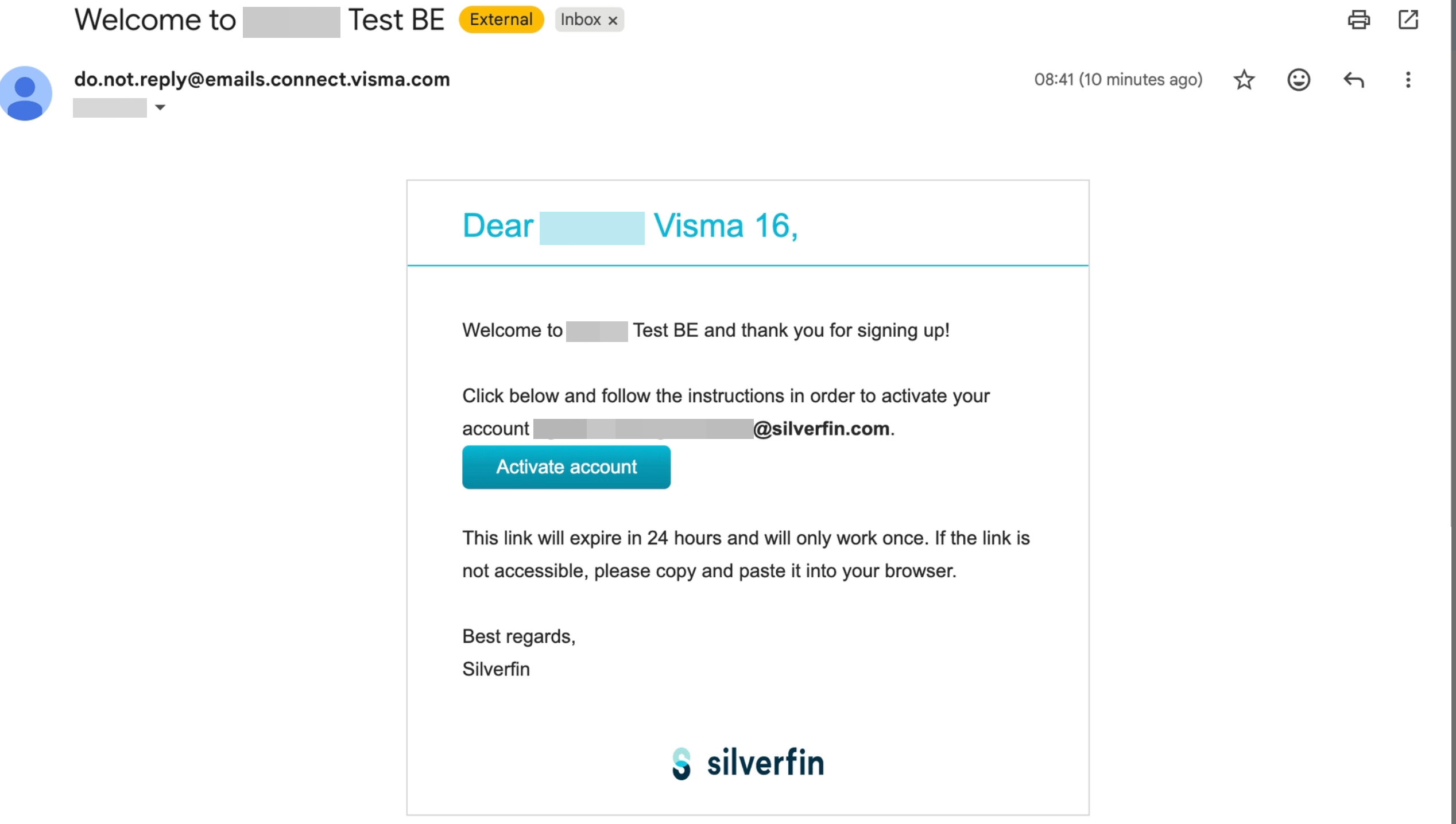
The activation link is valid for 24 hours. Activate your account within that time, otherwise the link expires and you will need a new one.
What happens if my activation link has expired?
If you open an activation link more than 24 hours after it was sent, it is no longer valid and you will see the Invalid verification link screen. You are not locked out – you can request a new link in one of two ways, depending on whether you are a new user or an admin.
I'm a new user: how do I request a new activation link myself?
You can request a new link directly from the expired-link screen, without waiting for an admin:
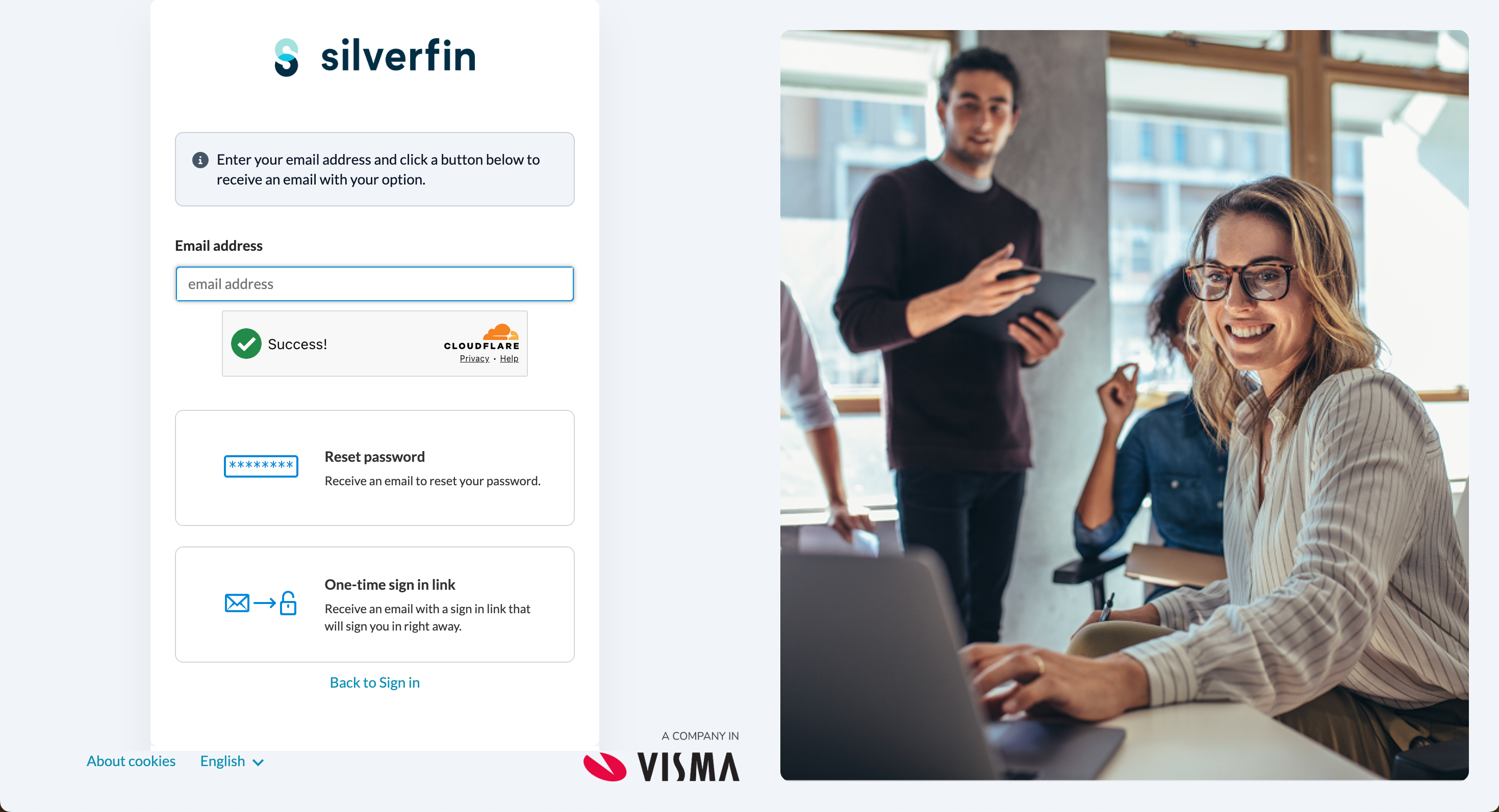
- On the Invalid verification link screen, click Click here to request a new valid link.
- You will be redirected to the Reset Password screen.
- Follow the reset password process to create your password and activate your account.
I'm an admin: how do I resend the activation email for a user?
If a colleague's activation link has expired, an admin can send them a fresh one. From the Users page, resend the welcome email to the user – this sends a new activation link to their email address.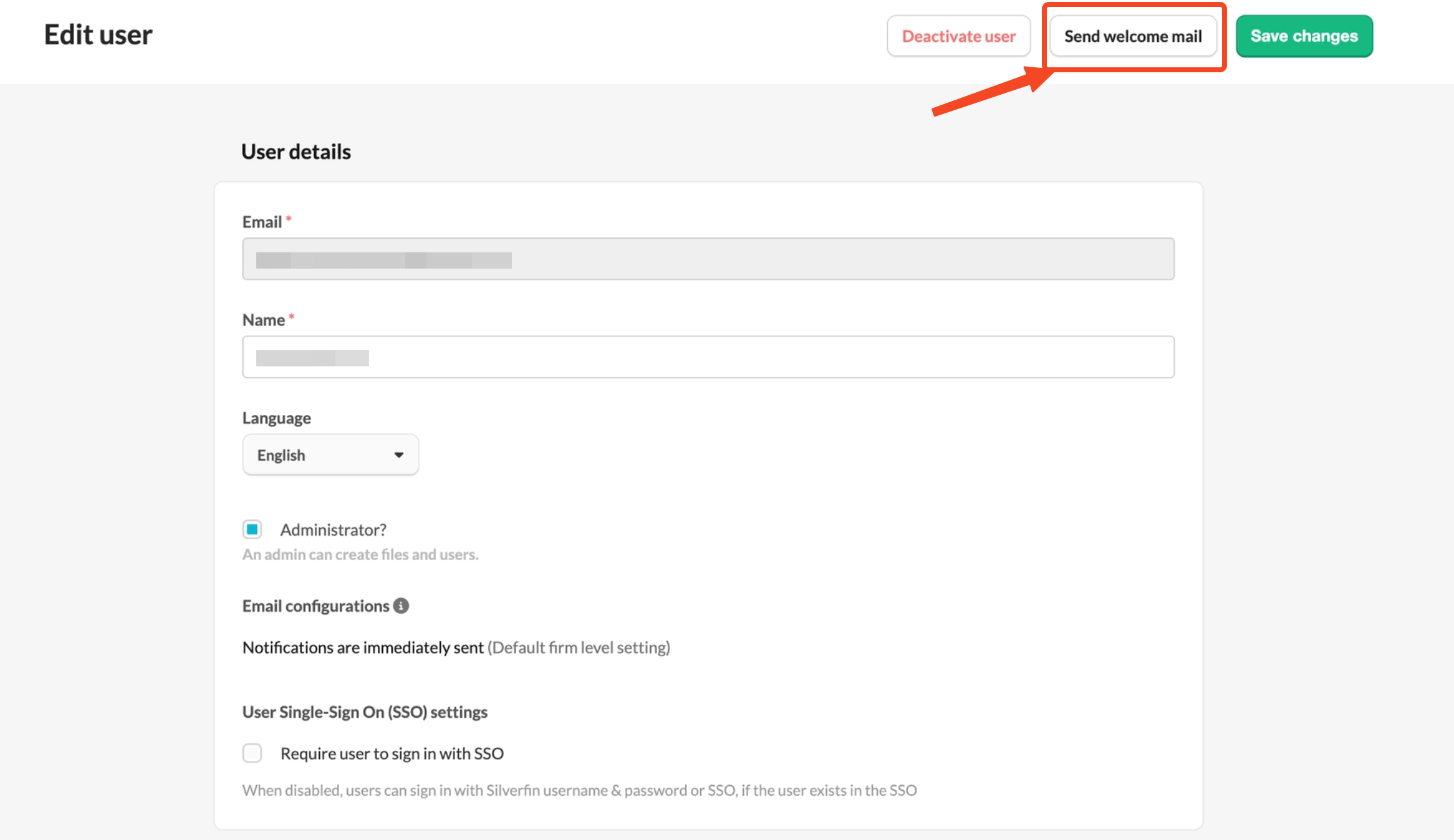
Only admins can resend the welcome email from the Users page. A new user who would rather not wait can always request a new link themselves using the steps above.