
| User Roles |  Admin Admin |  Staff contributor Staff contributor | ✗External contributor | ✗Pulse user |
This article explains how to link a Silverfin client file to AFAS (Profit) to synchronise bookkeeping data. The synchronisation must already exist at the firm level. See How to set up synchronisation with AFAS (Profit) at the firm level?
To link an existing synchronisation to a client file, follow these steps:
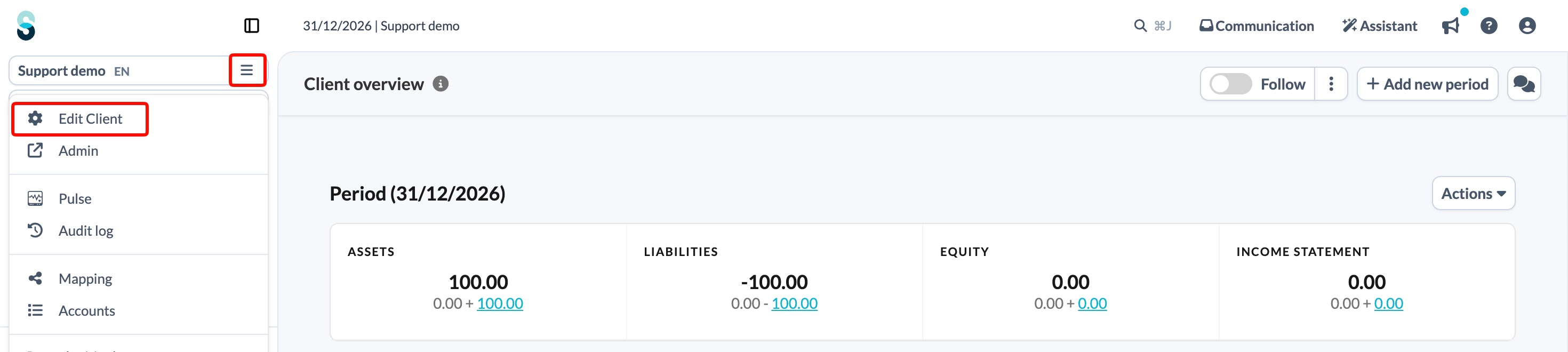
- On the client file overview page, click the client file name at the top of the left panel and choose Edit Client.
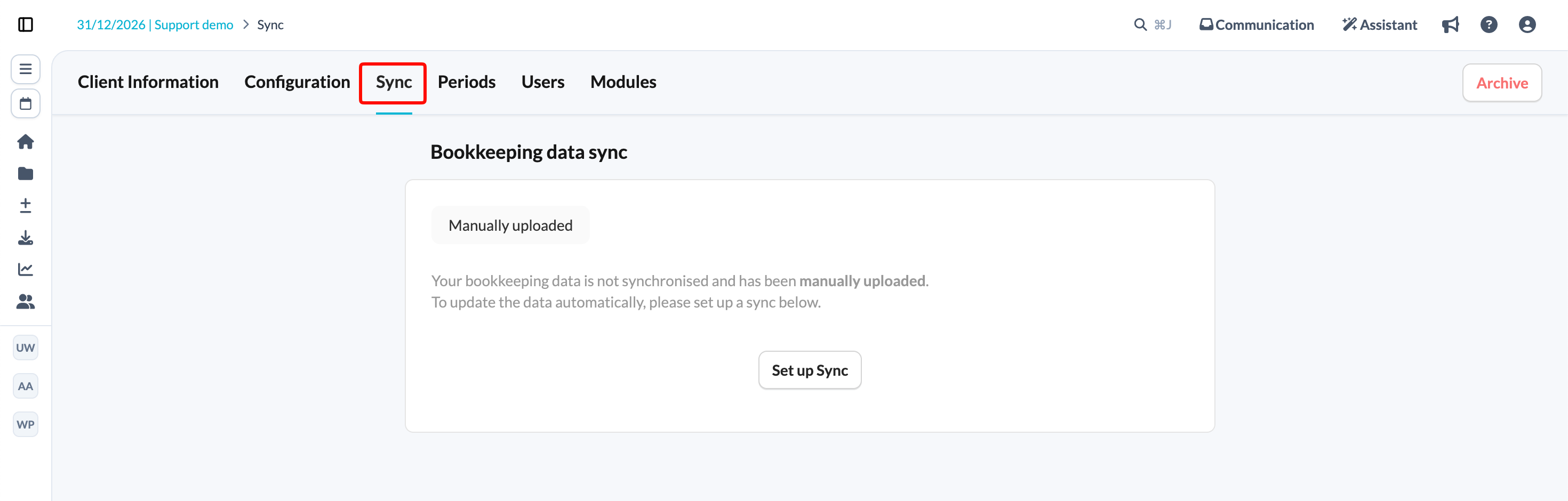
- Click the Sync tab.
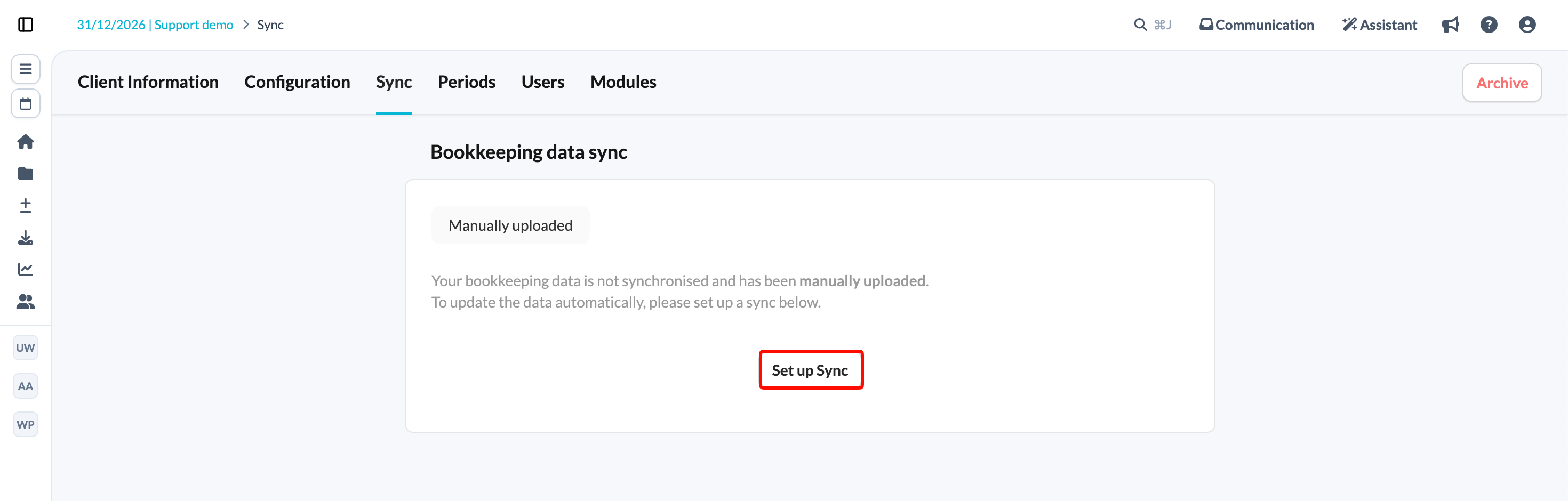
- Click Set up Sync.
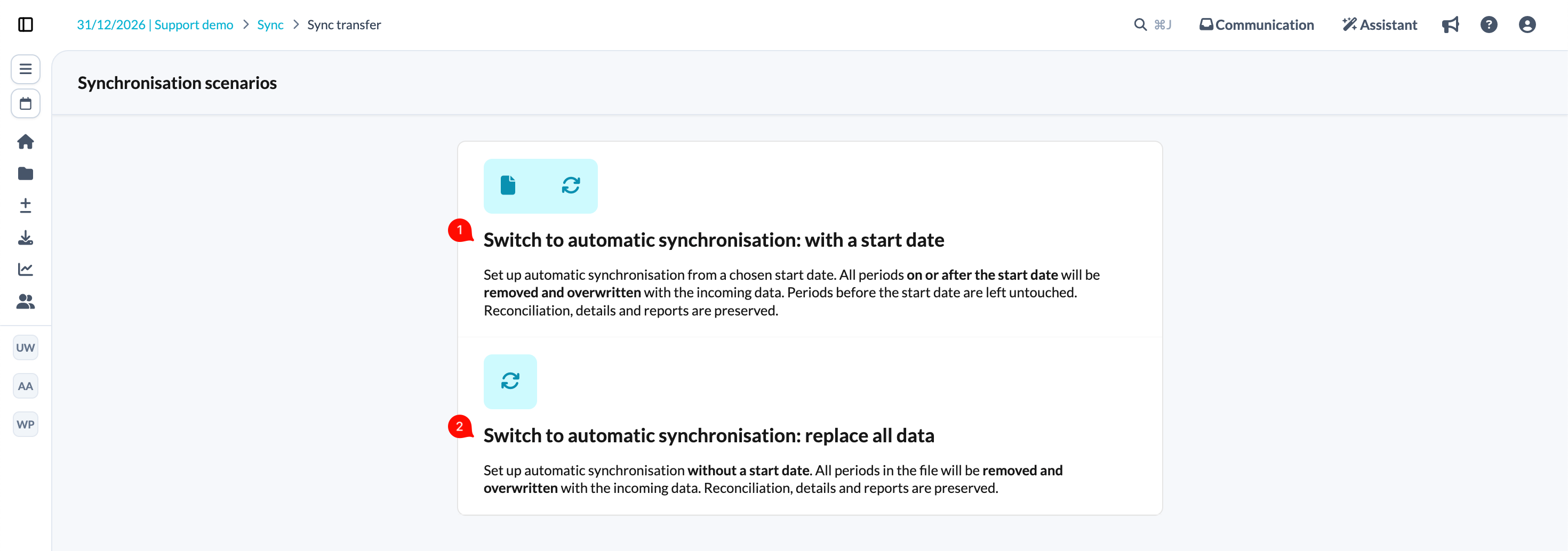
- Choose one of the provided synchronisation scenarios. If you choose the first scenario, you will be prompted to set the sync start date.
- Choose the AFAS sync from the drop-down menu and choose a sync reference.
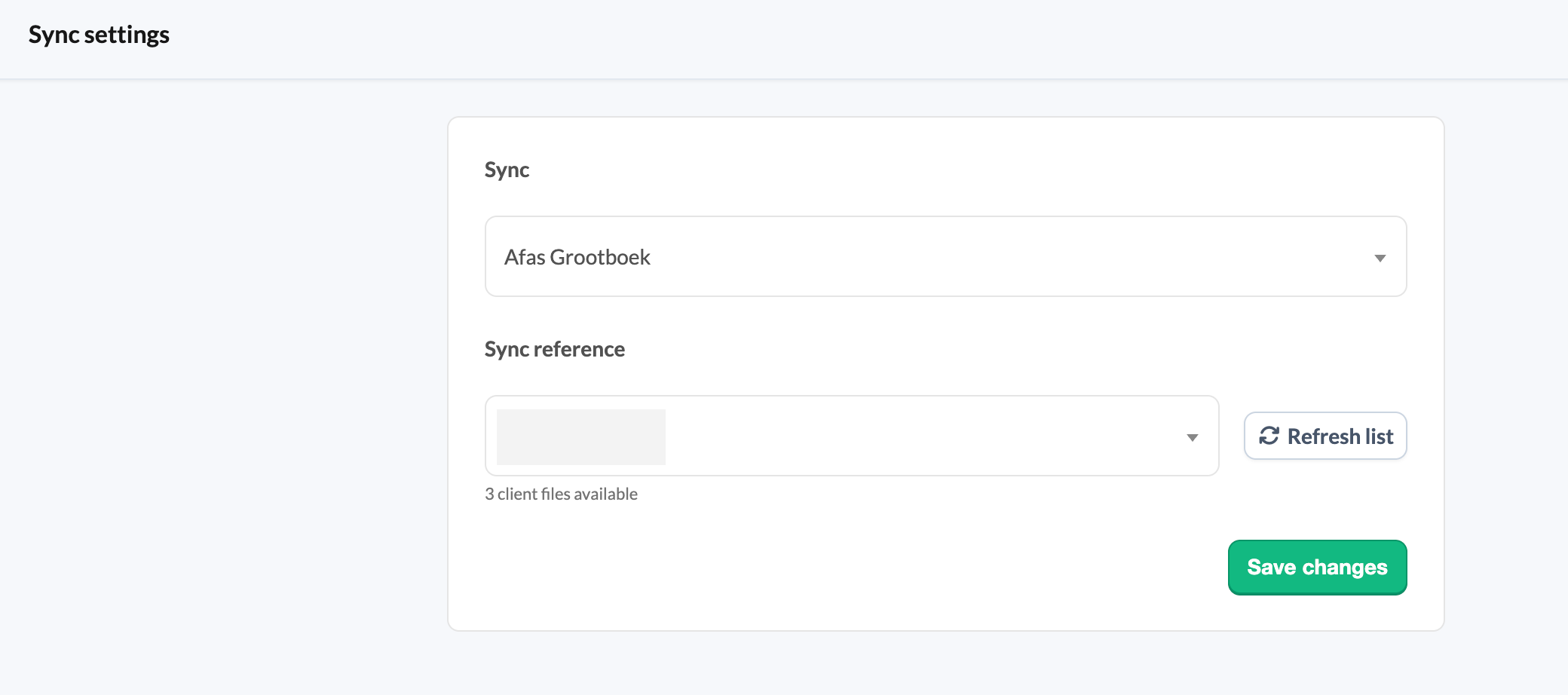
- Save changes.
Figures are updated automatically every night with the latest data in Silverfin. To retrieve updated figures during the day, use the synchronisation arrows next to the client file name.
Synchronisation with AFAS can be slow and runs into difficulties with large files. No synchronisation updates are currently planned. For large files, we recommend that you upload the data manually.