
| User Roles |  Admin Admin | ✗Staff contributor | ✗External contributor | ✗Pulse user |
This article explains how to connect Silverfin with Exact Online to synchronise bookkeeping data at the firm level. Once the connection is established, any changes made in Exact Online (EOL) will sync with Silverfin. It also covers what to do if you use an Exact Online Premium licence.
Table of contents
- How do I set up synchronisation with Exact Online at the firm level?
- What should I do if I use Exact Online Premium?
How do I set up synchronisation with Exact Online at the firm level?
To establish the synchronisation with Exact Online at the firm level, follow these steps:
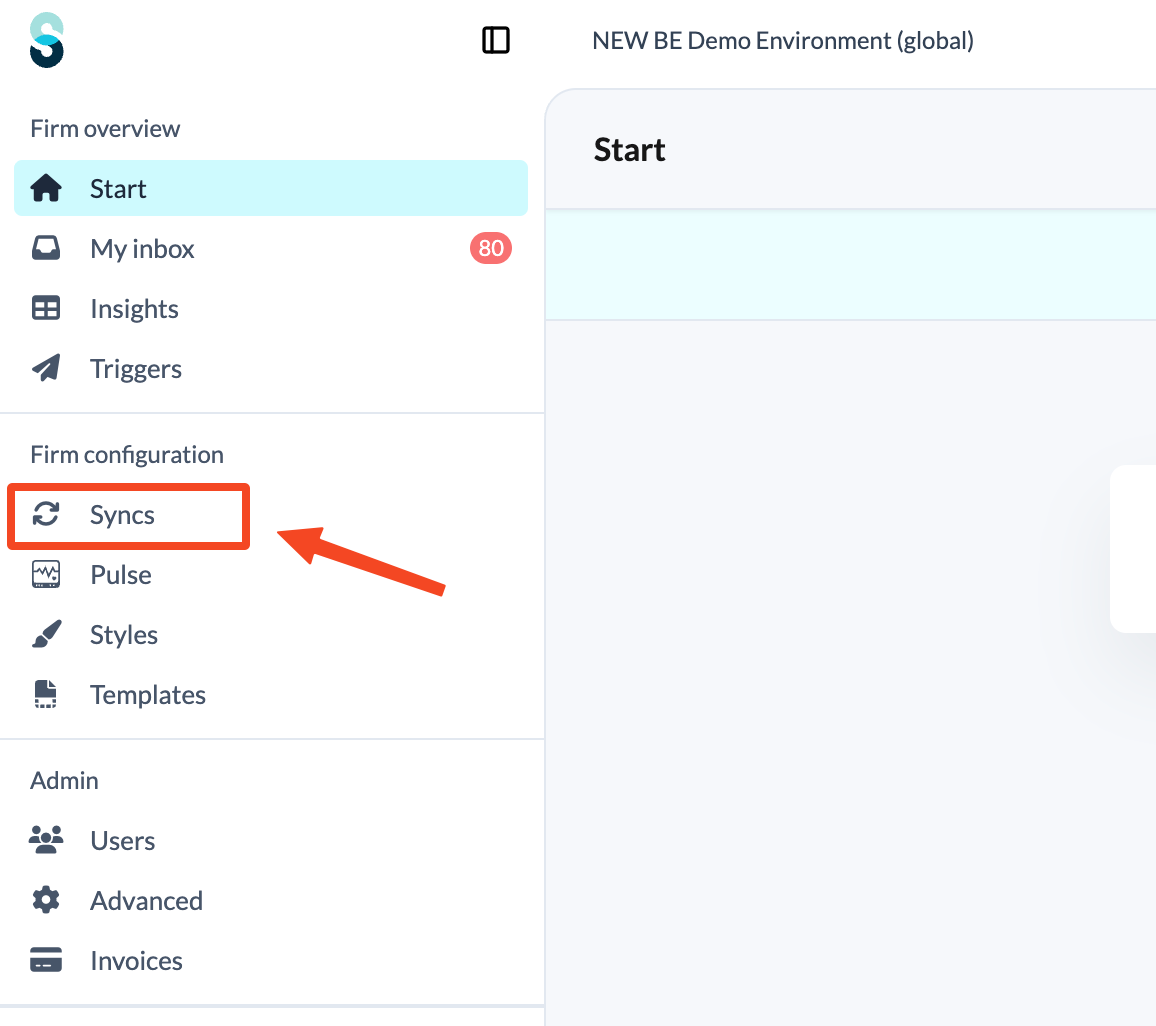
- Click Syncs in the left panel, under Firm configuration.
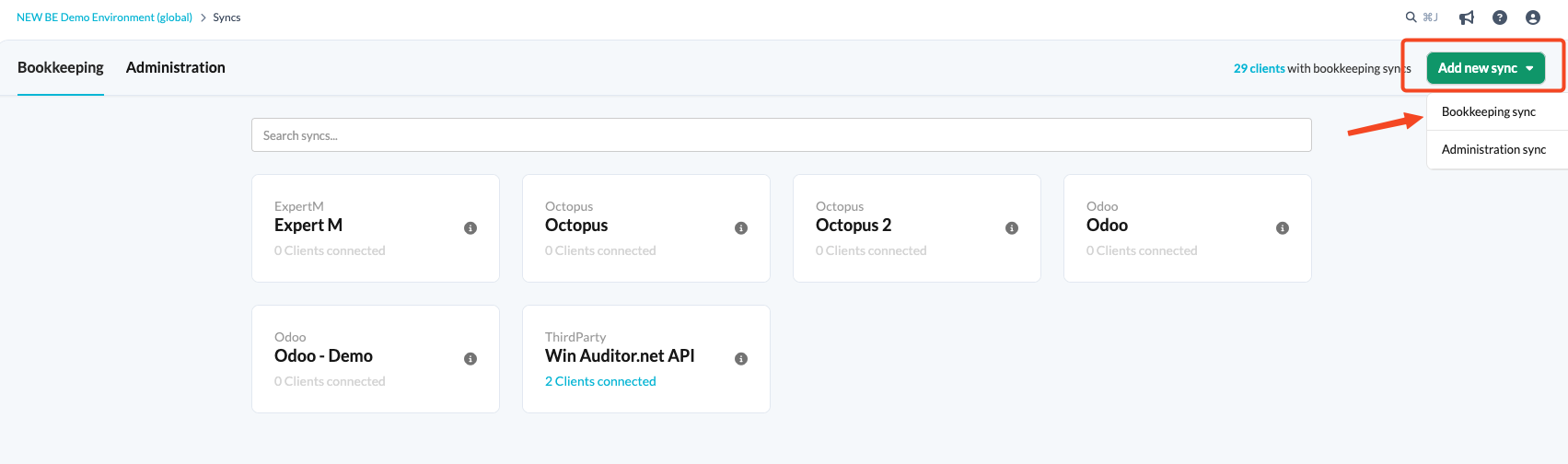
- Click the Add new sync button and choose Bookkeeping sync.
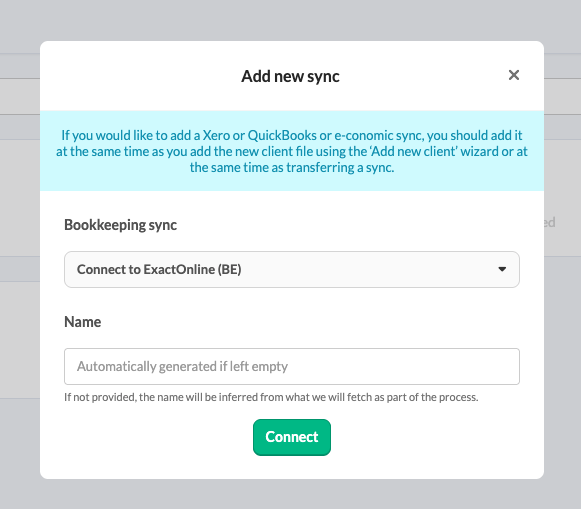
- From the drop-down menu, choose Exact Online sync and click Connect. Provide a name for your synchronisation.
- You will be redirected to the accounting software login page.
- If the login page of Exact Online does not open, it may be because you are already logged in.
- Only users with admin rights can set up synchronisation at the firm level.
Once the synchronisation exists at the firm level, it can be linked to a client file. Linking does not require admin rights: both Admin and Staff contributor users can do this. See How to set up synchronisation with Exact Online in a file?
If you have access to multiple Exact Online licences, log out of the Exact Online platform before you create a new connection in Silverfin.
What should I do if I use Exact Online Premium?
Did you upgrade to Exact Online Premium? Note: it is not yet possible to access customer data via the API using the accountant's login credentials.
What can you do:
- As an alternative, you can temporarily add an additional user to access the customer data.
- A user with admin rights should set up a new sync entity in Silverfin, specifically for the customer.
- Create a new connection in Silverfin with a clear name (for example, Exact Online Premium Client X), as the existing Exact Online connection does not give access to the Premium licence.