| User roles |  Admin Admin |  Staff contributor Staff contributor |  External contributor External contributor | ✗ Pulse user |
In this article, we explain how to account for the 'Cash' template: what you star, how to link accounts, how to fill in amounts (including in foreign currency), and how to add supporting documents to fully substantiate the note.
Table of contents
- The 'Cash' template
- Which accounts do you star?
- Linking accounts
- Substantiating amounts
- Adding supporting documents
The 'Cash' template
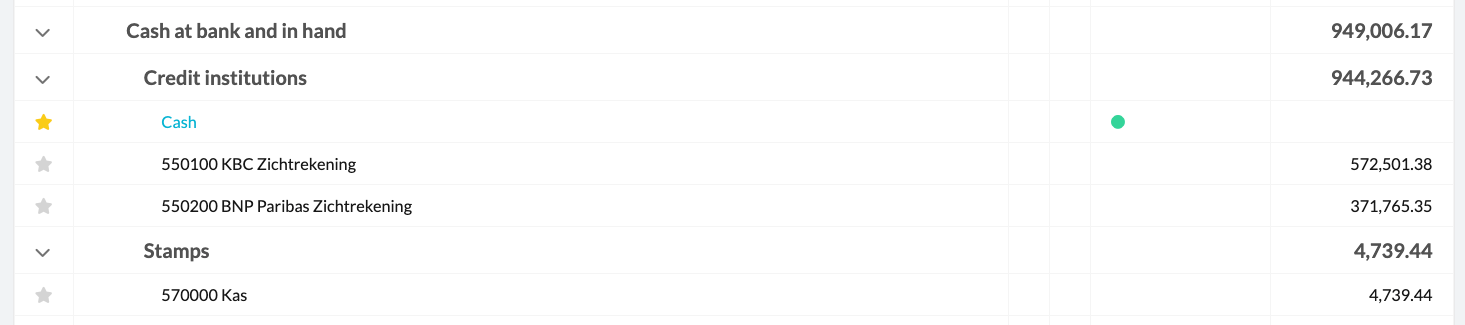
The 'Cash' note is used to compare the amounts in the accounting with the actual values on the bank statements. It specifically covers the 5-accounts under the Credit institutions and Stamps heading, and the 43-accounts under the Financial debts heading.

Which accounts do you star?
There's no need to star the individual 5- and 43-accounts separately. These accounts are substantiated as a whole at the note level. So only star the 'Cash' note.
Linking accounts
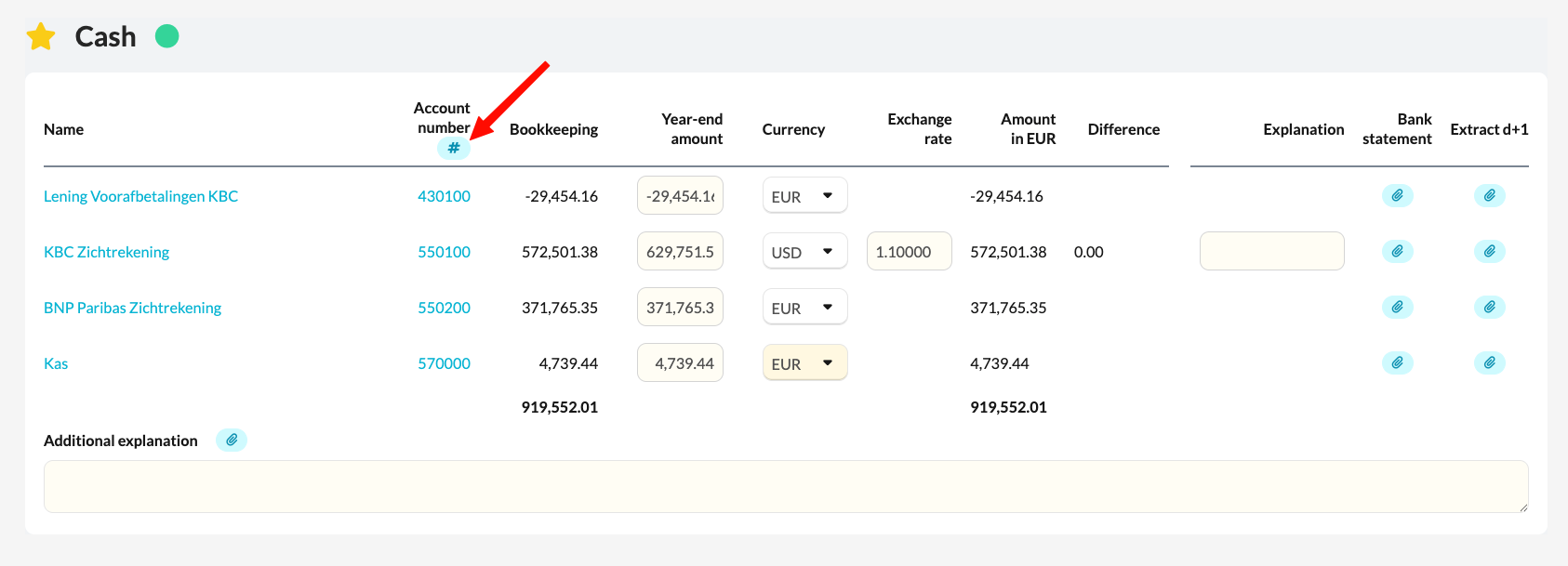
First list the relevant accounts via the # in the 'Account number.' column. Then link the relevant 5- and 43-accounts. In our example, these are the credit institutions, the cash, and the prepayments on financial liabilities.
Substantiating amounts
Manually enter the amount as of the closing date according to the bank statement — in our example, that's 30 December 2023. If the amount in the accounting and the amount on the bank statement match, there's no difference, and the account is substantiated.
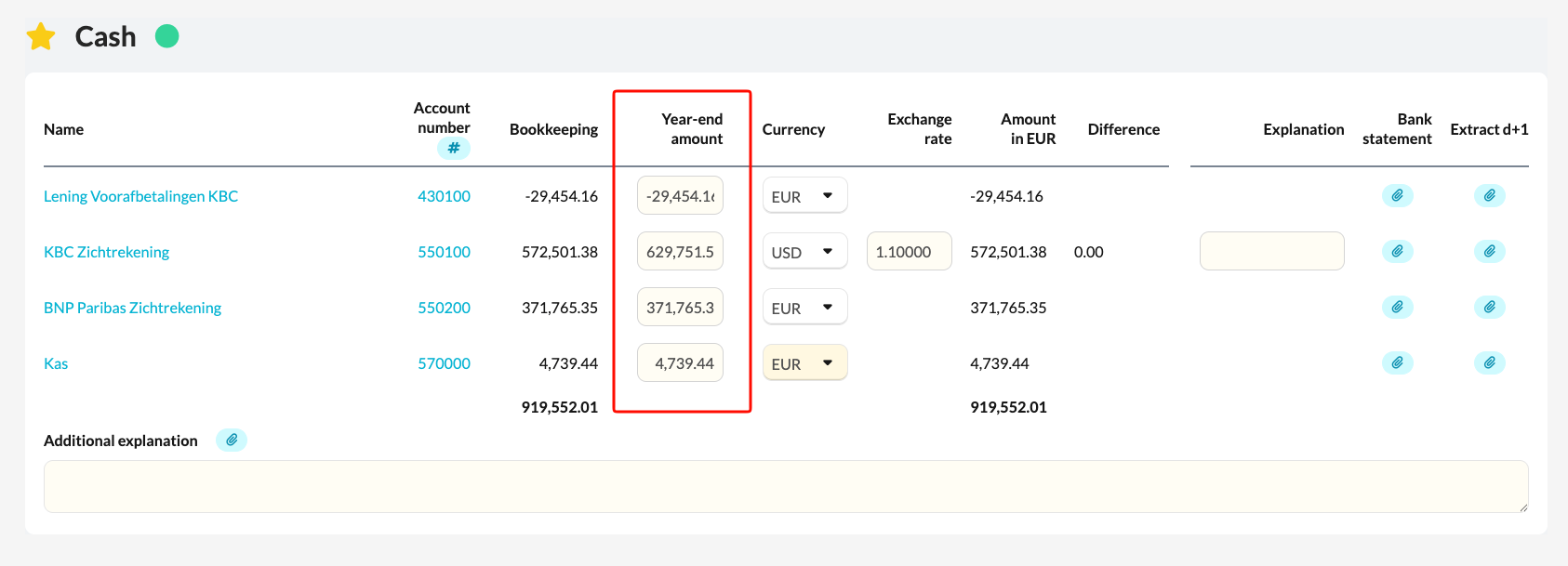
If an amount on the bank statement is in a different currency, adjust the currency column and enter the exchange rate as of the closing date. Silverfin automatically converts the amount to your currency, in this case EUR.
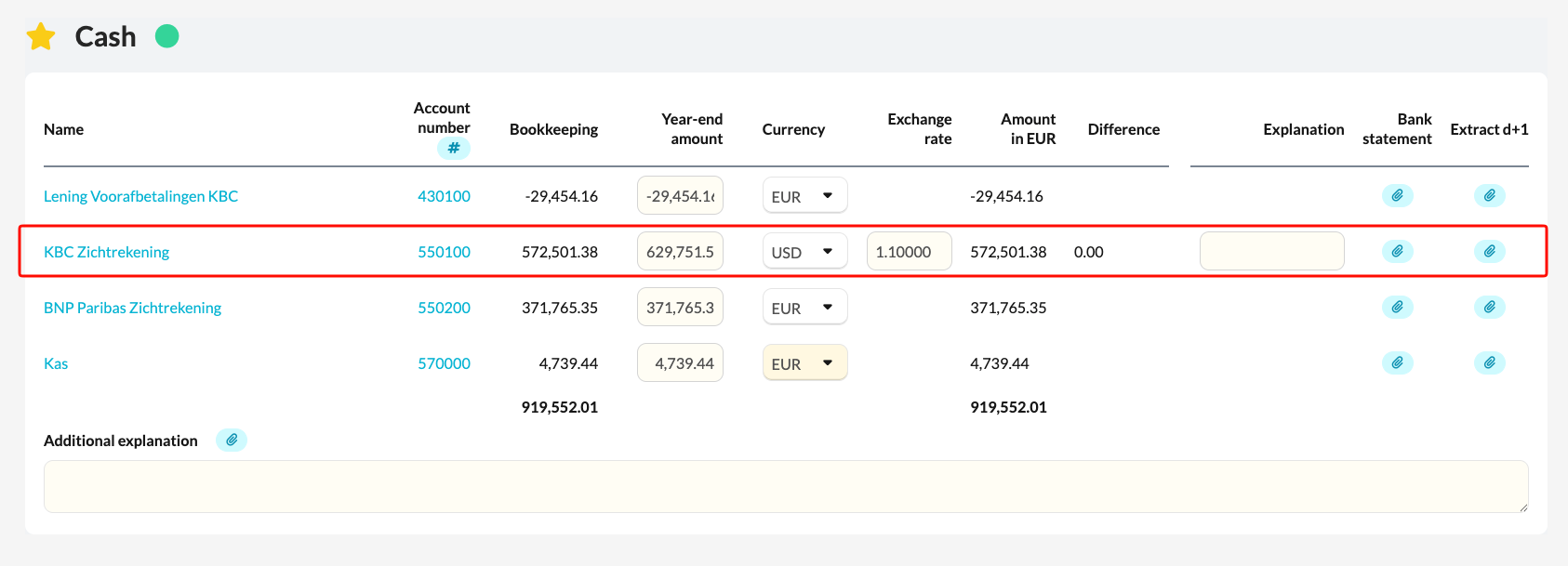
Suppose that on 31/12/2025 you have an account with a closing balance of 629,751.52 USD, recorded on account 550100 in your accounting, with a balance of 572,501.38 EUR. You would fill this in as follows:
- Year-end amount: the amount in foreign currency (in this example, 629,751.52 USD)
- Currency: the foreign currency (in this example, USD)
- Exchange rate: the exchange rate as of the closing date (in this example, 1.10000)
Once all accounts are substantiated, the red triangle changes into a green circle, and the note is fully accounted for.
Adding supporting documents
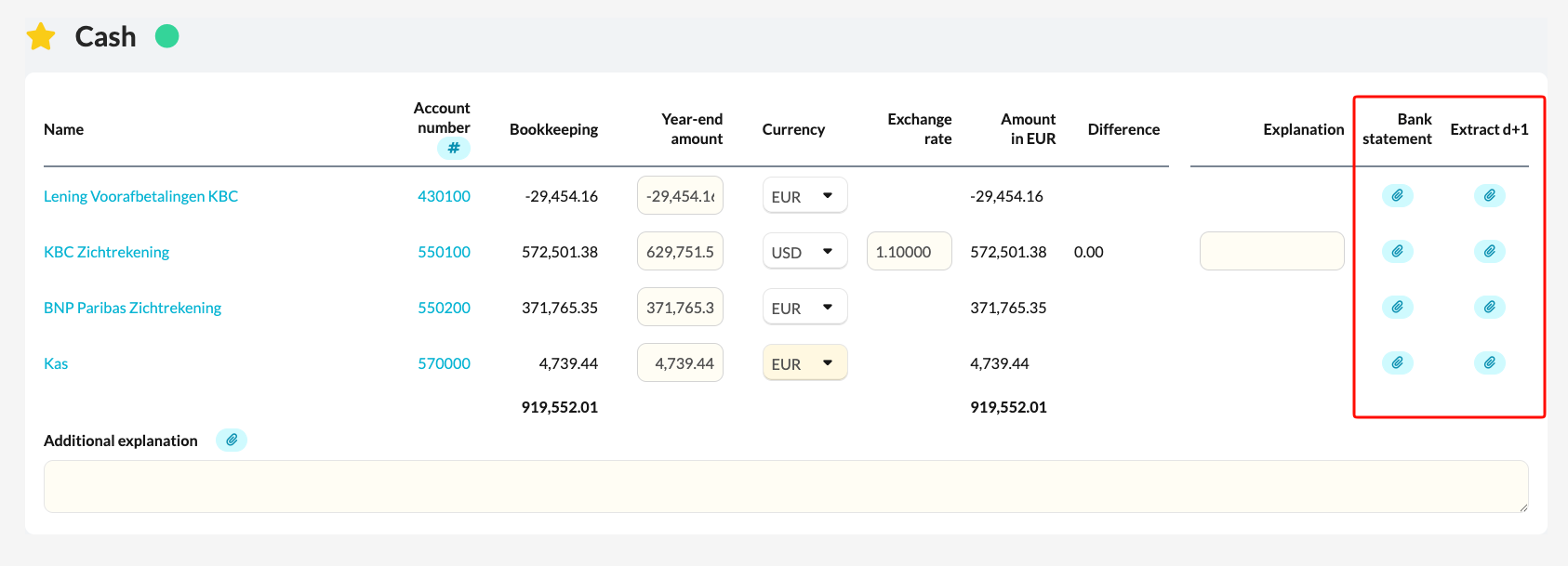
You can add supporting documents via the paperclip:
- Bank statement: the bank statement of the last day of the financial year (in our example, 30 December 2023)
- Extract d+1: the account statement of the first day of the following financial year (1 January 2024)
These two amounts must match. If there's no difference, the file manager or accountant can be sure that no transactions took place between the last day of the financial year and the first day of the following financial year.