
| User Roles |  Admin Admin |  Staff contributor Staff contributor | ✗External contributor | ✗Pulse user |
In this article, you'll learn how Popsy works as an on-premise synchronisation tool and how it integrates data with Silverfin.
Table of contents
- What is Popsy?
- What is the structure of the Popsy database?
- How do I set up synchronisation with Popsy in a client file?
- Does Silverfin support sync of documents from Popsy?
What is Popsy?
Popsy is an on-premise synchronisation system. This means our technical team needs to carry out an installation on your server. Previously, Popsy worked through an SDK synchronisation, which involved uploading exports. If you want to use this type of connection, contact your Customer Success Manager (CSM). Today, we offer a complete Popsy synchronisation. It uses the Silverfin Syncing Service, which retrieves data from a central folder and synchronises it with Silverfin.
What is the structure of the Popsy database?
A typical Popsy database is structured as follows:
- Use this structure as sync references in Silverfin.
- Make sure these references are accurate, to prevent importing data from another file.
How do I set up synchronisation with Popsy in a client file?
The Popsy synchronisation must already exist before you can link it to a client file. Popsy is an on-premise package, so our technical team carries out the installation on your server. Linking the synchronisation to a client file does not require admin rights: both Admin and Staff contributor users can do this.
To link an existing synchronisation to the client file, follow these steps:
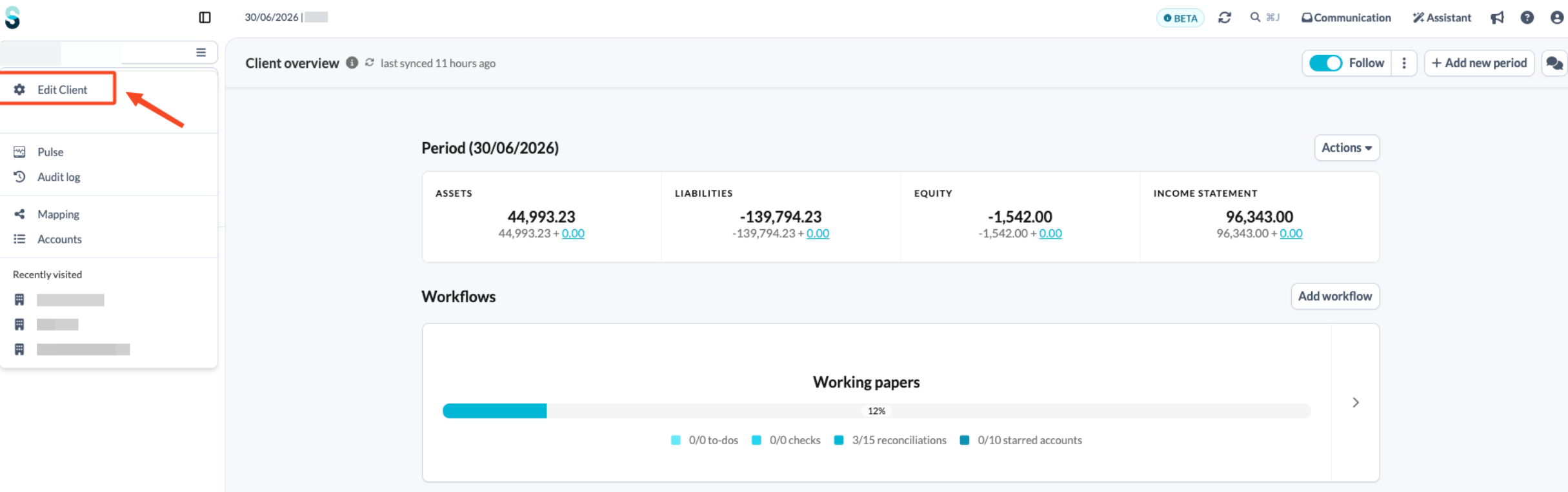
- On the client overview page, open the left-hand navigation panel and click Edit client.
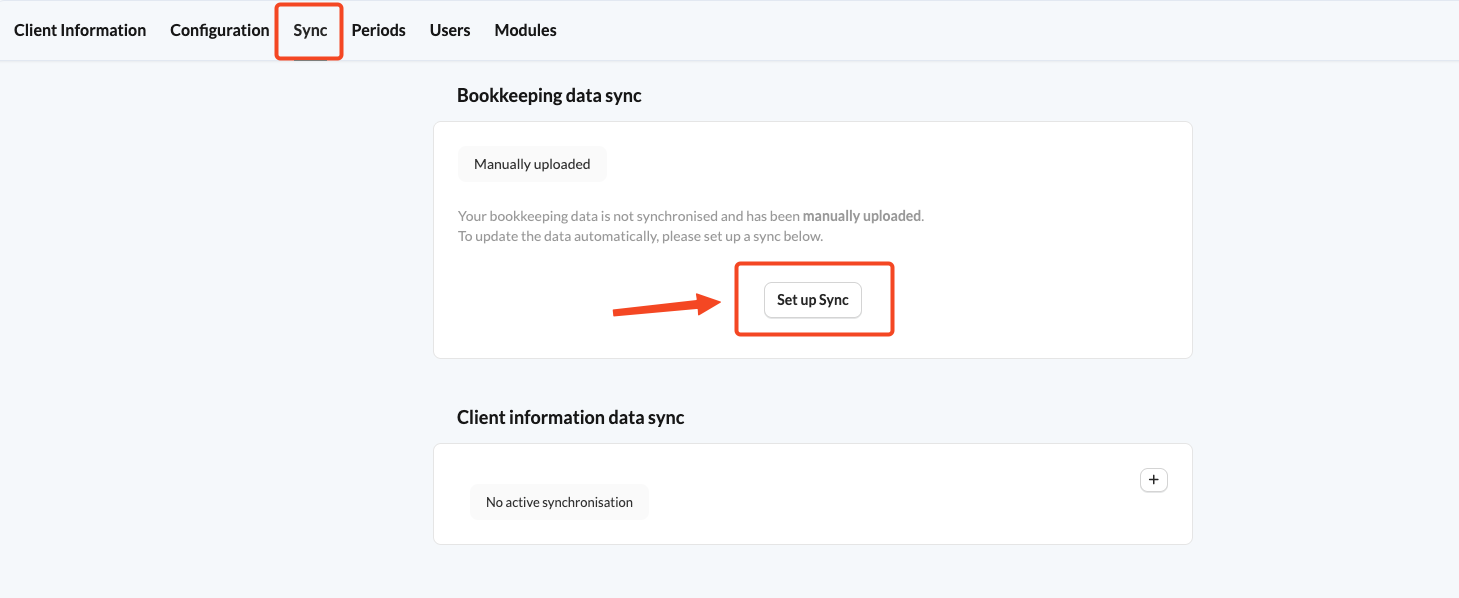
- Click the Sync tab.
- Click Set up Sync.
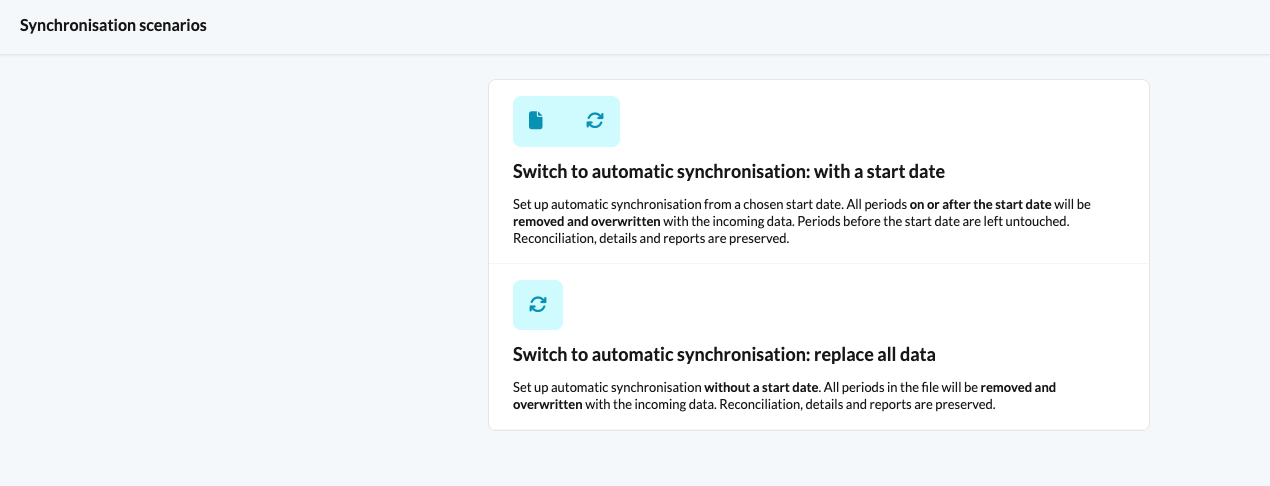
- Choose one of the provided synchronisation scenarios.
- If you have chosen the first synchronisation scenario, you will be prompted to set the start date of the synchronisation.
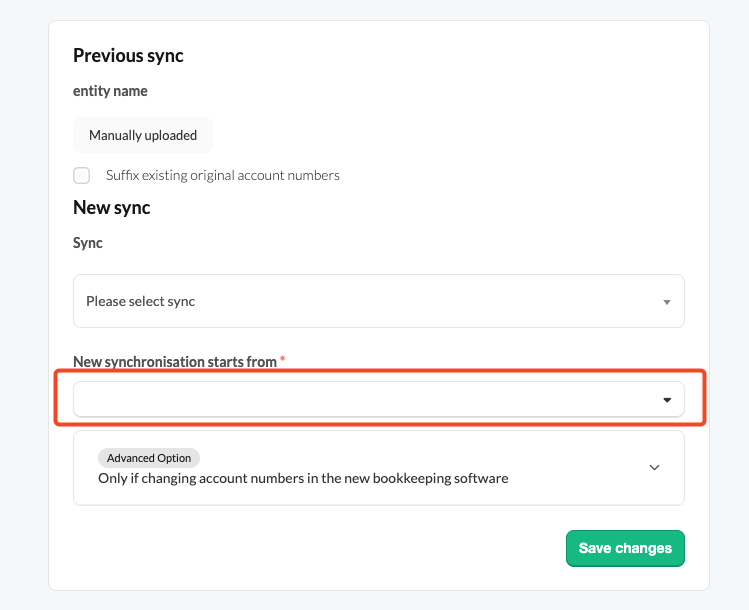
- Choose Popsy from the list of available synchronisations and select a sync reference.
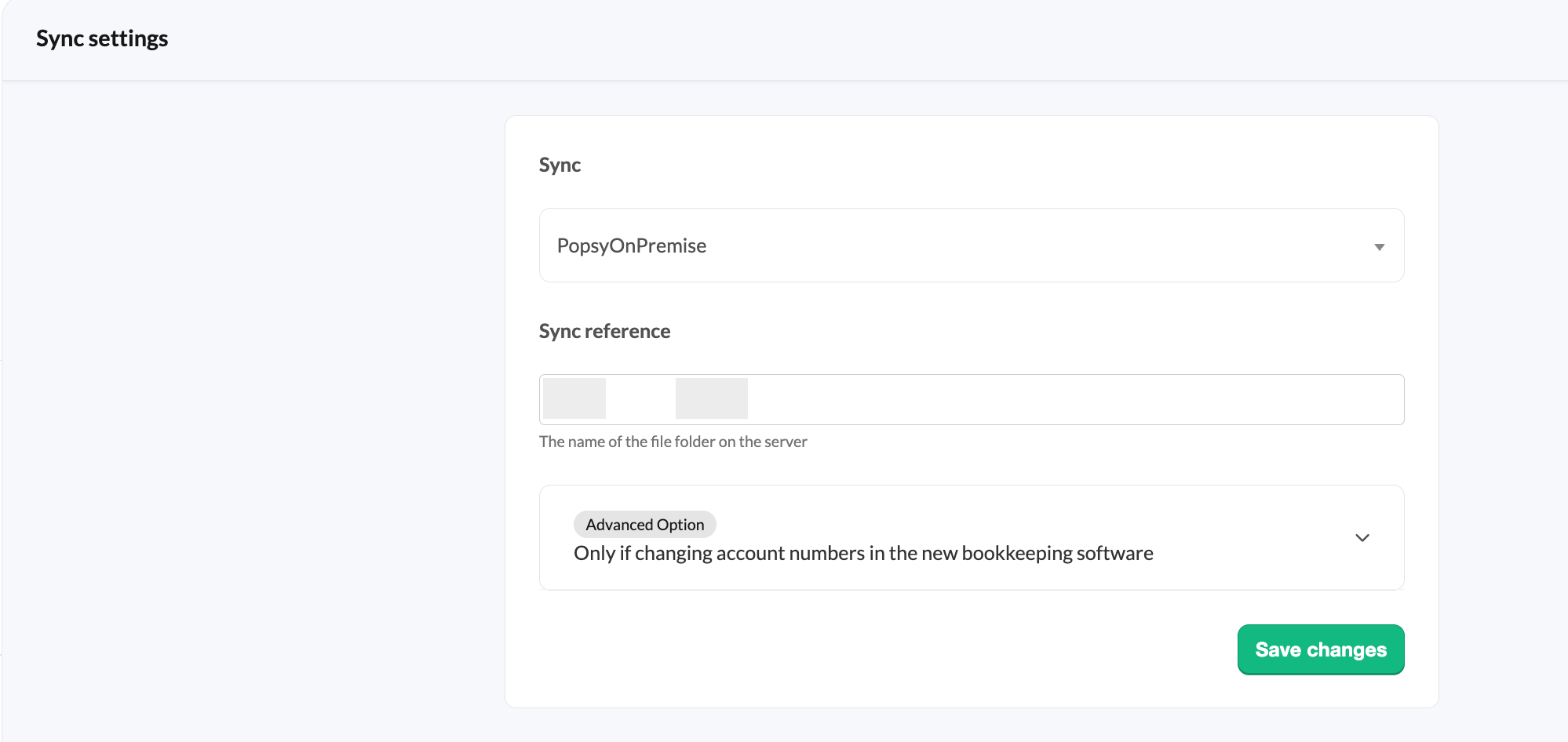
When you are done, save your changes.
Does Silverfin support sync of documents from Popsy?
No, Silverfin doesn't support syncing documents from Popsy.