| User Roles |  Admin Admin |  Staff contributor Staff contributor | ✗External contributor | ✗Pulse user |
Silverfin includes a 'Disallowed income and expenses' account template that you can apply to any tax-sensitive expense nominal code. It lets you mark individual transaction lines as disallowed and feeds a 'Summary of disallowed income and expenses' reconciliation, which you use alongside corporation tax. This article explains how to use both templates.
Table of contents
- How to use the 'Disallowed income and expenses' account template
- The 'Summary of disallowed income and expenses' template
How to use the 'Disallowed income and expenses' account template
If you're not sure how to apply an account template, read How do I assign an account template? first. Once the template is assigned, follow the steps below.
- Enter the expenditure details from the underlying bookkeeping system into the template.
The easiest way is to import the ledger information directly into the account template - see How do I import reconciliation data in account templates?
If you're using a XeroTB sync, you can instead upload an Excel extract of the relevant nominal code to bring that ledger information into Silverfin. - Review the transaction line items and decide whether each one is disallowed.
Not all expenses on this account template need to be disallowed. The template simply gives you the option to mark the relevant line items as disallowed. - Select the relevant 'Disallowed category'.
For each line you've marked as disallowed, choose the appropriate Disallowed category. - Overwrite the 'Disallowed amount', if relevant.
The whole value of a line item does not necessarily need to be disallowed. When you mark a line as disallowed, the 'Disallowed amount' automatically populates with the full value of the line item (the 'Value' column). You can overwrite this in the 'Disallowed amount' column.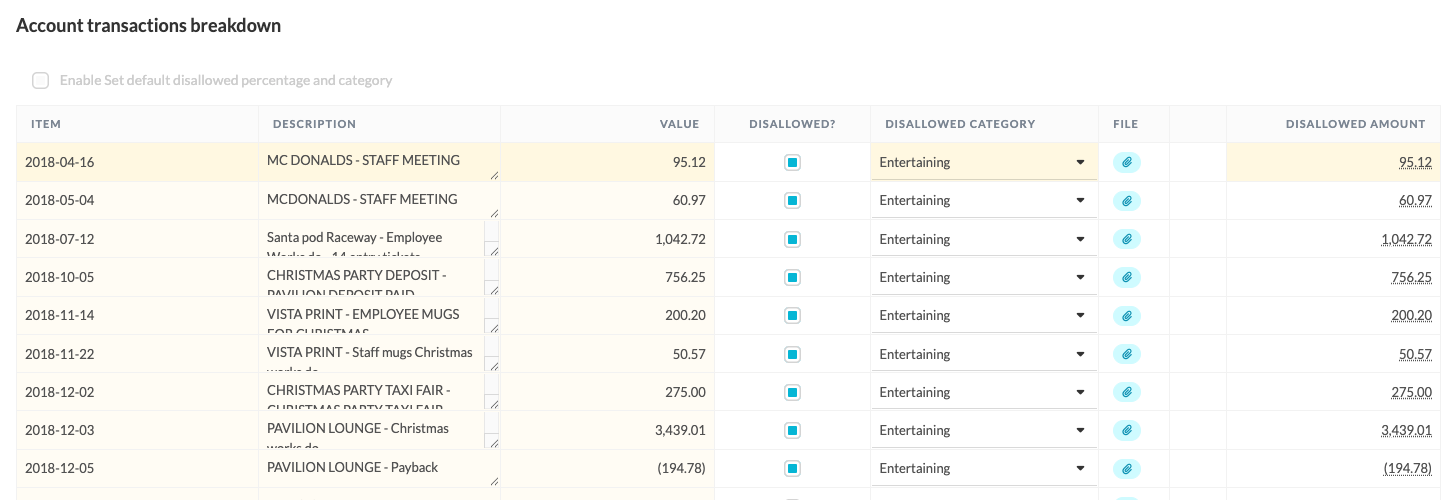
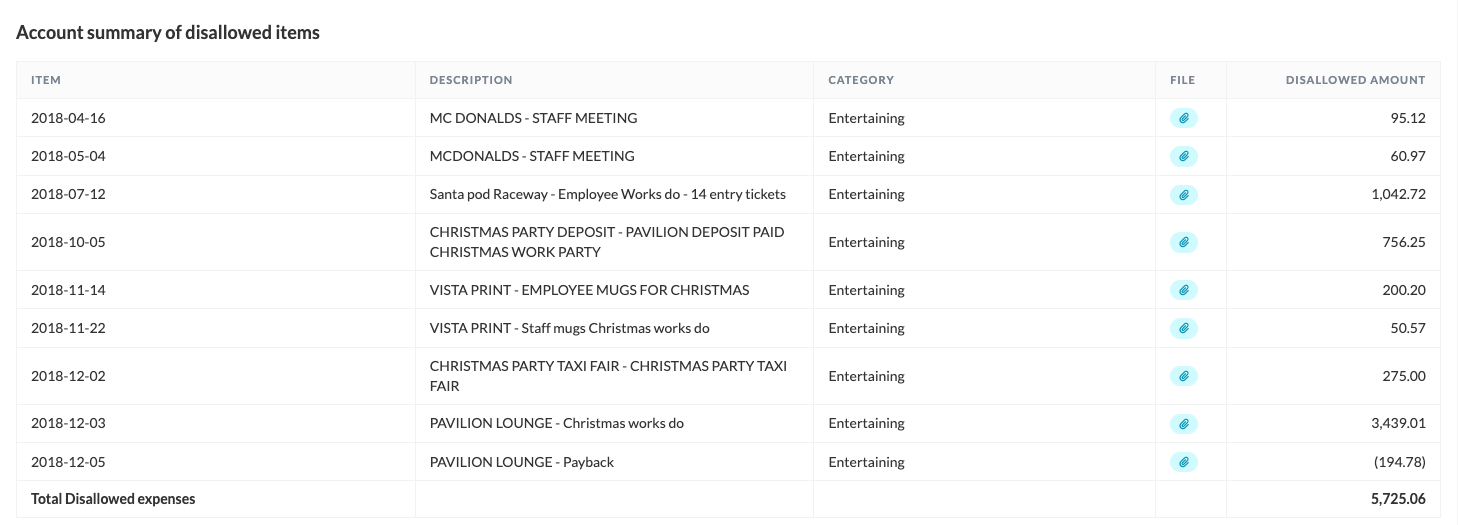
Your input populates the account summary of disallowed income and expenses so you can see exactly which expenses were disallowed. This is used in conjunction with corporation tax to define your disallowed expenses.
The 'Summary of disallowed income and expenses' template
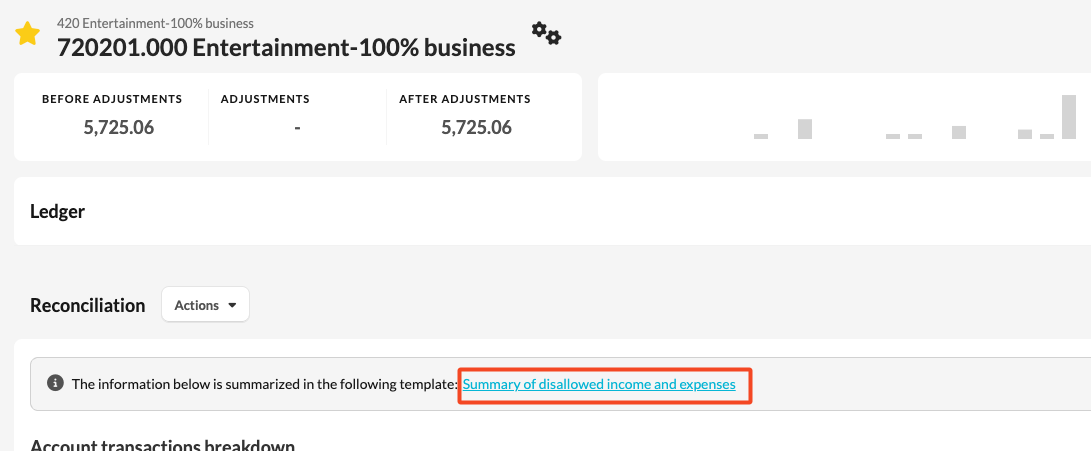
You can reach the Summary of disallowed income and expenses reconciliation by clicking the link at the top of the page.
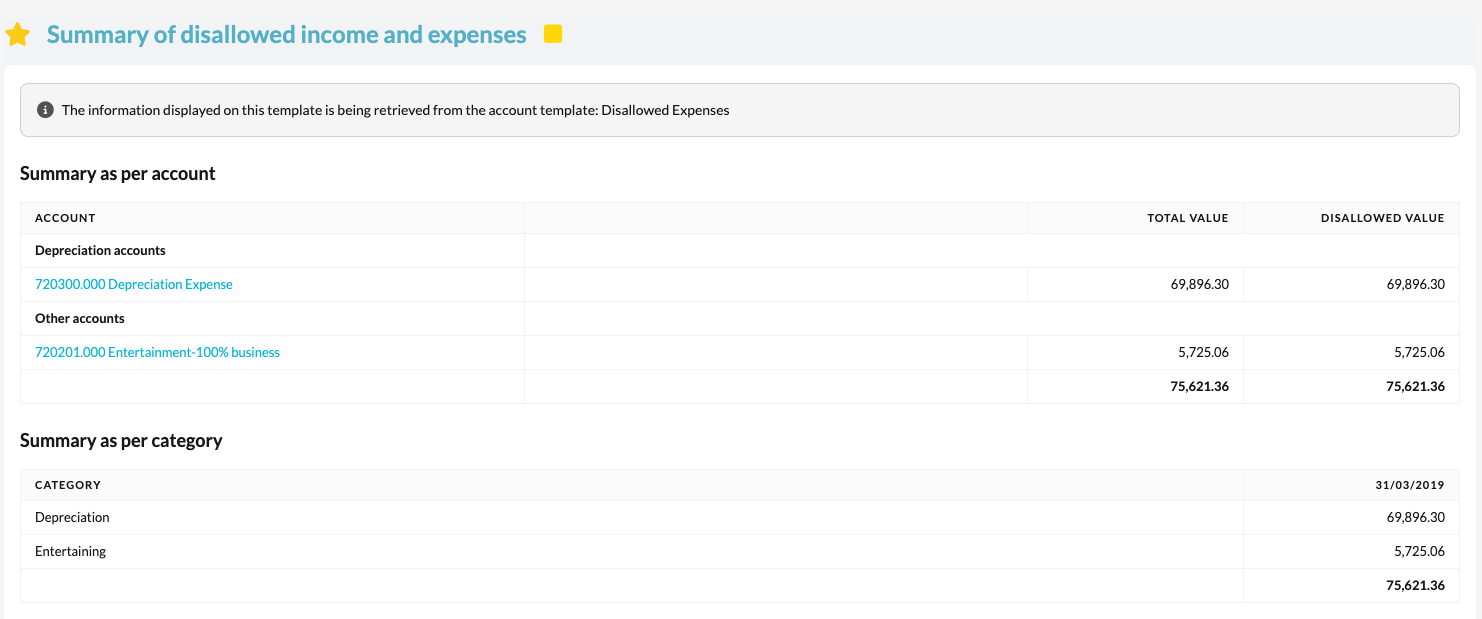
- This template shows the disallowed expenses per nominal code (the nominal codes the 'Disallowed income and expenses' account template has been assigned to), as well as a summary by disallowed expense category.
- Depreciation is automatically disallowed in full. The other categories are disallowed according to the disallowed value(s) you entered into the underlying account templates.