| User Roles |  Admin Admin |  Staff contributor Staff contributor |  External Contributor External Contributor | ✗Pulse user |
In this article, we explain how the template for Taxed and tax exempt reserves works within tax calculation. By linking accounts to the predefined lines (with #), data can be automatically filled in. Some lines also contain clickable details that need to be filled out through underlying forms. We further explain the operation, automation, and points of attention in this article.
Table of contents
- Automatic filling through accounts
- Check on the liquidation reserve
- Blue-marked lines and underlying forms
The template for Taxed and tax exempt reserves is the detail you arrive at after clicking on the line Taxable reserved profit (+/-) in the tax calculation.
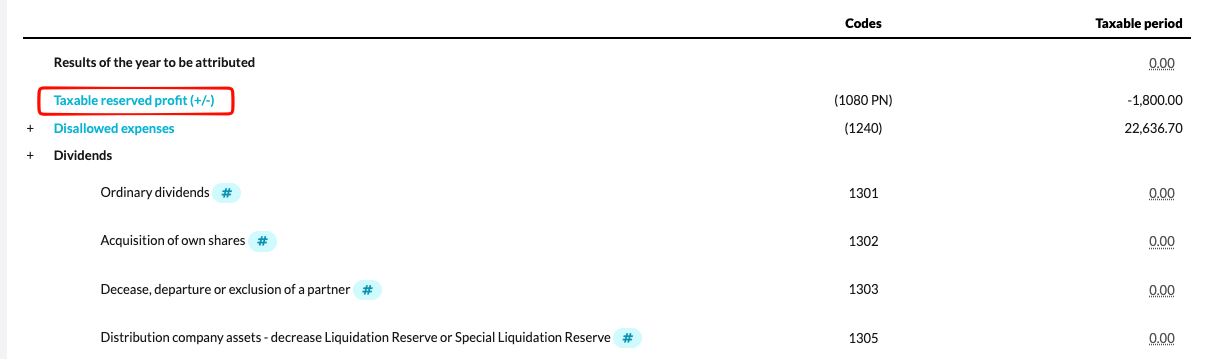
In this template, you record the details of the "Taxable reserved profit" that is noted in the code (1080 PN) of the corporate tax return.
Automatic filling through accounts
Most lines in the template contain a #. You can link the appropriate accounts to these lines, allowing the amounts in the columns "At the beginning of the taxable period" and "At the end of the taxable period" to be filled in automatically.
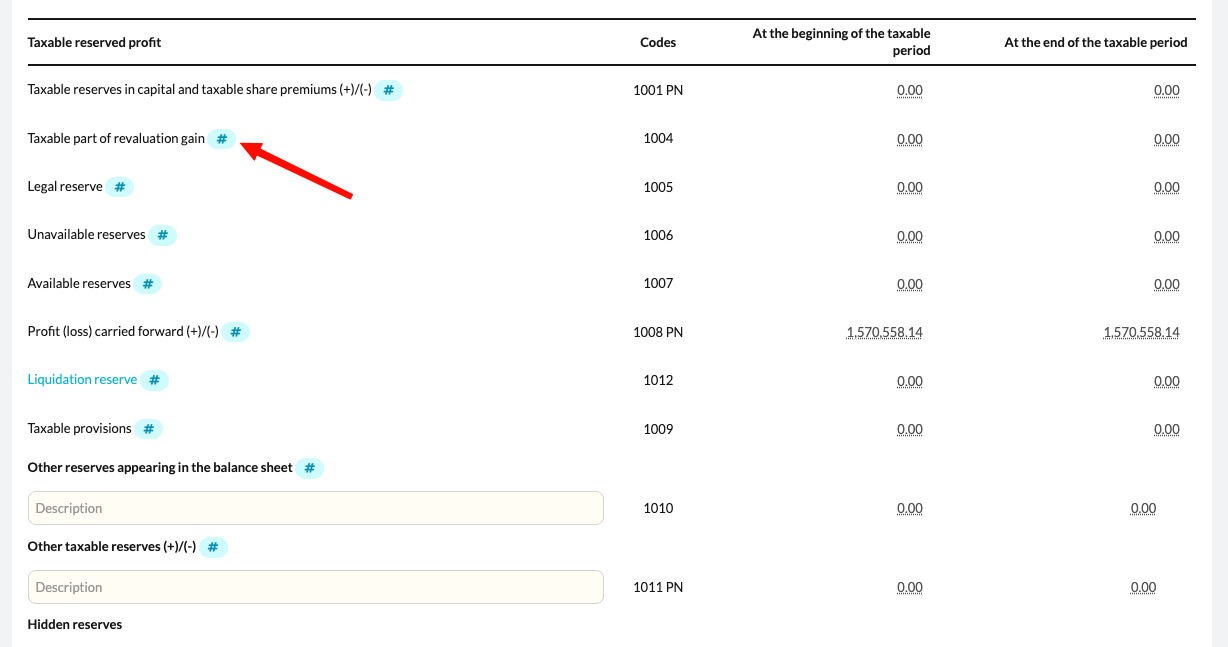
If you work with a uniform chart of accounts, an admin user can preconfigure these links at the office level. This way, the appropriate accounts are automatically linked to the relevant lines in all files. You can find more information about this setting in the following article.
Check on the liquidation reserve
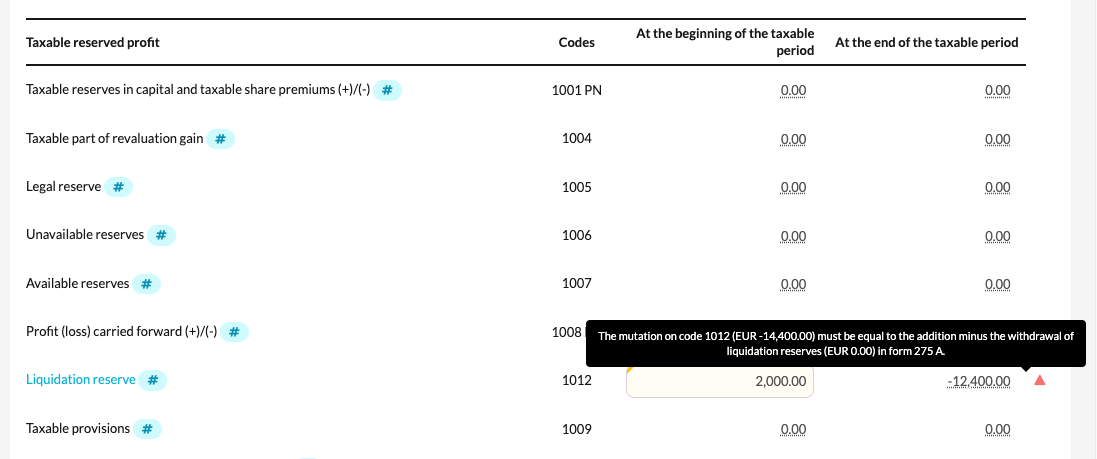
For the line "Liquidation Reserve", there is a built-in check that verifies whether the total amount in Annex 275 A – Liquidation Reserve matches the value entered in the template for Taxed and tax exempt reserves.
Blue-marked lines and underlying forms
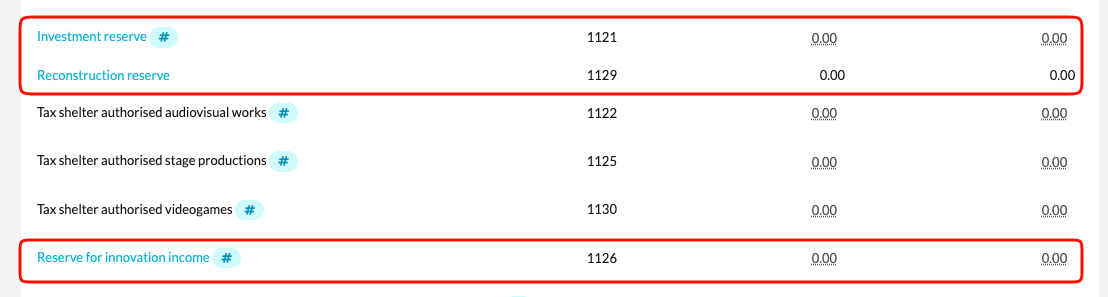
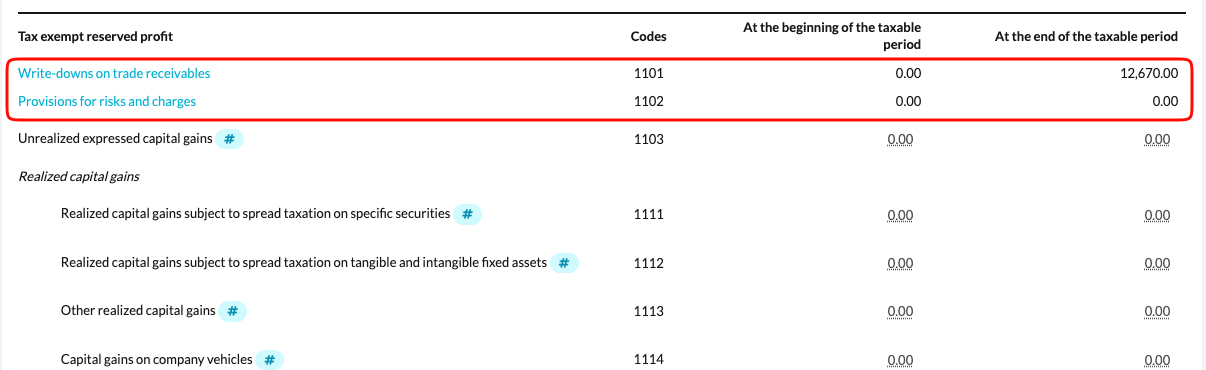
Some lines in the template are marked in blue. This means you can click through to an underlying detail form. It is important that these forms are filled out correctly to ensure proper data flow and clarification.
Some examples include:
- Write-downs on trade receivables and Provisions for risks and charges are automatically filled in via form 204.3 - Write downs and provisions
- The Investment reserve, Reserve for innovation income, and Reconstruction reserveare supplemented through their respective underlying forms.