
| User Roles |  Admin Admin |  Staff contributor Staff contributor |  External Contributor External Contributor | ✗Pulse user |
The 'Invoices to be issued or received - Credit notes to be issued or received' template allows you to record costs and revenues for which the invoice or credit note has not yet been received or sent. You can easily detail the data, add attachments, and make comments. This ensures a clear overview and correct processing of your financial data.
Table of contents
Invoices to be issued or received - Credit notes to be issued or received
For the account template "Invoices/Credit Notes to be Issued or Received," we have made it possible to apply your own range for these accrual accounts.
By default, Silverfin assigns them as follows:
- Invoices to be issued to customers: 404000 - 404099
- Credit notes to be received from suppliers: 404100 - 404199
- Invoices to be received from suppliers: 444000 - 444099
- Credit notes to be issued to customers: 444100 - 444199
Based on these ranges, "Customer" or "Supplier" appears in the title.
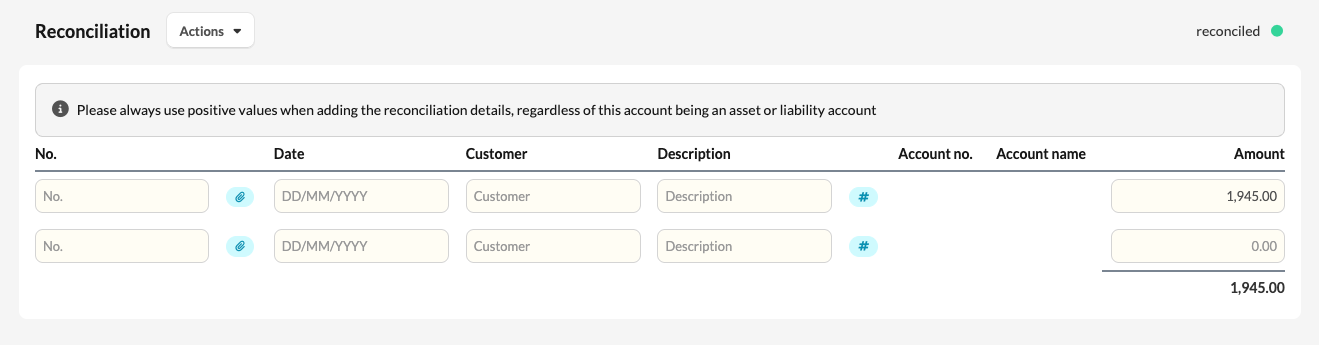
Configuration
However, you can adjust these ranges to your own numbering by following the steps below:
- To do this, go to the office level and navigate to Templates > Account templates > Invoices to be issued or received - Credit notes to be issued or received

- Scroll down to the configuration box at the bottom and add the following configuration by copying and pasting:
{% assign invoices_to_be_issued = "" %}
{% assign credit_notes_to_receive = "" %}
{% assign invoices_to_receive = "" %}
{% assign credit_notes_to_be_issued = "" %} - Replace the " " with the desired ranges. However, keep in mind that these variables only consider the first four digits of the account number, so a possible configuration could be:
{% assign invoices_to_be_issued = 4041 %}
{% assign credit_notes_to_receive = 4045 %}
{% assign invoices_to_receive = 4441 %}
{% assign credit_notes_to_be_issued = 4445 %}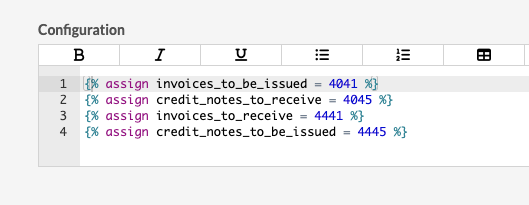
- Click on "Save".