
| User Roles |  Admin Admin |  Staff contributor Staff contributor |  External Contributor External Contributor | ✗ Pulse user |
When working with reports in your files, you may come across reports that appear with a lock icon and cannot be edited. This article explains what locked reports are and what options you have when you need to make changes.
What Is a Locked Report?
- A locked report is a report template that has been locked by your firm.
- Once a locked report is added to a file, it can no longer be edited at file level. This ensures consistency across your organisation, as any updates made at firm level are automatically applied to the report in client files.
- You can recognise a locked report by the lock icon shown on the right side of the report in your file.

Can I Edit a Locked Report?
Locked reports cannot be edited directly. However, you can create a copy of the locked report within your file. Unlike the original, the copy is fully editable, so you can make changes you need without affecting the locked template.
How to create a copy of a report?
- Enter a report you wish to copy.
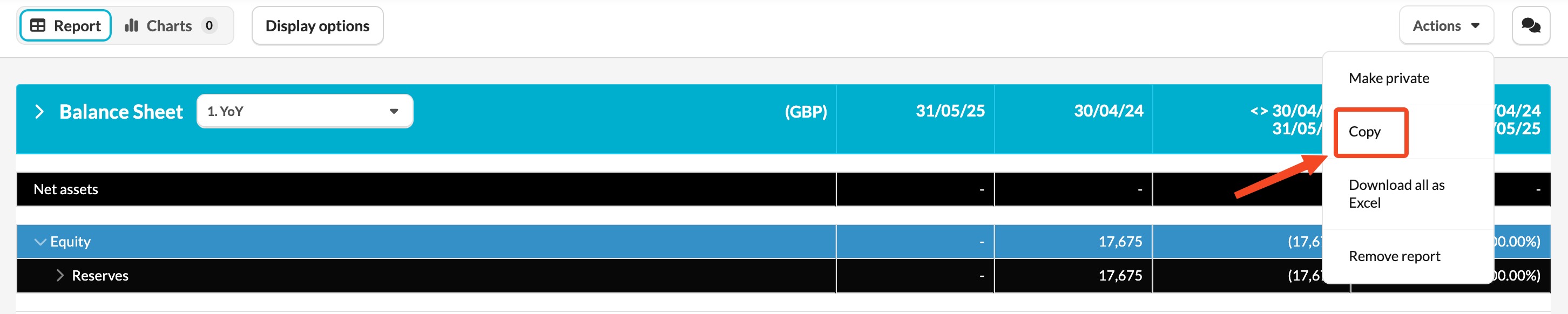
- Click the Actions button and select 'Copy'.
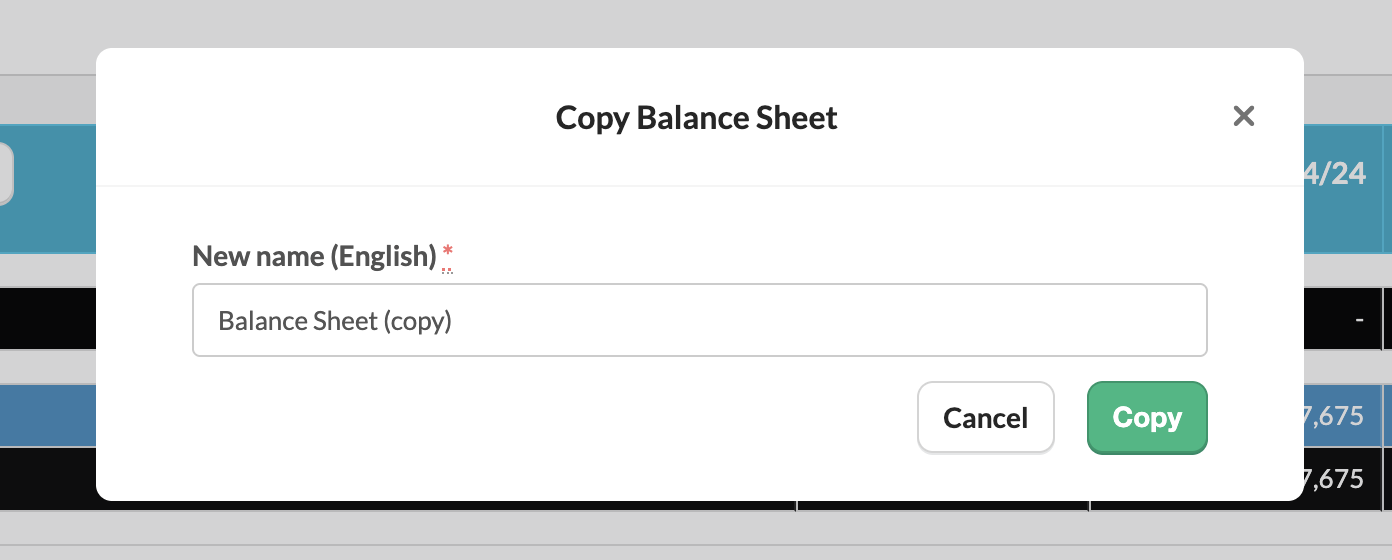
- Provide a new name for the report and click 'Copy'
This approach allows flexibility when needed, while keeping the original template controlled at firm level.