
| User Roles |  Admin Admin |  Staff contributor Staff contributor |  External Contributor External Contributor |  Pulse user Pulse user |
This article explains the different ways you can get in touch with the Silverfin Support team. It is relevant for all Silverfin users who need help or want to follow up on a question.
Table of contents
Ways to Reach Silverfin Support
Silverfin offers several ways to contact our Support team. Choose the option that best suits your question.
Submit a Support Ticket
You can submit a support ticket directly via the Silverfin Support portal. This is the best option for non-urgent questions or issues that require detailed follow-up.
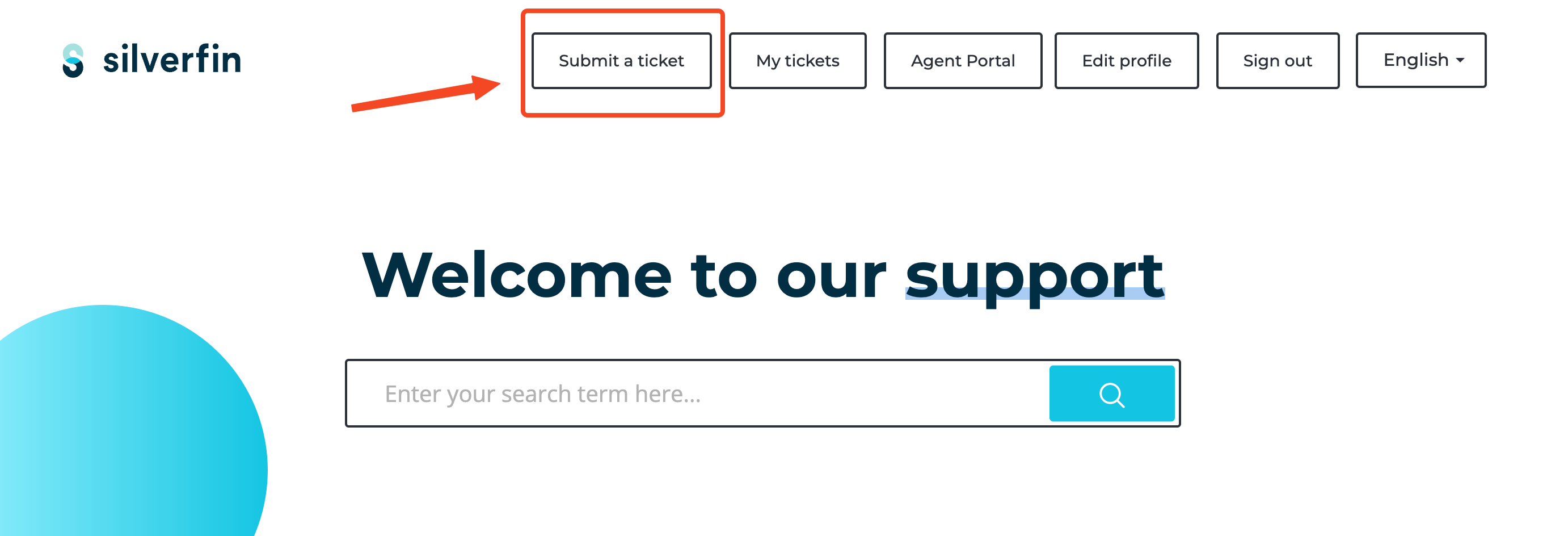
- Go to Welcome to our support page.
- Click Submit a ticket in the top navigation.
- Fill in the form with a clear description of your question or issue.
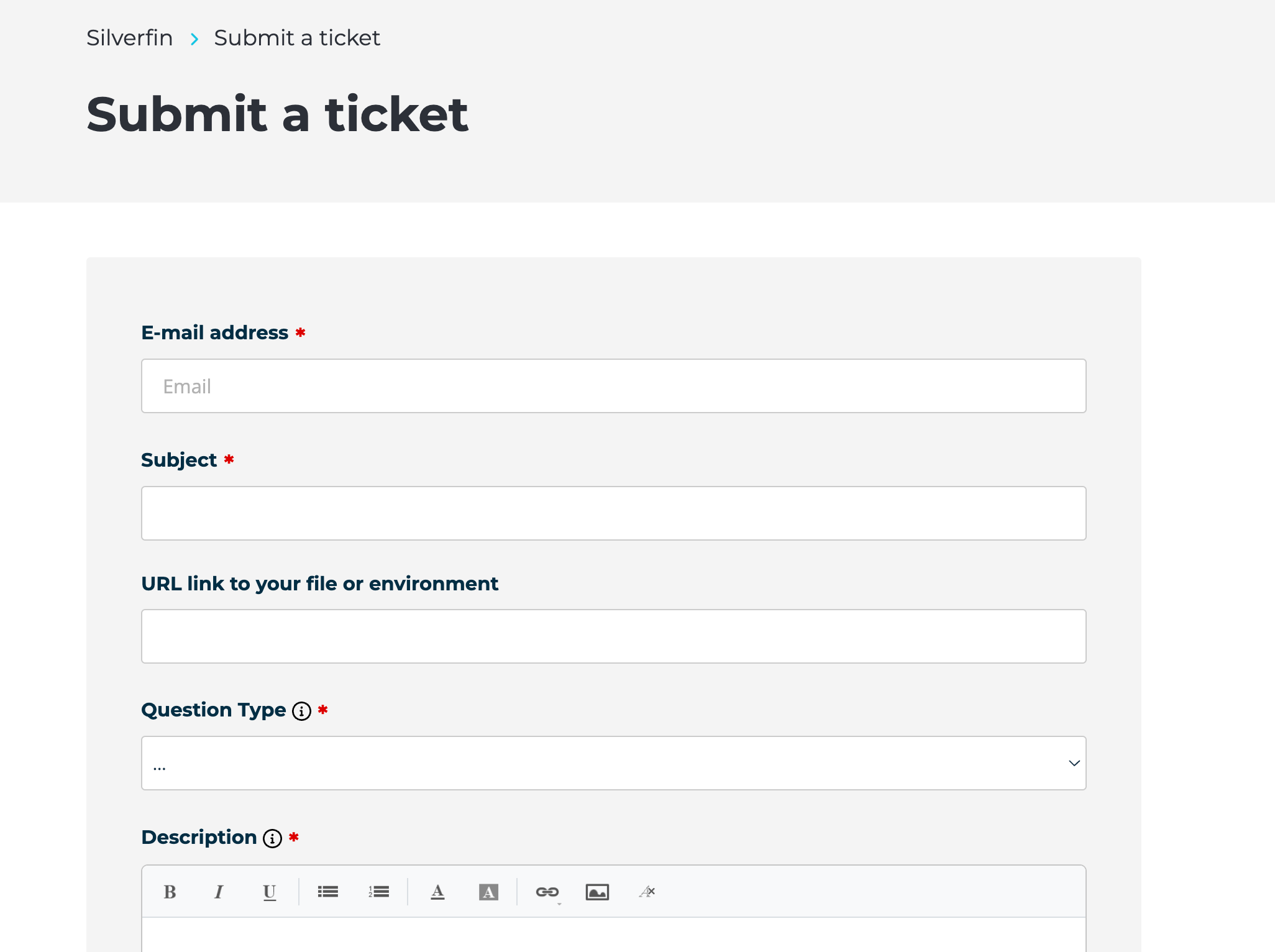
- Click Submit. You will receive a confirmation by email.
Once submitted, you can track and manage all your tickets in one place using the My Tickets feature. For more information, see How can I access "My Tickets"?
Chat With Us
For quick questions, you can use the chat function directly within Silverfin.
- Log in to your Silverfin account.
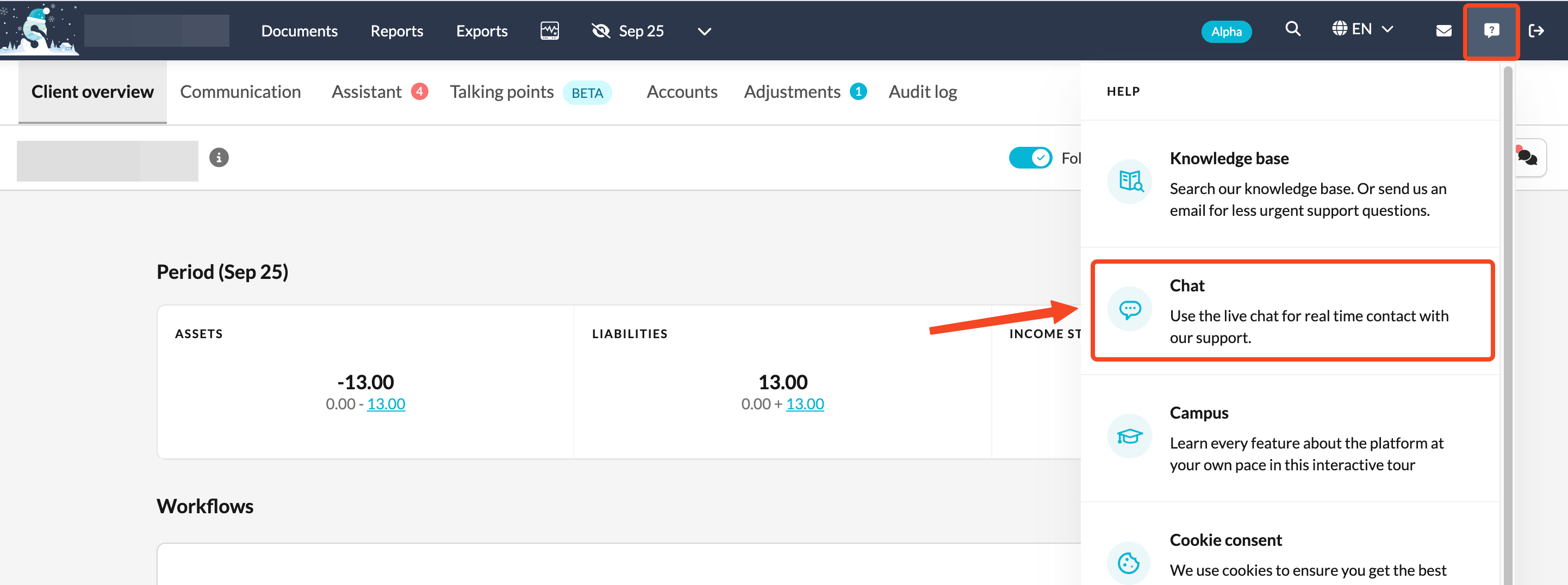
- Click the Help button in the upper right corner.
- Select Chat.
Using Silverfin in Belgium or the Netherlands? You will be connected to Finn, Silverfin's AI chatbot. Finn can answer most day-to-day questions immediately, using the same knowledge base our support team relies on. If your question needs a human specialist, Finn will direct you to the right place. Learn more in Meet Finn, AI chatbot in Silverfin (BE and NL markets).
Send Us an Email
You can also reach our Support team by sending an email directly to: support@silverfin.com
This is a good option if you are unable to access the Support portal or prefer to get in touch by email. We will create a ticket on your behalf and follow up as soon as possible.
Not Sure Which Option to Choose?
- Complex issue? Submit a ticket or send an email so our team can investigate and follow up properly.
- Urgent or quick question? Use the chat function for an immediate response.
If you are not sure, the Support portal is always a safe starting point.