| User Roles |  Admin Admin |  Staff contributor Staff contributor |  External Contributor External Contributor | ✗Pulse user |
With the "Breakdown of fleet costs" account template, you can easily manage the costs of the fleet. This template can be linked to the 61 accounts and allows you to split costs per vehicle using the license plate, as described in the "Fleet" explanation.
Table of contents
First Step: Filling in the Fleet
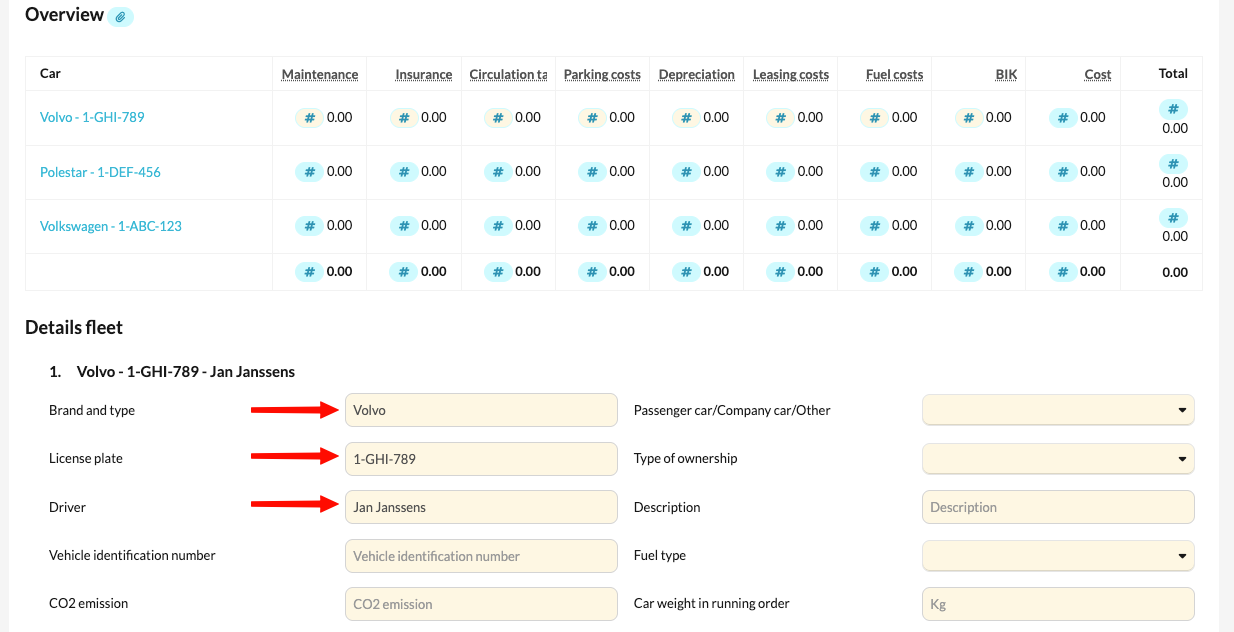
The first step is to fill in the fleet details. You can find more information about the fleet in this article. To use the accounting template, you must enter the license plate, driver and brand and type in the "Fleet" description.
Cost Account Selection
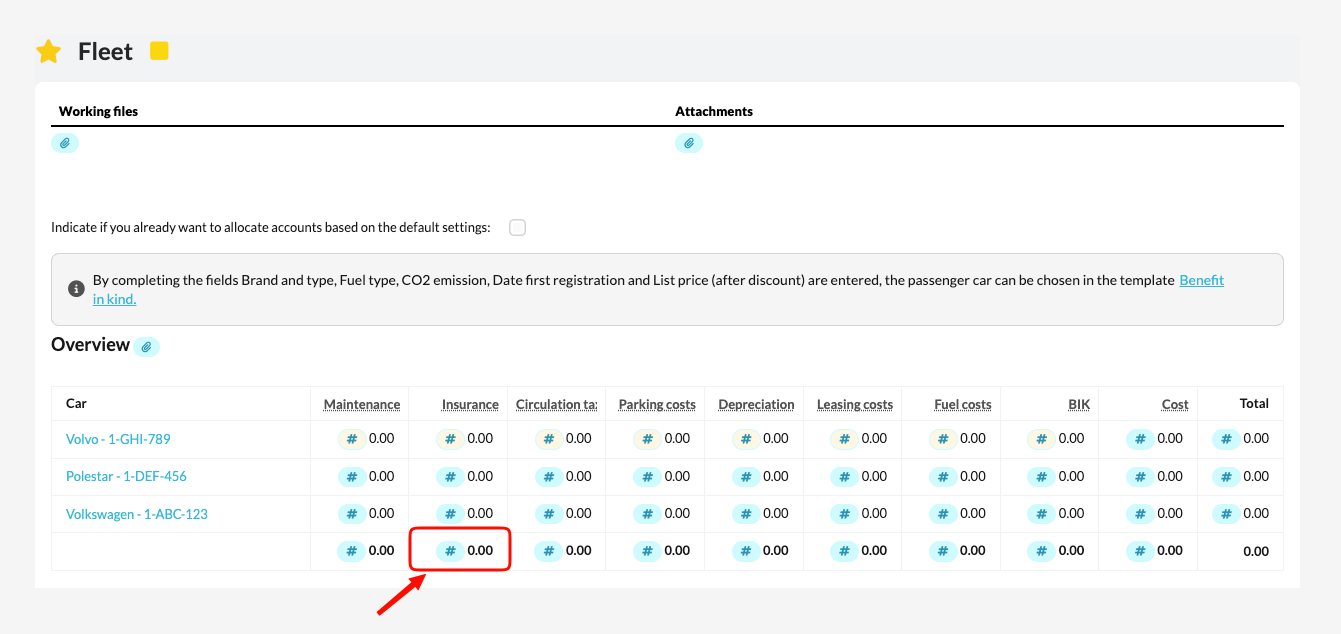
When you record expenses, such as "insurance," for different vehicles on a single cost account, select this cost account in the table within the Fleet, in the total row of the relevant column.
Cost Allocation
Next, you can go to the specific cost account to semi-automatically allocate costs per license plate using simple dropdown lists. "Semi-automatically" means that if the license plate is mentioned in the 'Description' column, Silverfin will automatically select the correct license plate.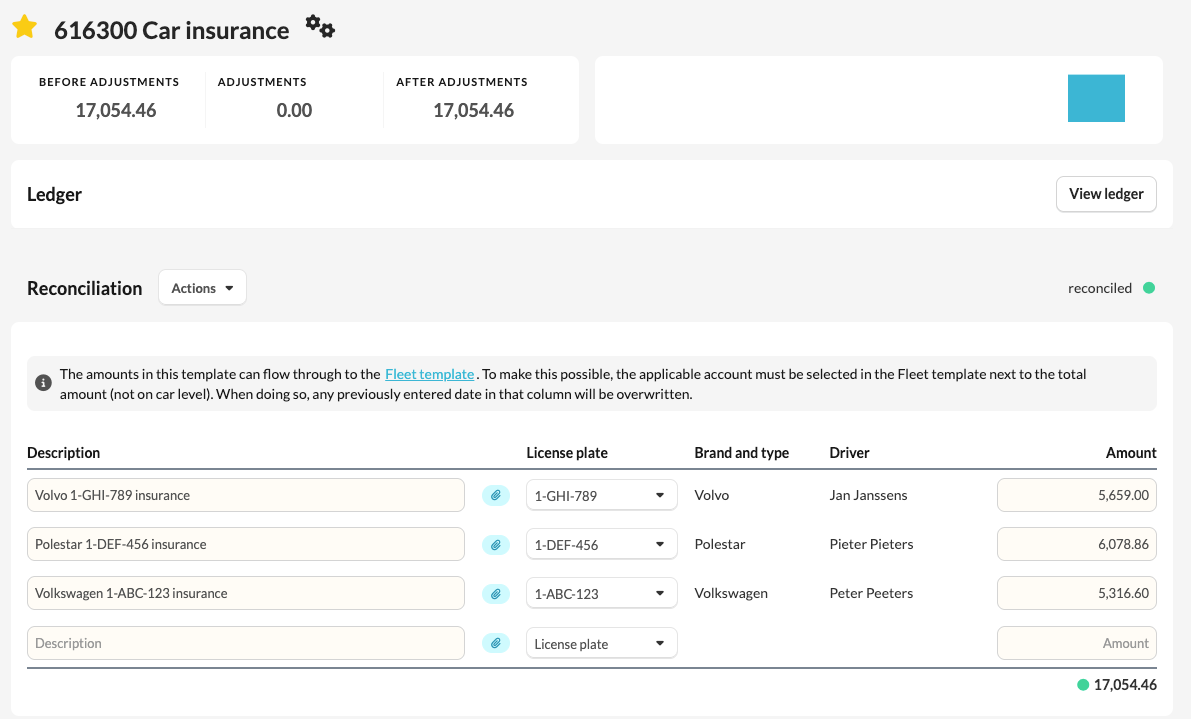
Automatic Feedback
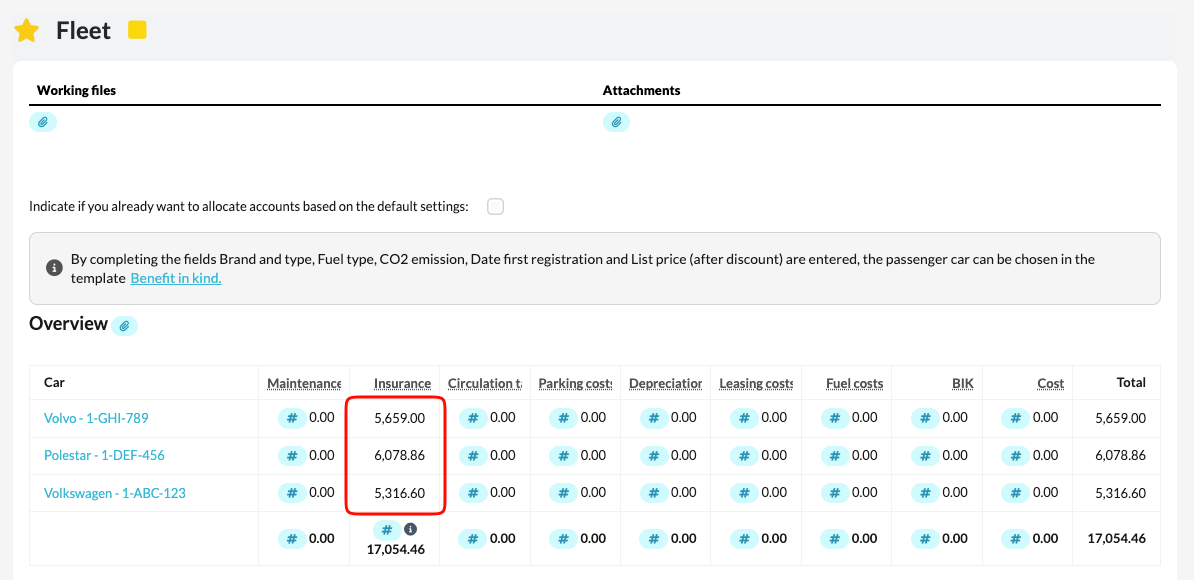
The selected costs on the specific accounts will then be automatically fed back to the fleet and allocated per license plate.