
| User Roles |  Admin Admin |  Staff contributor Staff contributor | ✗External contributor | ✗Pulse user |
This article explains how to generate the sXBRL export of the Belgian Annual Accounts in Silverfin, ready for filing with the National Bank of Belgium (NBB). It covers the prerequisites, the two methods available to produce the file, how to file a correction, and the most common NBB error messages.
Table of contents
- What do I need to do before I export the sXBRL file?
- Method 1: How do I export the sXBRL file from the Annual Accounts workflow?
- Method 2: How do I export the sXBRL file from the client file?
- How do I create an sXBRL file to correct previously filed annual accounts?
- Which error messages can I get when filing on the NBB platform?
What do I need to do before I export the sXBRL file?
Before you generate the sXBRL export, make sure the Annual Accounts workflow is fully completed. The workflow status must reach 100%, which means every starred template (marked with a green dot) contains the required explanations.
If the workflow is not fully completed, mandatory data may be missing from the export and the file could be rejected during NBB validation.
Once the workflow is at 100%, you can generate the sXBRL file in one of two ways.
Method 1: How do I export the sXBRL file from the Annual Accounts workflow?
The most direct way is to use the Actions button inside the Annual Accounts workflow itself.
- Open the client file and navigate to the Annual Accounts workflow.
- In the top-right corner, click Actions.
- From the drop-down menu, select Export sXBRL - Belgian Annual Accounts (modal micro, abbreviated & full).

Silverfin then generates the sXBRL file based on the data in the Annual Accounts workflow.
Method 2: How do I export the sXBRL file from the client file?
You can also generate the same file from the client file overview, which is useful if you want to download several exports for the same period in one place.
- Open the client file.
- On the relevant period block, click the Actions button in the top-right corner.
- Select Download data.
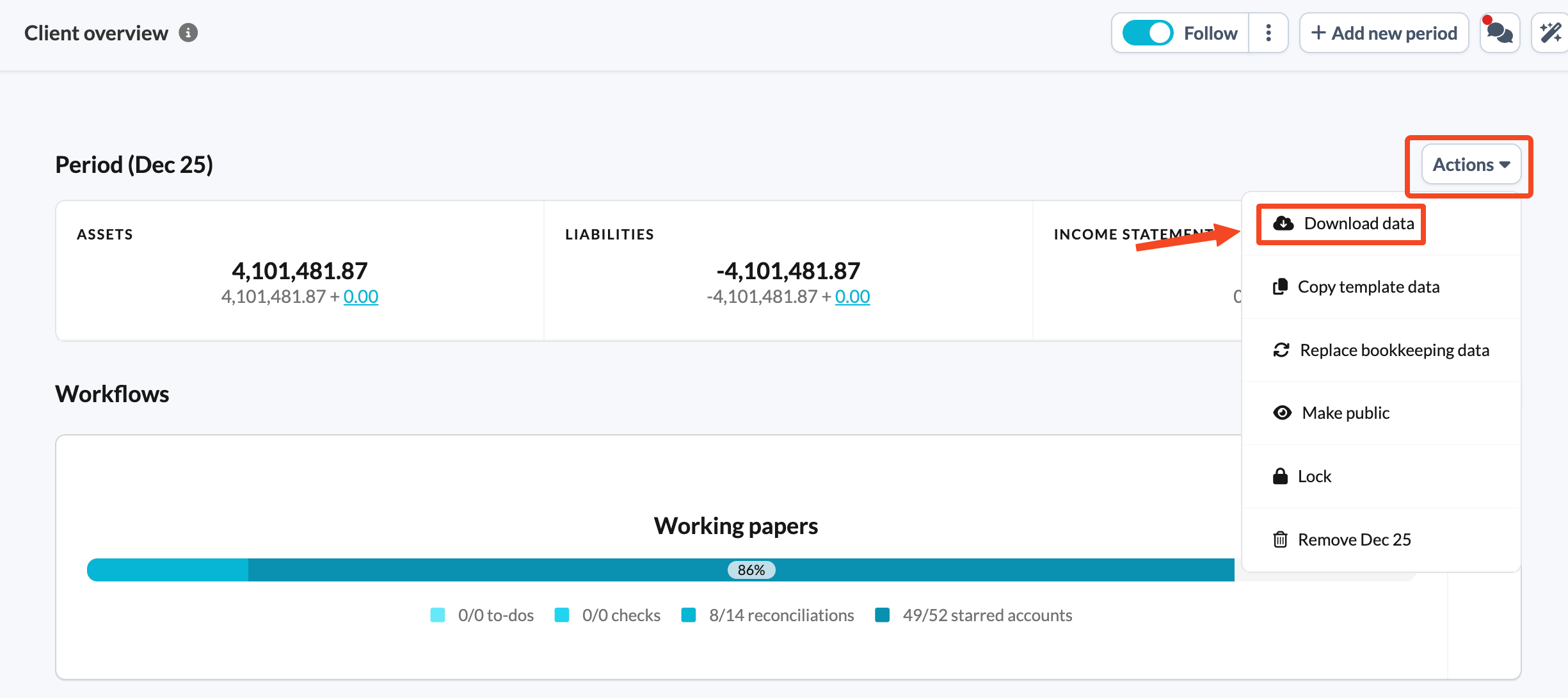
- Choose sXBRL - Belgian Annual Accounts ( modal micro, abbreviated & full ).
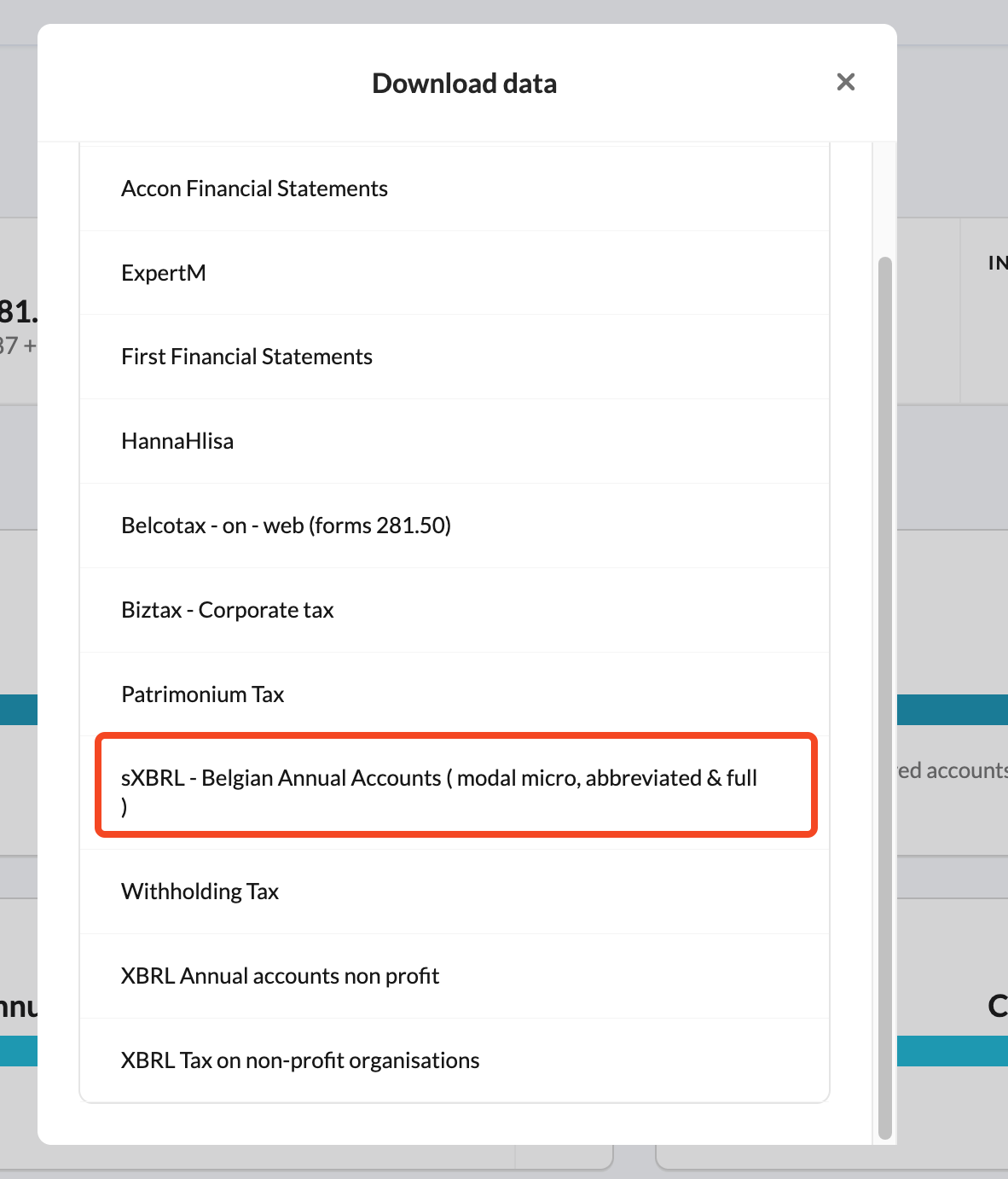
You can upload the generated file directly to the NBB filing platform.
Both methods produce the same sXBRL file. Choose whichever fits your workflow - from inside the workflow when you have just finished completing it, or from the client file overview when you are managing several exports at once.
How do I create an sXBRL file to correct previously filed annual accounts?
Do you need to correct annual accounts that you have already filed with the NBB? You can create an sXBRL file in Silverfin and submit it as a correction to the earlier filing.
- Unlock the relevant period so you can make changes.
- Go to Identification details.
- Tick the relevant checkbox. Silverfin then automatically displays the additional fields you need to submit the correction details for your annual accounts.
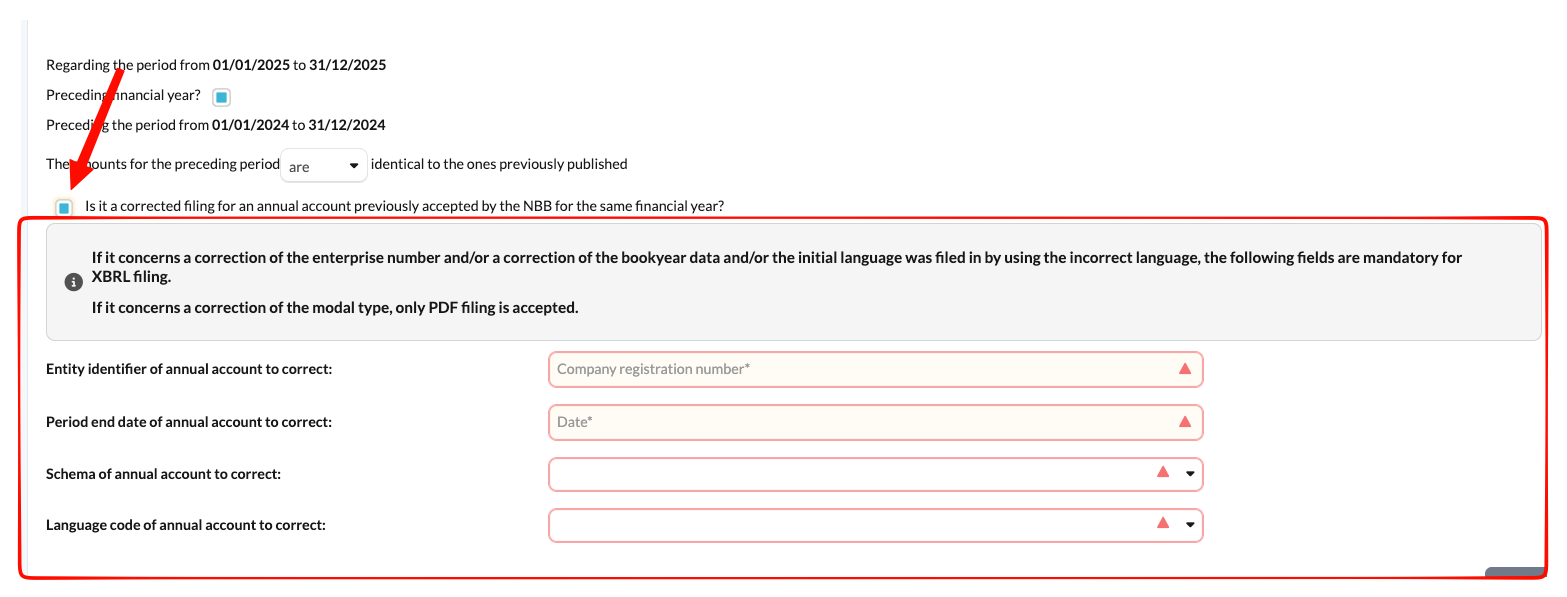
- Complete the additional fields.
- Generate the sXBRL file again using Method 1 or Method 2.
Which error messages can I get when filing on the NBB platform?
Do you get an error message when you upload the sXBRL file to the NBB filing platform? Below you will find the most common error messages, what causes them and how to resolve them. Adjust the relevant template in Silverfin, then generate the sXBRL file again.
Why do I get the error message Duplicate fact between?
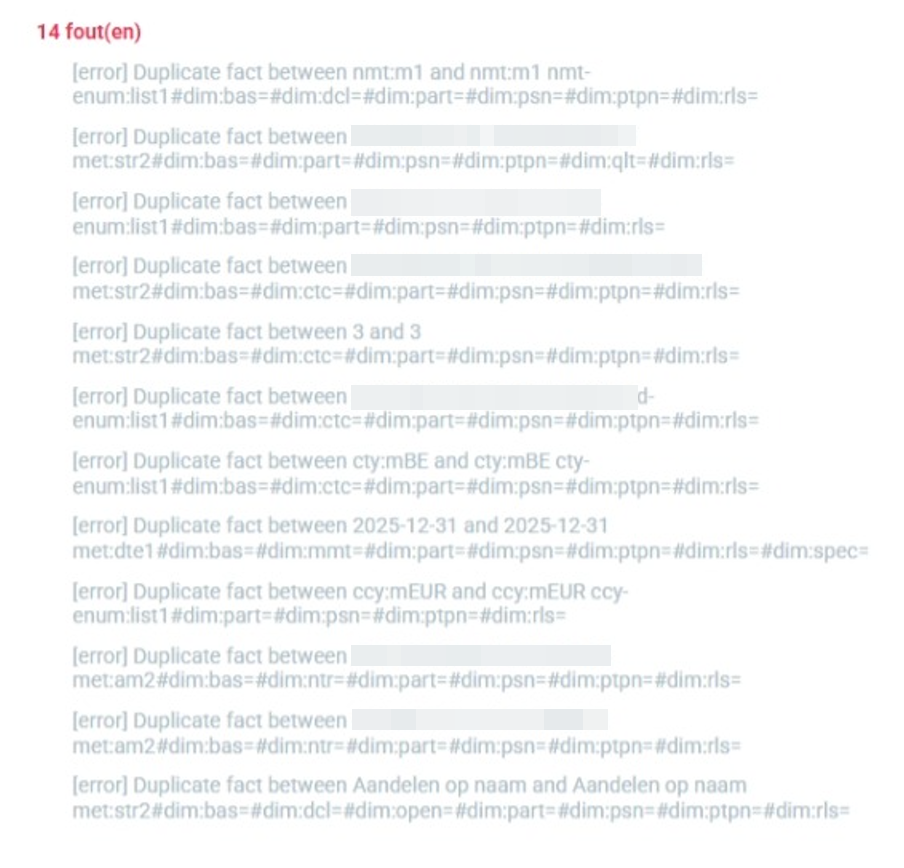
Silverfin creates the XBRL tags based on the names you enter in the Participating interests information template. If you use the same name two or more times in one of the fields of that template, the NBB platform check assumes you are providing information about the same entity more than once.
Solution: give each entity a unique name. This should resolve the issue. A small change is usually enough, for example:
- Writing one name with a capital letter and the other without.
- Adding extra information to the name, such as the location.
Why do I get the error message The following open dimension is not initialized: dim:aprf?

An extra empty field in the List of managers, directors and auditors template or the Complimentary review or correction assignment template can cause this error message. Most likely, this field once contained data that was cleared instead of deleted.
Solution: delete the empty fields from the template completely. This should resolve the error message.